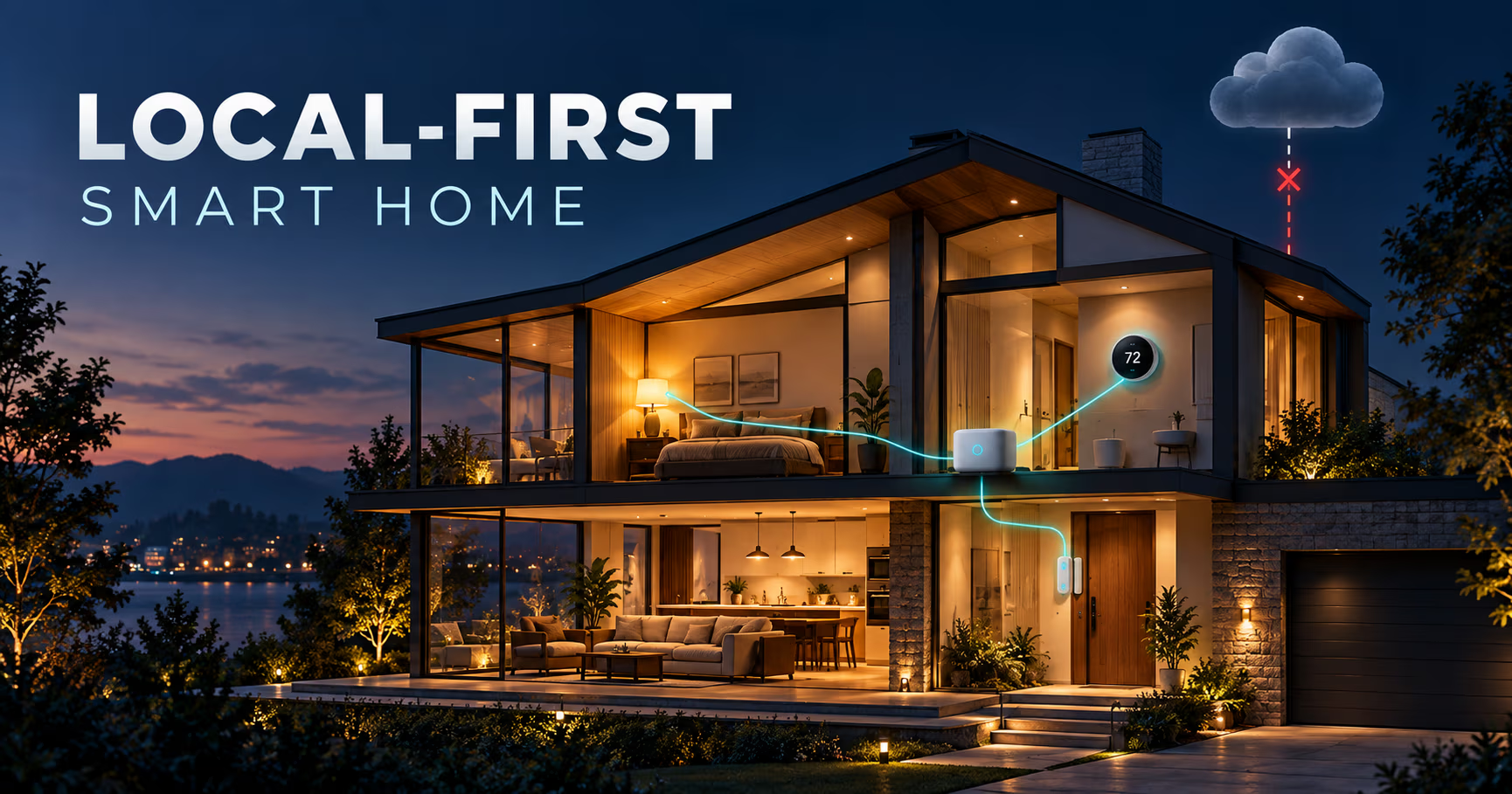
Your smart home should still work when the internet does not. That is not a setting you switch on, it is an architecture you choose. It gets decided the day you install a hub and pair the first device, and it is close to impossible to retrofit later if you got it wrong.
On Monday, October 20, 2025, Amazon's AWS US-EAST-1 region went down for hours, and Alexa and Ring went down with it, along with a long tail of smart home services that quietly run on Amazon infrastructure. AWS's status page that day named an internal subsystem that monitors the health of its network load balancers, inside the EC2 internal network, as the root cause; the post-event summary issued days later traced it further back, to a latent race condition in DynamoDB's DNS management system that left an empty DNS record for the service's regional endpoint, one the automation failed to repair, with the load balancer and EC2 failures following as downstream effects. A name resolution failure, in other words, rather than a capacity problem. If your evening lights were on a sunset schedule that a vendor server executes, that schedule did not run. Not because your Wi-Fi died, and not because the devices were broken, but because the instruction had to leave the house, get processed in a data center, and come back. Reuters noted it was at least the third time in five years that this same northern Virginia cluster contributed to a major internet meltdown (Reuters).
That incident is the whole argument for local-first control, and it is only the smaller half of the problem. Vendors also switch servers off on purpose. Insteon's cloud shut down without warning in April 2022, and cloud-dependent hubs, switches and apps stopped working with it (The Verge). In 2023, Chamberlain cut third-party access to the MyQ garage door ecosystem, and Home Assistant removed that integration in release 2023.12, pointing users at a locally controlled ESPHome-based replacement instead.
This is the sysadmin read on keeping a house running when the WAN does not: which protocols genuinely work offline, where the cloud boundary really sits for Zigbee, Z-Wave, Matter and Thread, what a hub has to provide beyond a radio, and the drill that proves the whole setup in an evening.
The short version
- Local protocols need no internet at all. Home Assistant's own works without internet FAQ lists Zigbee, Z-Wave, Matter, Thread and ESPHome devices as needing no internet connection whatsoever.
- The command path is the whole story. If a command has to leave your LAN before it is processed, an outage or a vendor decision can break it. If it stays on the LAN, neither can.
- Matter is local, but remote access is not. Matter runs over Wi-Fi, Ethernet and Thread and is built around local control, yet the Connectivity Standards Alliance is explicit that controlling Matter-only devices from outside the home requires an internet-connected controller, such as those built into smart speakers and hubs, back in the house.
- Local-first does not mean giving up remote access. You add it back with a VPN or a tunnel, and you accept that during an outage the remote path is the thing that stops.
- Vendor shutdowns are permanent, outages are not. A hub cannot rescue a device whose only input is a vendor app.
- The hub needs four things beyond a radio: a stable local address, correct time, power that survives the outage, and configuration backups you have actually restored.
- Test for longer than ten minutes. Sessions and tokens stay valid for hours, so a quick test can look like a pass while the overnight test fails.
- Home Assistant documentation
2026.9.4 - Home Assistant Green
current hardware line - Connect ZBT-2 (Zigbee and Thread radio)
current hardware line - Connect ZWA-2 (Z-Wave radio)
current hardware line - AWS post-event summary, DynamoDB US-EAST-1 disruption
October 2025 - Nabu Casa rename announcement
Cloud to Link, official from 2026.12
What the internet being down actually means in your house
Your home runs two networks that fail independently, and confusing them is the source of most bad troubleshooting. The LAN is the Wi-Fi, Ethernet and mesh radios on your own property. The WAN is whatever your ISP hands you. When the WAN drops, the LAN keeps working: devices keep their addresses, multicast keeps flowing, local names still resolve on the local segment, and paired Zigbee or Z-Wave devices keep talking to their coordinator.
What usually breaks first is DNS recursion. If your network hands out a public resolver, every name lookup starts timing out, and applications that wait on DNS before falling back to a cached address eventually give up. Keeping a local resolver in the path, on the router or in a small service on the LAN, is what keeps internal names working while every external lookup fails.
Then there are two very different failure modes for smart home behaviour:
- The command path. You tap a button, or a motion sensor fires. If the instruction travels to a vendor server and back, an outage, a rate limit or a vendor policy change breaks it, and your local radio is irrelevant.
- The schedule path. A time based automation fires somewhere you do not control, on a clock you cannot see. This is the one that fails silently. Nothing looks broken, the lights simply never come on.
One more detail that matters for testing: cloud sessions, OAuth tokens and cached state stay valid for hours after the WAN drops. A hub that was signed in recently may look perfectly local for the first ten minutes and start failing later, which is why a short test proves very little.
The two architectures, side by side
| Feature | Cloud-first | Local-first |
|---|---|---|
| Where a command is processed1 | A vendor data center | A hub in your home |
| Works with the WAN unplugged2 | No | Yes |
| Latency on a light or a switch | A round trip to a data center and back | Milliseconds on your own network |
| Remote access3 | Included by default | You add it with a VPN or a tunnel |
| If the vendor shuts the service down4 | The app, and often the devices, stop working | Nothing changes |
| Time based schedules5 | Run on the vendor server | Run on your hub's clock |
| Voice assistants6 | Native | Usually still a cloud integration |
| Setup effort | Low | Higher at the start, then flat |
Where a command is processed1
- Cloud-first
- A vendor data center
- Local-first
- A hub in your home
Works with the WAN unplugged2
- Cloud-first
- No
- Local-first
- Yes
Latency on a light or a switch
- Cloud-first
- A round trip to a data center and back
- Local-first
- Milliseconds on your own network
Remote access3
- Cloud-first
- Included by default
- Local-first
- You add it with a VPN or a tunnel
If the vendor shuts the service down4
- Cloud-first
- The app, and often the devices, stop working
- Local-first
- Nothing changes
Time based schedules5
- Cloud-first
- Run on the vendor server
- Local-first
- Run on your hub's clock
Voice assistants6
- Cloud-first
- Native
- Local-first
- Usually still a cloud integration
Setup effort
- Cloud-first
- Low
- Local-first
- Higher at the start, then flat
- Everything else on this list follows from this line.
- For devices paired over a local protocol.
- One more thing to run, and one you control.
- Insteon shut its cloud off in 2022.
- Which makes correct local time a real dependency.
- Home Assistant lists the Apple Home, Google Home and Alexa integrations as needing internet.
Almost every smart home argument is really an argument about the first row of that table. Cloud-first puts the vendor in the execution path of your light switch. Local-first puts a box in your house there instead, and that box is now yours to power, back up, patch and monitor.
The practical consequence is that local-first does not remove responsibilities, it moves them. You stop depending on someone else's uptime and start depending on your own. That trade is worth making if you treat the hub like the small server it is, and it is a bad trade if you install it and forget it.
The hybrid case deserves naming too, because it is what most real homes look like: a hub that prefers local integrations but still falls back to the cloud for the parts that have no local alternative. Home Assistant documents exactly this preference, using a local integration whenever one exists. That is a sensible default, as long as you know which of your devices are in the cloud-dependent minority.
Which protocols actually keep working
Device and protocol | Runs with the WAN down | Needs a hub | Notes |
|---|---|---|---|
Zigbee | Yes | Yes, a local coordinator radio | Mesh protocol, low power, huge device choice |
Z-Wave | Yes | Yes, a local coordinator radio | Mesh protocol on a separate frequency band, strong interoperability story |
Thread, usually paired with Matter | Yes | Yes, a Thread Border Router | Border routers are often built into a hub, a speaker or a plug |
Matter over Wi-Fi or Ethernet | Yes, if the platform is local | Yes, a local controller | Local control is the point of the standard, remote access still is not |
ESPHome or other LAN-first firmware | Yes | A local controller, or none at all | Designed to be driven from the house, not a vendor cloud |
Vendor Wi-Fi device with app-only control | No | No, and that is the problem | The vendor app is the only interface, so the command path leaves your house |
Alexa, Google Home or Apple Home via Home Assistant Cloud (Link from 2026.12) | No | Not applicable | The FAQ lists these HA Cloud integrations as needing internet; Apple Home with a local home hub can often still control LAN and Matter devices offline |
Two nuances keep coming up.
Matter gets misread in both directions. It is not a cloud protocol. It runs over Wi-Fi, Ethernet and Thread, with Bluetooth for setup, and local control is the point of the standard. But local control and offline everything are different claims. The CSA's Matter FAQ notes that controlling Matter-only devices when you are away from home requires an internet-connected controller present in the home, and a Matter over Thread setup also needs a Thread Border Router to bridge the Thread mesh to your home network and controller.
A local radio does not guarantee a local integration. Zigbee and Z-Wave devices are local by transport, but the integration driving them still has to run on your hub. This is where integration documentation is the honest source: it tells you which integrations are local, which need a vendor cloud, and which prefer local when there is a choice.
The hub carries the entire decision
If you want a documented offline story rather than a hopeful one, Home Assistant is the reference implementation. Its FAQ states plainly that it runs on your own hardware, that local protocol devices need no internet, and that cloud-only integrations plus the Apple Home, Google Home, Alexa and Cloud remote access features are the parts that stop. The hardware line reflects it: Home Assistant Green as the small always-on box, Connect ZBT-2 for Zigbee or Thread (it runs one protocol at a time), and Connect ZWA-2 for Z-Wave. If you would rather run it as a VM on hardware you already own, our Proxmox vs IncusOS comparison covers where it fits.
Beyond a radio, the hub needs four things to survive an outage:
- A stable local address. A reservation or a static IP, plus local name resolution that does not depend on a public resolver. During an outage you should still be able to open the local interface from a browser in the same house.
- Correct time. Many small single board computers have no real time clock, or only one that keeps time through a power cut with a battery installed, so after a power cut the clock can be wrong until something tells it the time. Run a time server on your router or NAS, point the hub at it, and keep a local time source in the configuration so time based automations do not drift while the WAN is down.
- Power that outlives the outage. A hub that is off has no automations, however local they are. The usual order is the hub, the network switch, the ISP modem and the coordinator radio on the same small UPS.
- Backups you have restored at least once. Treat the hub like any other service you own. The 3-2-1 pattern applies unchanged, and an untested restore is not a backup.
Monitoring is the fifth thing people skip, and it is the one that tells you the hub went down at 3am rather than a week later. A lightweight monitor such as Beszel or Dockhand covers the basics, and a hardware watchdog such as the one in our Linux watchdog guide covers the case where the box hangs instead of dying cleanly.
Before you buy anything: six rules
- Ask the WAN question first. What does this device do when the internet is unplugged? If the honest answer is that it needs the vendor app, you are buying a device you do not control.
- Require a documented local integration or a local API. Documentation and community device lists answer this question. Marketing copy does not.
- Prefer mesh radios over vendor Wi-Fi for anything critical. Zigbee, Z-Wave and Thread devices talk to a coordinator you own, which is the entire point.
- Be careful at the edges of the house. Garage doors, locks, cameras and appliances are where cloud dependency is most common and most painful. MyQ is the case study, and the fix was local hardware, not a vendor update.
- Keep the physical layer usable. A smart bulb on a switched circuit becomes a dumb bulb the moment someone flips the switch, and every automation depending on it is now guessing. A relay or dimmer behind the wall switch keeps both the app and the wall working.
- Budget for the boring parts. A UPS, a spare coordinator radio (these do fail), a spare boot device or a tested hub image, and an hour a quarter to run the drill below.
Remote access without moving your automations back to the cloud
Local-first changes where your automations run, not whether you can check the house from a hotel room. The clean pattern is an inbound path that terminates inside your network instead of a vendor's: a tunnel or a mesh VPN. Our Cloudflare Tunnel vs Tailscale Funnel comparison covers the tunnel side, NetBird vs Pangolin and Newt covers the mesh side, and the VPN reality check is worth reading before you assume a VPN solves a problem it does not.
The trade to accept in advance is simple. Remote access is exactly the capability that stops first when the WAN drops, and that is fine, because losing remote access for a few hours is a much smaller loss than losing the lights. Just make sure nothing important depends on reachability from outside, and that anything time critical also has a local trigger.
The drill: pull the WAN plug
You cannot know whether any of this works by reading about it. Ten minutes with a cable unplugged is worth more than every specification sheet in this post.
- Kill the WAN, keep the LAN. Unplug the uplink on your router, or disable the WAN interface. Leave the modem and everything inside the house powered, and resist the reset button.
- Prove local reachability. From a laptop in the same house, confirm that the hub answers on its local address.
- Walk the house, room by room. Test the wall switches, the app on the local network, each scene, each motion sensor, the thermostat schedule, and the things that normally run at sunset.
- Let it run overnight, then check again in the morning. This is where token expiry and clock drift show up.
- Read the journal afterwards. An outage is a free diagnostic run. Our journald persistence guide is about exactly this: making sure the evidence still exists after the box reboots.
- Repeat every quarter, and after every firmware or platform upgrade.
# from a machine on the same LAN, with the WAN unplugged
ping -c 2 homeassistant.local
curl -sS -o /dev/null -w '%{http_code}\n' http://homeassistant.local:8123
You want an HTTP status back from the local interface, not a timeout. If the second command hangs while the first succeeds, you have a name resolution or proxy problem inside the house, not an internet problem.
Time, DNS, power and notifications
These four layers are where local-first setups quietly fail, and none of them are about protocols.
- Time. A hub with no real time clock and no reachable time source will run schedules at the wrong time after a power cut, and the automation will look broken rather than misconfigured. Keep a local time source on the LAN.
- DNS. Keep a local resolver for internal names, and be careful with encrypted DNS settings that depend on reaching a public service. If every lookup needs the WAN, your house gets amnesia when the WAN goes away.
- Power. The hub is a server now, so it needs a UPS, and so does the network gear between it and your devices.
- Notifications. Push notifications usually travel through a vendor cloud, so outage alerts may not arrive exactly when you need them most. A local audible or visual alert, or a notification path that stays on the LAN, is worth having for the few events that matter.
What you still lose, even when this is done right
Honesty here is more useful than optimism:
- Voice assistants. Home Assistant lists its Apple Home, Google Home and Alexa integrations, along with Cloud remote access (Home Assistant Cloud, renamed Home Assistant Link from release 2026.12), as needing the internet. Your local automations keep running, but the speaker stops being a control surface.
- Remote access and remote push, as above.
- Weather, calendar and utility integrations, which have no local equivalent.
- Firmware and device database updates, which simply queue up until the link returns. Do not schedule those at night if a half applied update could leave a coordinator unhappy.
- Any device with no local path at all. No hub can fix a product whose only interface is a vendor app.
- Cloud features you actually like, such as energy dashboards and cross vendor voice scenes. Local-first is a trade, not a free upgrade.
FAQ
Can a smart home work without internet?
Yes, when the automations run on a hub inside your house and the devices are paired over a local protocol such as Zigbee, Z-Wave, Thread or Matter. Devices that only speak to a vendor cloud cannot be reached during an outage, no matter which hub you own or how much you paid for it.
Does Matter work without internet?
Matter is a local protocol that runs over Wi-Fi, Ethernet and Thread, with Bluetooth used for setup, so core control stays on your network. What still needs the internet is remote access: the CSA's FAQ says controlling Matter-only devices from outside the house requires an internet-connected controller back in the home, which is a different promise from local control.
Does Home Assistant keep working when the internet goes down?
Yes. Home Assistant's own FAQ says it runs on your hardware at home and keeps responding when the internet is down, and that Zigbee, Z-Wave, Matter, Thread and ESPHome devices need no internet connection at all. Cloud-only integrations and the Apple, Google and Alexa integrations are the parts that stop.
How do I tell if a device is cloud-only before buying?
Look for a documented local integration or a local API, and ask what the device does with the WAN unplugged. App-only control is the warning sign: if the vendor's mobile app is the only interface, assume the command path leaves your house. Documentation and community device lists answer this better than marketing copy.
Official sources
- Home Assistant, does Home Assistant work without an internet connection: https://www.home-assistant.io/faq/works-without-internet/
- Home Assistant, removal of the MyQ integration (2023-11-06): https://www.home-assistant.io/blog/2023/11/06/removal-of-myq-integration/
- Connectivity Standards Alliance, Matter FAQ: https://csa-iot.org/all-solutions/matter/matter-faq/
- Home Assistant Zigbee integration: https://www.home-assistant.io/integrations/zha/
- Home Assistant Z-Wave integration: https://www.home-assistant.io/integrations/zwave_js/
- Home Assistant Matter integration: https://www.home-assistant.io/integrations/matter/
- Home Assistant Thread integration: https://www.home-assistant.io/integrations/thread/
- Home Assistant ESPHome integration: https://www.home-assistant.io/integrations/esphome/
- Reuters, report on the AWS outage of 2025-10-20: https://www.reuters.com/business/retail-consumer/amazons-cloud-unit-reports-outage-several-websites-down-2025-10-20/
- How-To Geek, how the AWS outage broke the internet of things: https://www.howtogeek.com/why-your-smart-home-went-dumb-last-night-how-the-aws-outage-broke-the-internet-of-things/
- The Verge, the Insteon and iHome shutdowns: https://www.theverge.com/23032451/smart-home-troubles-insteon-ihome-shutdown-matter
If you are self-hosting the rest of your stack, the same instinct applies to the tools that run your work, which is the argument in our write up of replacing Zapier with self-hosted n8n: own the thing that does the work, or accept that someone else's outage is your outage.
What is the first device you would test with the WAN unplugged, and what surprised you when you did? If you have already run the drill, the list of things that broke is more useful than any specification sheet, so put it in the comments.
Until next time, keep your systems thoughtful.
No comments yet