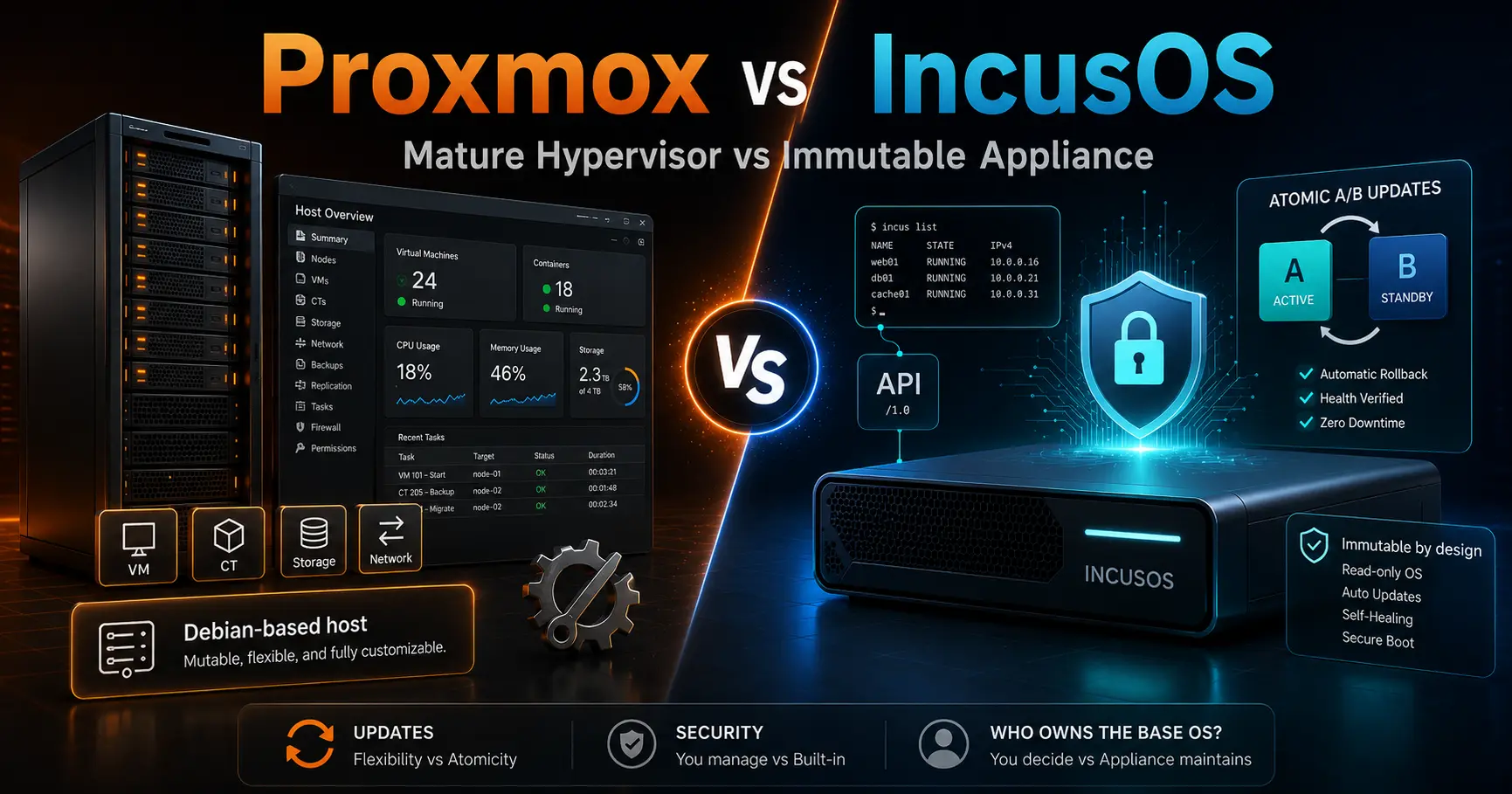
Every few years the homelab hypervisor question gets a new answer. For a long time the answer was Proxmox: install it, point a browser at port 8006, create VMs and LXC containers, back them up, cluster them, HA for free, done. It is mature in exactly the ways that matter, and I have run it for years across enough boxes to know what that maturity is worth.
Then, in November 2025, the Linux Containers project announced IncusOS, an immutable operating system built around Incus, the Apache-2.0 fork of LXD that this blog has pointed people to since Canonical relicensed LXD. IncusOS reframes the Proxmox decision in a way most comparisons miss entirely. It is not a Proxmox clone, it is a different philosophy of what the host should be.
This post is the hands-on, sysadmin version: what each one actually is, the one argument that matters (you manage Proxmox's base Debian, and IncusOS manages itself), how updates and security differ in practice, real commands for both, and the honest limits, including the parts where IncusOS is not ready for you yet.
The short version
- Proxmox is mature and proven, and it forces you to own a second system: the mutable Debian underneath. You patch apt packages, manage config drift, and run the security layers yourself. That is a feature for some people and a tax for others.
- IncusOS is an immutable appliance: read-only signed partitions, atomic A/B updates, UEFI Secure Boot and TPM 2.0, full disk encryption, and no shell at all. The only management surface is the authenticated REST API, driven by the incus CLI.
- The update loop is the whole story. Proxmox means apt update and apt dist-upgrade on your schedule, with drift between runs. IncusOS checks for updates every six hours, stages them to the inactive slot, and applies them atomically at reboot with an easy revert.
- IncusOS is young. Announced November 2025, built on Debian 13 with Incus 7, weekly stable images, and hardware requirements (Secure Boot and a TPM 2.0) that some homelab boxes do not meet.
- The decision is not which hypervisor, it is who owns the base OS. If you enjoy owning it, Proxmox. If you want the base to be a solved problem, IncusOS.
- IncusOS
7.2 LTS - Incus
7.2 LTS - Proxmox VE
9.0 on Debian 13 Trixie - Hardware requirement
UEFI Secure Boot and TPM 2.0; swtpm fallback supported but weakens security
Checked 2026-08-25 against linuxcontainers.org IncusOS introduction and docs (access, security, installing without a TPM), the Incus news feed (7.0 LTS, 7.3), stgraber.org Introducing IncusOS, and the Proxmox 9.0 press release and roadmap. Both projects ship fast; re-check versions before you rely on them.
What Proxmox actually is
Proxmox VE is a Debian-based virtualization platform that has been shipping for well over a decade. It runs KVM virtual machines and LXC containers side by side, exposes a web UI on port 8006, and layers on ZFS and Ceph storage, corosync-based clustering, live migration, and the optional Proxmox Backup Server. Version 9.0 landed on Debian 13 Trixie with kernel 6.14 as the stable default, and 9.1 bumped the default kernel to 6.17.
The sysadmin fact that matters here: Proxmox is an application layer on top of a full, mutable Debian. You get a root shell, ssh, apt, and the entire toolbox. That is why it is flexible, and it is also why it is work. The host is a Linux server you must patch, harden, and keep consistent, on your own schedule, with your own monitoring. The Compose vs Kubernetes framing applies here too: a platform is a second job, and Proxmox is a platform that comes with a Debian server attached.
The flexibility is real. Anything Debian can do, your hypervisor can do. Need a custom kernel module, a bind mount into a container, a specialized backup script, or an agent that must reach the host directly? You have a shell, so you can. The price is that every one of those customizations is state you now maintain, and the base image drifts the moment you install the first extra package.
What IncusOS actually is
IncusOS is an immutable operating system from the Linux Containers project, built on Debian 13 with its own Incus and kernel builds. It is Apache-2.0, lives at github.com/lxc/incus-os, and its own introduction page is blunt about the design: it is solely designed around safely and reliably running Incus.
Every IncusOS server runs bit-for-bit the same software. The OS partitions are read-only and signed, updates use an A/B partition scheme, and all workloads live under Incus as containers or virtual machines. There is no package manager to run, no apt list to keep consistent, and no shell, local or remote. The only way in is an authenticated REST API.
The security model is the most aggressive I have seen in a self-hosted hypervisor OS. UEFI Secure Boot and a TPM 2.0 are hard requirements for the full trust model: measured boot across PCRs 4, 7, 11, and 15, TPM-backed LUKS for the root volume, ZFS encryption for pools, and signed images that are verified before an update is even staged. Secure Boot certificates are rotated annually with the keys published in advance, and the update daemon refuses to apply an image signed by a key that would not boot on the current machine.
Storage and networking get the same treatment. A local ZFS pool is created automatically, with support for Ceph, Linstor, Fiber Channel, NVMe-over-TCP, and iSCSI on top. Networking includes an automatic VLAN-aware bridge, OVS and OVN for software-defined networking, and native Tailscale and NetBird support, which makes the remote access story from the NetBird vs Pangolin post almost trivial.
The argument that matters: who owns the base OS
Strip away the feature tables and this is the entire decision. Proxmox makes you manage Debian. Upgrades, security patches, kernel updates, config drift, the fail2ban and AIDE layers from the Fail2ban vs CrowdSec and AIDE and inotify-tools posts, all of it is your job on the host itself, because the host is a general-purpose server.
IncusOS removes the base OS from the list of things you manage. It updates itself atomically, it is signed and measured, and there is no shell in which to drift. The trade is control. You cannot apt install anything, you cannot ssh in to fix a config, and every change goes through the API. If that sounds like a relief, IncusOS is aimed at you. If it sounds like a cage, you just described Proxmox's target user.
Hands-on: the update loop
This is where the philosophies show up in two very different terminals. Proxmox first:
$ pveversion
pve-manager/9.0.1/...

# Proxmox uses apt; the base Debian updates with the same command
$ apt update && apt dist-upgrade
$ reboot

# the free path needs the no-subscription repo enabled:
# /etc/apt/sources.list.d/pve-no-subscription.list
# deb http://download.proxmox.com/debian/pve trixie pve-no-subscription
IncusOS is the opposite. The system checks for updates every six hours by default. Incus itself is updated in place with a very short API downtime and no impact on running instances. OS updates are downloaded, written to the inactive A/B slot, and applied when you reboot. If the new slot fails to boot, you boot the other one. There is no apt, and there is no partial state.
# from your workstation, add the server as an Incus remote
$ incus remote add IncusOS 192.0.2.100
Certificate fingerprint: 80d569e9244a421f3a3d60d46631eb717f8a0a480f2f23ee729a4c1c016875f7
ok (y/n/[fingerprint])? y

$ incus remote list
+-----------------+------------------------------------+---------------+-------------+--------+--------+--------+
| NAME            | URL                                | PROTOCOL      | AUTH TYPE   | PUBLIC | STATIC | GLOBAL |
+-----------------+------------------------------------+---------------+-------------+--------+--------+--------+
| IncusOS         | https://192.0.2.100:8443            | incus         | tls         | NO     | NO     | NO     |
| images          | https://images.linuxcontainers.org | simplestreams | none        | YES    | NO     | NO     |
+-----------------+------------------------------------+---------------+-------------+--------+--------+--------+

$ incus launch images:debian/trixie trixie
Launching trixie

$ incus list
The update cadence and the revert story are the two things I keep coming back to. With Proxmox, a bad apt upgrade is your problem at 2 AM, and reverting means restoring a backup or re-snapshotting from ZFS if you thought ahead. With IncusOS, the old slot is always there, and the failure mode is a reboot into the known-good image, most of the times. That is a genuinely different operational posture.
Hands-on: installing both
Proxmox installs from an ISO, partitions the disk the classic way, and hands you a server with a root shell and a web UI:
# write the ISO to USB and boot it
$ sudo dd if=proxmox-ve_9.0.iso of=/dev/sdX bs=4M status=progress

# run the installer, then point a browser at https://<ip>:8006
# log in over ssh as root to switch to the free repository
$ ssh root@<host>
$ echo 'deb http://download.proxmox.com/debian/pve trixie pve-no-subscription' \
    > /etc/apt/sources.list.d/pve-no-subscription.list
$ apt update && apt dist-upgrade
IncusOS installs from an image, puts Secure Boot into setup mode first (spent a bit of time to get it right on a Minisforum using setup mode, see below), and does the partitioning and encryption itself. The install seed is where you control the details, and the docs are specific about the no-TPM case:
# download the image from linuxcontainers.org/incus-os
# boot with Secure Boot in setup mode; a TPM 2.0 is strongly expected
# the installer auto-partitions, encrypts with TPM-backed LUKS,
# sets up the local ZFS pool, and reboots

# if the hardware has no TPM, set this in the install seed:
# security.missing_tpm: true
# the system will configure a swtpm software TPM, show a prominent
# warning, and permanently report system_state_is_trusted as false
There is a nicely self-referential detail here: the IncusOS docs include a page for installing IncusOS on Proxmox. So the pragmatic way to evaluate IncusOS is often to spin it up as a VM inside your existing Proxmox host, learn the API-only workflow, and decide whether the base-OS trade is worth migrating for. The two are not enemies, they are adjacent tools, and Proxmox makes an excellent lab for the newcomer.
Security: measured and locked down vs open and yours
IncusOS ships locked down by default. Secure Boot is in user mode after install, the boot chain is measured into the TPM, disk encryption keys are bound to those measurements, and the update daemon verifies signatures against the enrolled keys. There is no sshd to brute-force, no shell for an attacker to reach, and nothing to install on the host that could become a persistence vector. The documented escape hatch is the recovery password at boot, and the docs are explicit about treating an unexpected PCR mismatch as suspicious before entering it.
The swtpm fallback is the honest asterisk. On hardware without a physical TPM, IncusOS can run with a software TPM, but the docs say plainly that this weakens the overall security, that it is unsupported in enterprise environments, and that any system that has ever booted with a software TPM permanently reports system_state_is_trusted as false to the API. For a homelab it is workable. For anything serious, buy the TPM or pick different hardware.
Proxmox's security posture is the one you already know from running Debian: the host is open, and the layers are yours. Disable password auth, run fail2ban or CrowdSec at the network edge, keep an AIDE baseline, patch on a schedule, and lock down the management port. All of that is covered in this blog's security series, and it all applies to the Proxmox host itself. It works, it is proven, and it is a permanent line item of work. IncusOS's whole bet is that the appliance should not need that list.
Storage and clustering at a glance
Both handle serious storage, but the defaults differ. Proxmox gives you ZFS, directory storage, LVM, and Ceph as options you configure, plus clustering through corosync with live migration, and Proxmox Backup Server for the backup layer.
IncusOS creates the local ZFS pool automatically, and adds Ceph, Linstor, Fiber Channel, NVMe-over-TCP, and iSCSI for the larger deployments, with clustered LVM on top. For clusters, the Linux Containers project also offers Operations Center for central management and a Migration Manager aimed at moving away from VMware, which is exactly the path a lot of Proxmox refugees are already on.
The limits that bite
- Proxmox's base Debian is mutable and drifts. The flexibility is the tax: every custom package and config is state you own, patch, and reconcile. The enterprise repository nags without a subscription, and the free no-subscription repository is where most homelabs live.
- IncusOS is young. The first announcement was November 2025, so the ecosystem of guides, community posts, and hard-won debugging knowledge is thin compared with Proxmox's decades of forums and docs. Weekly stable images mean the cadence is fast, and the release-tracking workflow matters more here, not less.
- The hardware requirements are real. Secure Boot and TPM 2.0 are not optional for the full trust model, and older or budget boards without a TPM push you into the explicitly weaker swtpm path. Check your hardware before you plan the migration.
- IncusOS is single-purpose by design. Anything that does not belong under Incus, a backup agent that needs host access, a monitoring probe that needs a shell, a piece of legacy software that expects a full distro, simply does not fit. Proxmox tolerates all of that because it is Debian.
Proxmox vs IncusOS at a glance
| Feature | Proxmox VE 9 | IncusOS |
|---|---|---|
| What it is | KVM + LXC platform on a mutable Debian base | Immutable appliance solely designed around Incus |
| Base OS ownership | You manage Debian: apt, patches, drift | The system manages itself |
| Shell access | Full root shell and ssh | None, API only |
| Updates | apt on your schedule | Automatic atomic A/B, staged, revertible |
| Boot security | Your responsibility | UEFI Secure Boot + TPM 2.0 measured boot |
| Disk encryption | Optional ZFS or LUKS | TPM-backed LUKS + ZFS by default |
| Management UI | Web UI, CLI, and API | API only via incus CLI and Operations Center |
| Virtualization | KVM VMs and LXC containers | Incus containers and VMs (same lineage) |
| Storage | ZFS, directory, LVM, Ceph | ZFS default, Ceph, Linstor, FC, NVMe-oF, iSCSI |
| Maturity | Over a decade of production use | Announced November 2025 |
| License | Proprietary, free no-subscription repo | Apache-2.0 |
| Best for | People who want control of the base OS | People who want the base OS solved |
What it is
- Proxmox VE 9
- KVM + LXC platform on a mutable Debian base
- IncusOS
- Immutable appliance solely designed around Incus
Base OS ownership
- Proxmox VE 9
- You manage Debian: apt, patches, drift
- IncusOS
- The system manages itself
Shell access
- Proxmox VE 9
- Full root shell and ssh
- IncusOS
- None, API only
Updates
- Proxmox VE 9
- apt on your schedule
- IncusOS
- Automatic atomic A/B, staged, revertible
Boot security
- Proxmox VE 9
- Your responsibility
- IncusOS
- UEFI Secure Boot + TPM 2.0 measured boot
Disk encryption
- Proxmox VE 9
- Optional ZFS or LUKS
- IncusOS
- TPM-backed LUKS + ZFS by default
Management UI
- Proxmox VE 9
- Web UI, CLI, and API
- IncusOS
- API only via incus CLI and Operations Center
Virtualization
- Proxmox VE 9
- KVM VMs and LXC containers
- IncusOS
- Incus containers and VMs (same lineage)
Storage
- Proxmox VE 9
- ZFS, directory, LVM, Ceph
- IncusOS
- ZFS default, Ceph, Linstor, FC, NVMe-oF, iSCSI
Maturity
- Proxmox VE 9
- Over a decade of production use
- IncusOS
- Announced November 2025
License
- Proxmox VE 9
- Proprietary, free no-subscription repo
- IncusOS
- Apache-2.0
Best for
- Proxmox VE 9
- People who want control of the base OS
- IncusOS
- People who want the base OS solved
Which should you pick?
- Choose Proxmox when you already run Debian, you want a shell and a web UI, you need the widest ecosystem and the deepest docs, you depend on Proxmox Backup Server, or you run mixed workloads that expect a full host OS. The flexibility is the point, and the base-OS maintenance is the price you already know how to pay.
- Choose IncusOS when you want the base OS to be a solved problem, you like atomic updates and instant reverts, you already use Incus, your hardware has Secure Boot and a TPM 2.0, or you want an immutable, API-only appliance that patches itself. The no-shell model is the feature, not the bug.
- Use neither when the workload is a single app. A plain systemd service or a small stack on one VPS, the Docker vs Podman territory, is less machinery than either hypervisor. Both Proxmox and IncusOS earn their keep when the host is the platform, not the experiment.
My honest read after running Proxmox for years and testing IncusOS in a VM: Proxmox remains the default for most homelabs today, because mature beats new when the box holds your backups, and because the Debian base is a cost most of us have already accepted. But IncusOS is the first hypervisor OS I have seen that removes that cost instead of hiding it, and the atomic update story is the one Proxmox cannot answer without extra tooling. Try IncusOS inside a Proxmox VM, live with the API-only workflow for a week, and then decide who should own your base OS. The answer will tell you which one to run.
Installing IncusOs on a Minisforum
On my Minisforum firmware, Reset to Setup Mode did not behave as expected if I followed the obvious BIOS workflow.
What finally worked was disabling Secure Boot first and saving the change, then returning to the BIOS and selecting Reset to Setup using the Boot menu from another screen, rather than the normal restart path. I then booted IncusOS from my USB drive.
The boot failed, as expected, because Secure Boot was still disabled. However, the IncusOS keys had been enrolled by that point. I went back into the BIOS, re-enabled Secure Boot, saved the change, and rebooted. IncusOS then started normally with its keys installed. Good luck with that!
I found the workaround after reading a Reddit comment from Traditional_Win_8885, who hit a similar firmware quirk on a Minisforum. His exact sequence differed slightly from mine, but the important part was not taking the normal restart path immediately after selecting Reset to Setup.
So I ran into this thread because I was running into the same exact issue on my CachyOS/Windows 11 dual boot setup on V3. Not sure if you’ve solved this but just in case it helps someone else, here’s what finally worked for me.
I was able to get around this by going to the BIOS, disabling Secure Boot, choosing Custom instead of Standard, selecting the Reset to Setup option, and then when prompted to restart I exited that menu and selected the Boot menu on the left side of the BIOS and forced it to boot my CachyOS install from there.
That seems to bypass whatever issue that caused Setup mode to not stick. After that I used sbctl to sign my keys.
For reference, I am using an older BIOS 1.05. Traditional_Win_8885
Official sources
- IncusOS introduction: https://linuxcontainers.org/incus-os/introduction/
- IncusOS documentation: https://linuxcontainers.org/incus-os/docs/main/
- Accessing the system (incus remote): https://linuxcontainers.org/incus-os/docs/main/getting-started/access/
- System security (Secure Boot and TPM): https://linuxcontainers.org/incus-os/docs/main/reference/security/
- Installing without a TPM: https://linuxcontainers.org/incus-os/docs/main/reference/installing-without-tpm/
- Introducing IncusOS, Stéphane Graber: https://stgraber.org/2025/11/07/introducing-incusos/
- IncusOS on GitHub: https://github.com/lxc/incus-os
- Incus news (7.0 LTS, 7.3): https://linuxcontainers.org/incus/news/
- Proxmox VE 9.0 press release: https://www.proxmox.com/en/about/company-details/press-releases/proxmox-virtual-environment-9-0
- Proxmox roadmap and release history: https://pve.proxmox.com/wiki/Roadmap
Are you on Proxmox, or have you started testing IncusOS? Which side of the base-OS trade did you land on, and did the no-shell workflow change your mind? Drop it in the comments.
Until next time, keep your systems thoughtful.
No comments yet