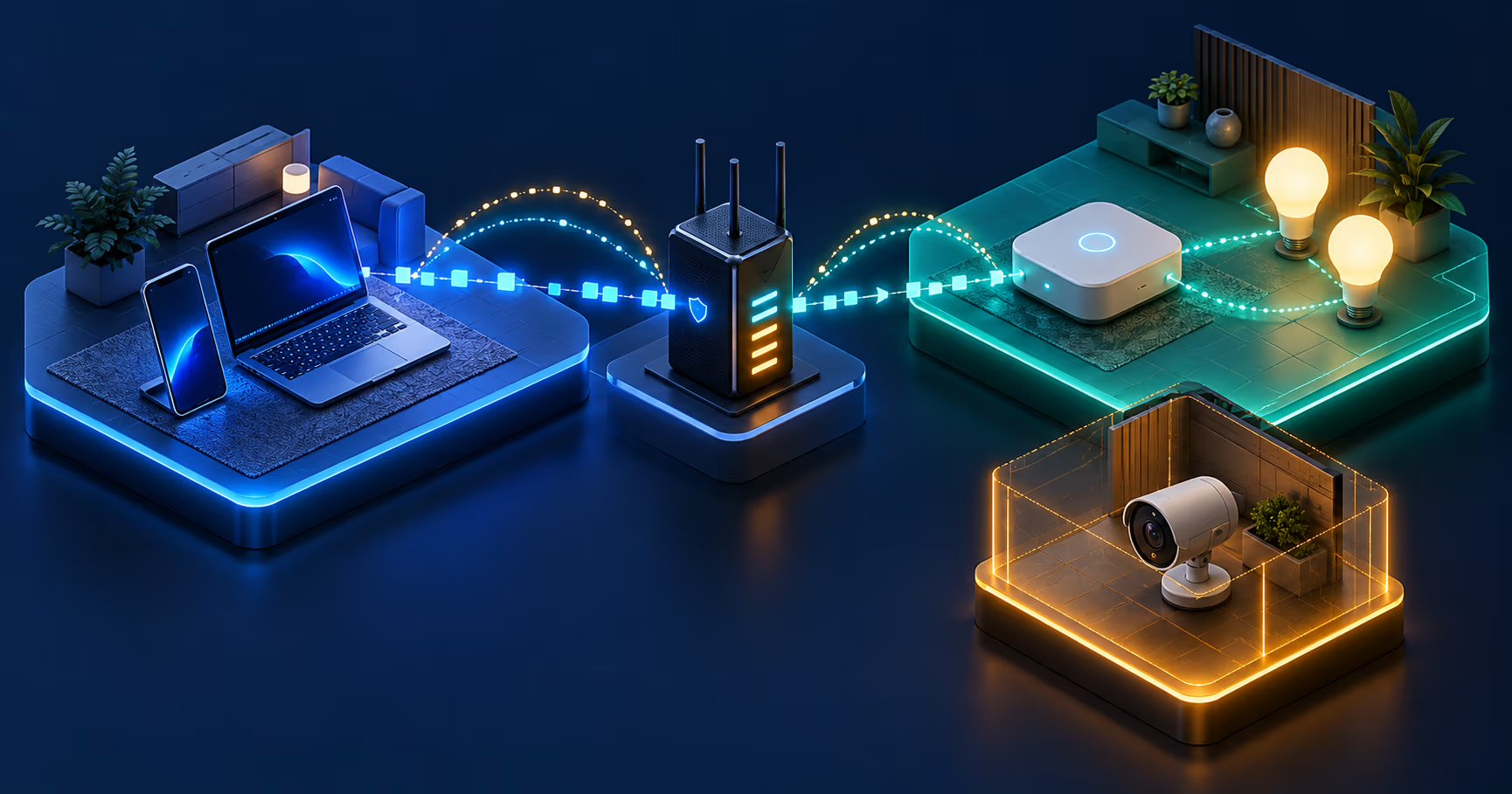
I have run several home IoT VLANs, observed what actually breaks, and read the tools deeply.
Segmentation looks like a good idea until your smart bulb stops being visible to voice control, your phone cannot reach the hub long enough to onboard the next device, or the first phone you move to the new VLAN comes up with a 169.254.x.x address because nobody created a DHCP scope there.
This is what I learned, and why most of the burden is not on the switch, it is on the groups and forwarding rules you define.
The short version
- The Wi-Fi layer's job is not just access, it is negotiation. Two SSIDs on different VLANs can still be a mess if the firmware applies a firewall zone at the radio rather than per SSID. Check multicast handling and WPA rekey timers before you blame the firewall.
- Devices do not all live in one bucket. A switched bulb, a camera, and a Zigbee hub behave like three different classes. Some can be fully disabled, some need limited off-net access, and some break entirely if you deny their discovery traffic.
- mDNS is the quiet killer. Multicast DNS is where most smart-home VLAN complaints trace back. It is sent to the link-local group 224.0.0.251, which routers never forward between subnets, so discovery dies silently unless you relay it deliberately with a reflector.
- Fortress VLAN is a real pattern, not a myth. Fully disabling a device's off-net reach can be worse than letting it phone home, because a device that never updates just accumulates vulnerabilities. Decide per class, not per VLAN.
- Firewall groups are where the coverage comes from. Address groups per device class, port groups per protocol, and stateful rules written in one direction, letting connection state handle the replies, so you are not maintaining a matrix you cannot read.
- Observed on OpenWrt, OPNsense, and UniFi
interoperability layer across firmware versions - IEEE 802.1Q
and interoperability notes in the VLAN standard - RFC 6762 (mDNS)
Section 11: link-local multicast at 224.0.0.251; responses sent with IP TTL 255
I will say up front that this is not a tutorial on how to configure your switch. Every firmware names these things differently, and the concepts matter more than any particular menu path. But if you know what is crossing the wire at each layer, the configuration work becomes a translation exercise rather than an act of faith.
Why segmentation goes wrong at the negotiation layer, not the rules layer
There is an assumption baked into every segment-it-and-move-on guide: if you set up the VLANs and slap a firewall rule between them, your devices will behave like they did before, just more securely. That assumption falls over at three specific points.
The first is the mapping of device to default route. A device that lived on your trusted VLAN for two years has a DHCP lease, an mDNS cache entry, a handshake with your speaker or your laptop, and a set of push registrations. When the VLAN changes, none of their caches update immediately. The false positive looks completely like a firewall problem, and you spend an evening chasing it.
The second failure point is how firmware names a zone. A firewall zone is not an interface, an interface is not a radio, and a radio is not an SSID. We have seen all three get confused, including firmware that applies the zone at the radio rather than the interface, silently spanning every SSID on that radio. This is the situation where you think "I moved one device to semitrusted" and instead every device on the dual-band SSID suddenly is.
The third failure point is multicast and discovery. Most smart home devices do not discover peers through unicast DNS or a controller, they shout across the broadcast domain and wait for a reply. mDNS lives in the Local Network Control Block (224.0.0.0/24), and routers never forward those groups between subnets, firewall rules or not. It fails silently, the device works in every direct way, and then some integration relying on discovery stops.
None of these three are moral failures of the person setting up the VLAN, they are interactions between defaults that were correct in isolation.
Device classes, not one trust bucket
Every guide that says "here is the trusted network, here is the IoT network, done" pretends all smart devices are the same. They are not. What matters is not what the device is, it is what the device does.
Fully sequestered devices. Do not let them reach anything
There are devices where the correct answer is a complete deny with no exceptions. Anything with a microphone, a camera, or just a sketchy management interface goes here, the same instinct behind a container run with its own network namespace and nothing but loopback inside it (Docker's --network none). Most people's cameras live here. Some thermostats. Some TVs.
The cost of this zone is real: some of these devices only update via a vendor cloud, or via a phone app that expects them on the same network. If you wall it entirely, it will often just stop updating until you lift the lid, and a device that never updates becomes a liability, not a locked thing. This is the fortress VLAN pattern: every smart device you fully wall off becomes a thing you will have to open back up later for one reason or another.
The trade is worth naming, because it cuts against the instinct. Containment is the point of VLANs, limiting what a compromised or untrustworthy device can reach, and here is the uncomfortable truth: there is a class of device where fully disabling its off-net reach is more dangerous than leaving one narrow path open, because you remove your ability to close a hole in the device itself by patching it.
Devices that need one specific off-net service
This is most of the interesting middle. A smart bulb that reports to a local hub, a boiler that talks to a cloud endpoint, a TV that needs one specific cast service to function. The pattern is the same each time: these devices spend most of their idle time local and come out only for a specific off-net destination.
For these, the answer is a narrow allowlist: a port group for the specific service, and an address group that pins the device to the hub (or to the vendor cloud endpoint if there is no local option, which creates its own problem, addressed below). On a stateful firewall, that is all you write: the reply traffic is handled by connection state, and an explicit return rule only widens exposure. Most smart home breakage in this middle zone comes from the allowlist itself, either too narrow for a vendor whose endpoints change weekly, or written for a stateless firewall where nobody opened the return path. Write stateful rules and the second error class disappears.
Devices that must not be walled off. The hub class
And then there is the hub. The box that everything in the smart home actually needs, or at least needs to be reachable by. This is the device class that most guides put on the trusted network, and it is also the class where putting it on the IoT VLAN is the only sane answer in a lot of homes.
The reason is discovery, not routing. A hub on the trusted VLAN can still exchange unicast with any IoT device that allows it, and the router answers ARP on the IoT side on the hub's behalf; ARP itself never crosses VLANs no matter where the hub sits. What does not cross is discovery. Many hubs find and control devices through SSDP, mDNS, or a proprietary UDP broadcast, and those only work on the same L2 segment. A hub on a different VLAN from its devices may never see them at all. Zigbee and Z-Wave hubs are the edge case worth naming: their bulbs and sensors are not IP devices, they live on an 802.15.4 radio mesh where only the coordinator touches your network, so VLAN placement affects only the hub's own reachability, not the mesh.
The thing to be careful with is the address group for the hub itself. It is the single device on your network you should pin down carefully, because if the hub's address moves, every forwarding rule that references it becomes an unattended dangling rule you did not write.
mDNS, the discovery protocol that will not cross a VLAN
If I had to name the one thing that stops the most smart home VLANs from working, it would be multicast DNS. RFC 6762 formalises it, but the operational reality is distinct from its specification. On a flat network it works because it is the same broadcast domain. The moment you segment, discovery hits the boundary you just built, and the protocol was designed never to hop across one: mDNS goes to 224.0.0.251, a link-local multicast address that routers do not forward.
Mechanism | What carries it | The failure mode |
|---|---|---|
mDNS reflector | A daemon (Avahi, mDNS-repeater, or your router's built-in reflector) that receives mDNS on one interface and re-originates it on the others | Two reflectors between the same VLANs loop traffic; an unrestricted reflector leaks every service in both directions |
Multicast filtering at the AP | The access point itself decides which multicast groups reach which SSID, and at what rate | Firmware defaults often filter or rate-limit it at the radio, before the firewall gets a vote |
SSDP, not mDNS | DLNA and some casting gear discover via SSDP (UPnP) on 239.255.255.250:1900, a different group and port | An mDNS reflector does nothing for it; SSDP needs its own relay (udpbroadcastrelay, multicast-relay) or it stays broken |
If you take one operational rule away from this post, it is this: mDNS is a protocol you must either relay deliberately or do without across VLANs. Anything else is a compromise you will debug by accident.
Two details are worth calling out. The first is that mDNS is not the only discovery protocol in the house, and the others are not mDNS. Chromecast and AirPlay discover over mDNS, but DLNA and a fair amount of casting hardware speak SSDP, the UPnP discovery protocol, which lives on a different group and port (239.255.255.250:1900). An mDNS reflector does nothing for SSDP: it needs its own relay, such as udpbroadcastrelay or multicast-relay, or it stays broken after you have fixed mDNS. None of this traffic is heavy; discovery packets are small, and the multicast that is genuinely high-bandwidth in homes is operator IPTV. But it is chatty, and if you blanket-forward broadcast and multicast between VLANs, you will bridge far more than you intended.
The second detail is that reflection is not transparent. A reflector terminates mDNS on one interface and re-originates it on the other, and some detail is lost along the way; Avahi's documentation, for example, notes that the unicast-reply bit does not survive reflection. Devices that lean on quirks like that, or that cache records aggressively, can behave oddly behind a reflector. The fix is scope, not topology: relay only the service types you need, and keep the ecosystems that matter most on the VLAN where their records are advertised natively.
The config work here is unglamorous and entirely deterministic. One reflector, multi-homed on the VLANs that need it, and never two reflectors between the same pair of VLANs or they will loop. Relay only the services you designate. And note what a reflector actually does: it re-originates each packet from its own interface on the target VLAN, so the receiver sees a fresh, link-local packet exactly as RFC 6762 expects, sent with IP TTL 255 from a source on the local link. The receiver's locality check is about where a packet came from, not how many hops it has left, which is why a standard reflector does not trip it.
What to put on the trusted side
The second half of the equation, and the half most guides treat as done by default: what do you leave behind on the trusted VLAN.
- Every device you use to control the smart home: for most homes, this is every phone and every laptop, and it is also the management interface to the switch and the router,
- Voice assistants and smart display toys, since they are part of the control surface and the discovery chain needs to reach them,
- NVRs and any device that crafts flows for other devices to reach, such as a storage server or a media library.
The hub is deliberately not on that list. The hub lives with the devices it talks to, which for most homes is the IoT VLAN, for the discovery reason above. That leaves the IoT VLAN for everything that reports state and accepts commands, and it leaves most of the IoT VLAN without any expected inbound flow from outside, because their control path comes from the trusted side and through the hub.
A recipe that survives contact with real devices
Putting it together, the structure that has worked in every home I have seen do this right is:
- One VLAN per trust class, not per device category. Cameras, bulbs, locks, and hubs are all just devices unless their network behavior differs, and if their behavior differs that is what defines the class, not the product tag on the box. Remember that a VLAN is one broadcast domain: devices inside it talk to each other directly at layer 2, below the router's firewall, so a class that must not talk to itself gets its own VLAN.
- The hub lives with the devices it talks to. It is the exception that proves the rule, and it is usually the IoT VLAN, since the discovery traffic it depends on does not leave the local segment.
- Every device class gets an address group, so the firewall rules read like a list of names, not a matrix of CIDR blocks. One rule per class, applied to a group, is what keeps the count from multiplying per device.
- mDNS gets one reflector across the VLANs that need it, relayed by service, not blanket, and SSDP gets its own relay if DLNA matters. This is the piece most likely to be misconfigured, and the failure of it looks exactly like the failure of everything else.
- Stateful rules everywhere. Every rule you write for a device class should be one direction, with the reply path handled by state, and if your firewall does not do stateful, you are writing twice the rules for twice the mistakes.
- A deny-all rule as the bottom of the list, logged, so you can read it and know what fell through.
- No rule for a device you cannot name. If you cannot say why a device has a rule, find the rule's purpose or remove the rule.
This is not a fixed rule set, it is a decision procedure. The recipes differ from house to house, but that procedure does not.
The ONT and the cable modem are part of this conversation
One more class that most guides handle by instinct and I handle by naming it: the ISP device ahead of your router. Two distinctions do most of the work here. A standalone ONT or modem is already a bridge; bridge mode is a setting on ISP gateway combos, not something a plain ONT needs. And none of these settings change what the ISP can see: your traffic crosses their network either way.
Decision | What it means | What to watch |
|---|---|---|
Standalone ONT or modem | Already a pure bridge: your router gets the WAN handoff and does all routing, NAT, and firewalling | Nothing to configure, and it never takes an IP on your LAN |
ISP gateway combo in bridge mode | Disables the built-in router and Wi-Fi so your own router owns NAT, DHCP, and the firewall | Bridge mode is a setting on gateway combos, not on a plain ONT; it removes double NAT but does not change what the ISP can see |
ISP gateway in router mode, your router behind it | Double NAT: two routers in series, and your VLANs end at your router's WAN | The ISP box sees one device, your router, not per-device traffic; IPv6 is the exception, where per-device addresses can remain visible |
No router of your own behind the ISP box | The ISP box is your only router, and you cannot build VLANs through a box you do not control | Real segmentation means adding your own router and switch behind it; the ISP box is the network node you control least |
The point is not that one of these is right. The point is that segmentation begins at the first box you control. An ISP gateway left in router mode mostly buys you double NAT, and your VLANs stop at whichever router you place behind it, so the ISP appliance ends up being the network node you control least. Behind your own NAT, the ISP's per-device view mostly disappears, with one exception worth knowing: with IPv6, each of your devices can hold a globally routable address.
The honest limits of segmentation
I want to name the limits that nobody else puts in the guide, because they are the reasons people give up on segmenting at all.
Mesh networks fight segmentation. Every consumer mesh system handles VLANs differently, some do not handle them at all, and the ones that handle them usually apply the tag at the radio rather than per-SSID. If your mesh will not do what you need, you have three options: wire the APs back to the switch and carry the VLAN on the wire, add a second switch inside the mesh backhaul, or accept that the mesh defines your topology and work with it.
Some devices change their mind about the network they are on. Some devices re-run zeroconf on every VLAN change, some capture the first network they joined and fight every change after that, and some silently drop their push registration and stop receiving commands until a phone on their broadcast domain re-registers them. These are all real cases, they are all rare, and they are all much more annoying when they appear after the segmentation is in place than before.
You inherit every problem the device had before you moved it. A device that used to work on the flat network and has one weird dependency will work in 99 percent of the cases and fail in one case you forgot, and you will find it through denial rather than discovery. Companies that run multi-tenant infrastructures say the same thing: the failure mode of segmentation done for the first time is not misconfiguration, it is the one flow you forgot.
The cascade of everything else
Once you accept that mDNS is a relay decision and the classes are trust buckets and not device categories, everything else in the smart home network becomes a knock-on consequence.
- Every device onboarded after the VLAN is live has a specific home, and onboarding through a phone on the trusted VLAN may not work. Some devices can only be onboarded when the onboarding phone is on the same broadcast domain, so plan to spend one evening with a phone on the IoT SSID before you trust the new deployment.
- Every integration between the phone and the device covers the hub's address and the discovery service, and breaks individually. If you segment, expect each one to break on its own schedule, because the flows are individual.
- The guest network is a VLAN too, and it is the one you will fight about least. Put it next to the IoT VLAN conceptually, deny it everything, let it reach the internet only.
FAQ
What is an IoT VLAN?
A separate network (a virtual LAN) for internet-of-things devices, separated at layer 2 from the network your personal devices use. Separation at layer 2 means the devices cannot address each other directly, and every routed flow between VLANs crosses your router, where firewall rules can govern it. One caveat: those deny rules are yours to write. Plenty of consumer routers forward between their own VLANs freely until you stop them.
Do I need to reflect mDNS between VLANs?
If discovery has to work across VLANs, yes, but frame it as enabling rather than disabling: mDNS does not cross VLANs by default, because 224.0.0.251 is link-local and never routed. A reflector re-advertises the records you choose across the boundary. Whether you should run one is a trust decision. Reflection re-exposes services in both directions, so scope it per interface and per service type instead of relaying everything.
Where should my smart home hub go on a segmented network?
In most homes, on the IoT VLAN, with the devices it talks to on the same broadcast domain. Not for routing reasons: a hub anywhere can reach any device that accepts unicast, and the router handles ARP on each side. The constraint is discovery, because hubs that control IP devices usually find them through SSDP, mDNS, or UDP broadcast, which do not leave the local segment. Zigbee and Z-Wave hubs are the exception: their devices are not on IP at all, so only the hub's own reachability matters, and it goes wherever its controller can reach it. The phones and voice assistants stay on the trusted VLAN, so only control traffic crosses the boundary.
Can I put cameras on the IoT VLAN with everything else?
You can, but be honest about what the firewall is not protecting. Devices on the same VLAN talk to each other directly at layer 2 and never touch the router's firewall, so a compromised bulb could reach a camera on the same VLAN no matter how strict the cross-VLAN rules are. If cameras deserve sequestration, and they usually do, give them their own VLAN, or use client isolation or private VLANs if your switch supports it. And it is worth naming: a camera you never update because you walled it off is not more secure, it is just as vulnerable and harder to fix.
Does segmentation break voice control?
It does if the voice assistant and the device are on opposite VLANs and mDNS is not reflected, or if the device class was walled off and cannot receive the discovery traffic. Voice assistants usually live on the trusted VLAN, so they are part of the control surface that must reach the IoT side, and the flows must be named and allowed.
Further reading
- RFC 6762, multicast DNS (Section 11 covers the IP TTL 255 recommendation and the source address check): https://www.rfc-editor.org/rfc/rfc6762
Until next time, keep your systems thoughtful.
No comments yet