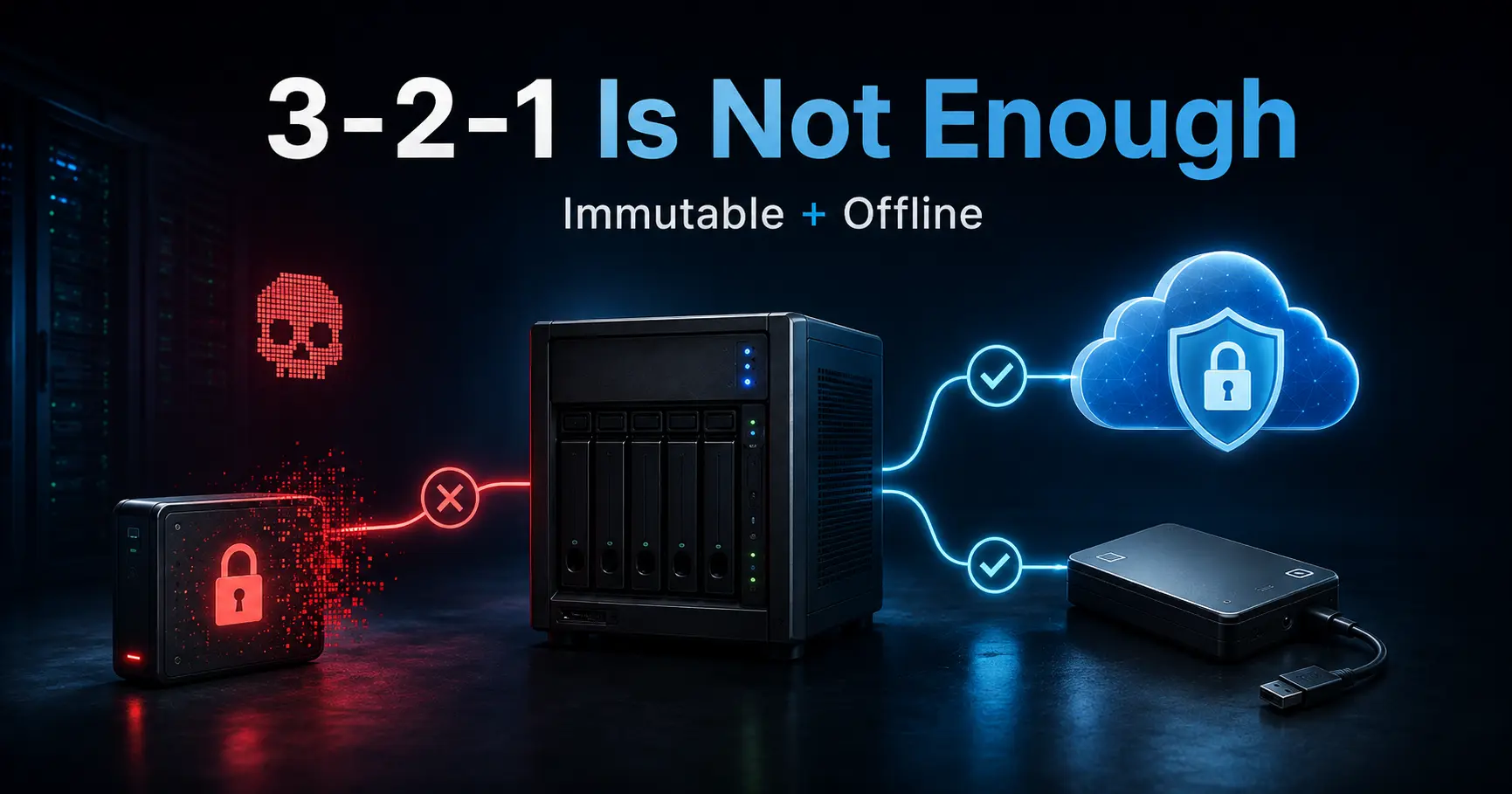
If you have run servers long enough to lose sleep over a disk, you know the 3-2-1 rule by heart: three copies of your data, on two different kinds of media, with one copy offsite. It is a good rule, and it is also a rule written for a world where data loss was an accident. A dead disk, a deleted directory, a fire at the colocation. The rule assumes failures are random and that nobody is aiming at your backups.
Self-hosted infrastructure does not work that way anymore. The two failures that actually end setups are ransomware and compromised root credentials, and both aim at the backups first. Ransomware does not stop at your data; it encrypts the mounted backup drive the same way it encrypts everything else it can write to. An attacker with root does not delete one file; they delete the snapshots, stop the timers, unmount the offline disk if it is plugged in, and take the keys with them. The 3-2-1 rule counts copies and media, but it says nothing about the properties of those copies, and that is exactly where the threat model changed.
I cover what the 3-2-1 rule actually assumes, why ransomware and root compromise break those assumptions, what immutable and offline copies really mean in practice (and what they do not mean), restore drills you can actually run, the recovery keys that are half of every backup, and the configuration backup that most people forget until they need it. The tools behind all of it are the ones covered in the BorgBackup vs Restic vs Kopia post and the Debian server setup post; this one is about the threat model around them.
The short version
- The 3-2-1 rule protects against loss, not against attack. Three copies on two media with one offsite is the right answer to a dead disk. It is not an answer to ransomware that encrypts every copy it can reach, or to root that deletes all of them.
- Ransomware reaches your backups. If a backup target is mounted, connected, or auto-syncing when the box is compromised, it is just more data to encrypt. The defenses are an immutable target and a genuinely offline copy.
- Compromised root is the endgame for copies on the same host. Root can read, modify, and delete anything: the backup user, the timers, the history, the mounted disks. The copies that survive root are the ones root cannot reach.
- Immutable and offline are different properties. Object lock and append-only repositories stop most ransomware. A disk that is unplugged stops everything except your own discipline. You want at least one of each.
- A backup you have never restored is a hope. The quarterly restore drill is the highest-value habit in the stack, and it is the only way to prove the tool, the repository, and the key still work together.
- Recovery keys are part of the backup. A lost restic repository key or a lost Borg passphrase is a lost backup, no matter how many copies you hold. Keys live separately, offline, and are tested.
- Configuration is the part the rule forgets. The 3-2-1 rule counts data. Your stack is actually defined by /etc, compose files, systemd units, cron entries, DNS zones, and firewall rules. Back those up too, or the restore brings back an empty shell.
- The practical upgrade is 3-2-1-1-0: three copies, two media, one offsite, one immutable or offline, and zero untested restores.
- restic
0.19.1 (2026-07-05) - BorgBackup (stable)
1.4.5 (2026-07-19)
Checked 2026-08-27 against restic.net/blog (0.19.1, 2026-07-05) and borgbackup.org/releases (1.4.5 current; 2.0.0b22 remains beta). The S3-compatible services and rclone used in the examples ship on their own cadence; re-check before you rely on them.
What the 3-2-1 rule actually assumes
The rule was designed for a simple failure model: any single copy of your data can disappear, so keep enough copies in different places that one loss does not matter. Three copies mean a disk can die. Two media mean a filesystem bug or a format you no longer support cannot take everything. One offsite means the building can burn. That model is honest for hardware failure, and it is exactly the model that no longer describes the threat.
The failure model changed in two specific ways
First, the failures are no longer independent. Ransomware does not kill one copy; it kills every copy it can reach, in one pass, through one compromised account. Second, the failures are no longer random. A human adversary targets the thing that makes the attack permanent: the backups. Deleting the backups is what turns a recoverable incident into a data-loss event, so the adversary will look for them before anything else.
When you keep that in mind, the 3-2-1 rule is not wrong, it is incomplete. It counts copies. It does not count who can reach them, how they are stored, whether they can be deleted, or whether they have ever been restored.
Threat 1: ransomware encrypts your backups too
Ransomware is not subtle. It looks for writable locations: mounted volumes, network shares, NAS exports, cloud sync folders, directories with names like backup, .bkp, archive, and snapshots. If your backup lives on a disk that is mounted on the same box, or on a NAS share that is always connected, it is inside the blast radius. The encryption pass does not care that the files are backups.
The fix is not to back up less, it is to make the backup target behave differently from your data. Two designs cover most setups.
An immutable target. Object storage with object lock (S3 Object Lock, MinIO with retention, and the other S3-compatible services that support it) makes objects unchangeable for a retention window. A restic repository on such a bucket cannot have its snapshots encrypted in place, because the objects reject writes and deletes during the lock window. The same idea exists on the protocol level: restic's server supports an append-only mode (and Borg does, too), but it has to be enforced on the server, not on the client. Running borg serve --append-only, makes the server refuse any delete or prune request, even from a client that holds the repository key.
Initializing a repo with borg init --append-only alone does not give you this: it only changes the low-level repo structure. A compromised client can still delete (or prune) it. Append-only is not as strong as object lock, since an attacker who controls the server itself can still break it, but it stops the straightforward encrypt-everything pass and, in Borg's case, protects you specifically against a compromised client.
An offline copy. A disk that is not mounted when the box is running is a copy the ransomware cannot see. It does not matter how clever the encryption is if the target is unplugged. The offline copy is the cheapest insurance in the stack, and it is also the most commonly skipped, because it requires a human to plug in a disk on a schedule.
Hands-on, the immutable target looks like this. Object lock must be enabled when the bucket is created, so this is a one-time setup step, not an afterthought:
# object-locked bucket, S3-compatible; lock must be set at creation time
aws s3api create-bucket --bucket s3-backups --object-lock-enabled-for-bucket \
  --region eu-central-1 --create-bucket-configuration LocationConstraint=eu-central-1

aws s3api put-object-lock-configuration --bucket s3-backups \
  --object-lock-configuration '{"ObjectLockEnabled":"Enabled","Rule":{"DefaultRetention":{"Mode":"COMPLIANCE","Days":30}}}'
And the append-only path with restic's rest-server, which is the simplest way to get the property on hardware you own:
# on the backup host
$ rest-server --path /srv/restic --append-only --listen 0.0.0.0:8000

# on the backup client
$ export RESTIC_REPOSITORY=rest:https://backup-host:8000/myrepo
$ restic init
$ restic backup /srv /etc

# forget and prune still work; append-only only blocks deletes and rewrites
Threat 2: compromised root credentials
Root is the second thing the 3-2-1 rule does not price in. On a self-hosted box, most of your copies live on the same host or on a mount that host controls. Root can do all of it: read the repository password from a script, stop the systemd timer, remove the cron job, unmount the offline disk that happens to be connected, delete the snapshots, and then keep the box running so nothing looks unusual. The backup stack is exactly as strong as the credentials that can reach it.
The hardening is separation. The backup should not run as root on the box it protects, and the target should not accept credentials that the rest of the stack can produce.
A dedicated backup identity on the target. The receiving side, whether rest-server, the S3 bucket, the SFTP account, or the Borg host, should only accept writes from one scoped identity with a key or password that exists nowhere else. If the app server is fully compromised, that credential is still missing, and the immutable or offline copy is still intact.
Rotation as a habit. If you ever suspect root was compromised, treat the backups as potentially tainted and rotate: new repository keys, new bucket credentials, new passphrases, and a fresh offline copy from known-good data. This is the same discipline as the file integrity baseline from the AIDE and inotify-tools post: you want the ability to notice tampering and the ability to act on it.
And the honest truth: no amount of separation saves a copy that is mounted and writable on the compromised host. That is why the offline copy is not optional.
Immutable and offline: what each one really means
These two words get used as synonyms, and they are not. Immutable means the storage refuses to modify or delete objects for a period. Offline means the storage is not attached to the network or the machine at all.
Immutable targets in practice: object-locked buckets in COMPLIANCE or GOVERNANCE mode, append-only rest-server and Borg repositories, WORM storage, and tape. The strengths and the footguns are the ones in the callout above: lock at creation, mind the retention window, and never call a root-deletable snapshot immutable.
Offline copies in practice: a USB disk you mount once a week, write, and unplug; a second machine that has no inbound path and only receives; a VPS with credentials that exist nowhere else. The offline copy is the only copy that survives both ransomware and root, and the price is that it goes stale between rotations. A copy that is three weeks old because you were busy is still vastly better than a copy that was encrypted with everything else.
The honest caveat for both: immutability costs money and makes mistakes harder to undo, and offline copies depend on a human following a schedule. Design around both. Set the retention window longer than you think you need, and automate the offline copy's reminders so the schedule is a nag, not a hope.
Restore drills: the only test that counts
The rule that this blog keeps repeating, because it is the one that saves you: a backup you have never restored is a hope. Everything so far, the immutable bucket, the offline disk, the append-only repository, is a bet that the restore works. The drill is how you find out.
The minimum drill is boring on purpose:
$ restic -r s3:s3.amazonaws.com/bucket/repo snapshots
$ restic -r s3:s3.amazonaws.com/bucket/repo restore latest --target /mnt/restore-test

# prove it, do not eyeball it
$ diff -r /etc /mnt/restore-test/etc 2>&1 | head
$ find /mnt/restore-test -type f | wc -l
Run it on a scratch machine or into a directory that is not your live system. Time it, because the restore time is a fact you need for a real incident. Diff against the source. Then write the commands down in a runbook, because the runbook is what you will have at 3 AM.
Quarterly is the sane baseline. Every quarter, restore the newest snapshot to scratch, restore an old snapshot too, that is the one that proves retention works, and test the recovery keys at the same time. The release-tracking post makes the same point about software: the workflow you do not rehearse is the one that fails in production.
Recovery keys: the second half of the backup
Here is the failure that hurts the most, because it has nothing to do with disks or encryption: you lose the key. Every tool in this stack encrypts with a key derived from something you know. restic has repository keys, Borg has a passphrase or keyfile, the offline disk has a LUKS passphrase, the config repo has age keys, and the VPS has SSH keys. Lose the key and the backup is cryptographically unreachable, regardless of how many immutable copies exist.
The rules:
- Export and store keys separately from the data they protect. A restic repository key printed to a safe, an age key on a USB stick in a drawer, a Borg keyfile exported and stored off the host. The key never goes in the same place as the backups, because the whole point is that the key survives the loss of the backups.
- Test the copy. A key stored but never used is a key you will find out is corrupted the day you need it. The quarterly drill restores the data; make it also unlock with the stored key.
- Document the chain. Repository URL, bucket, backend credentials, encryption key location, restore commands. The same discipline that keeps the rest of the stack versioned applies to your recovery documentation: it goes stale, so review it with the drill.
Hands-on, the Borg case:
$ borg key export user@backup-host:/repo /root/borg-repo.key
# store the keyfile offline; record the passphrase separately

# verify the export before you rely on it
$ borg key import user@backup-host:/repo /tmp/test.key --stdin < /root/borg-repo.key 2>&1 | head
Configuration backup: back up what defines the stack
The 3-2-1 rule counts data, and data is what everyone thinks about. But a self-hosted stack is not its data, it is its configuration. /etc on a Debian box, compose files under /srv/docker, systemd units, cron and timer definitions, the DNS zone, the firewall rules, the OpenTofu state, the kubeconfig. Lose the data and you can restore it; lose the config and you are rebuilding the stack by hand, which is the slow, error-prone path nobody wants at 2 AM.
The fix is to treat configuration as a first-class backup target:
- Back up the config directories with the same restic or Borg job as the data, or better, a separate one that runs first. On the setup from the Ansible post, that means /etc and /srv/docker, with the database dumps handled separately, because a live database directory is not a consistent snapshot.
- Version it. Configuration that only exists as tarballs is still opaque. Config-as-code, a git repo for the compose files, systemd units, and DNS records, turns the config backup into a reviewable diff. The OpenTofu and Argo CD pattern is the far end of this; even a plain git repo under /srv/docker is a huge step up.
- Include the recovery secrets in the config backup plan. The SOPS and age conversation from the Docker secrets post applies here: encrypted files in git, decryption keys offline.
# config-only snapshot, before the data snapshot
$ restic -r s3:s3.amazonaws.com/bucket/repo backup /etc /srv/docker --tag config

# or a quick manual pass
$ sudo tar czf /var/backups/etc-$(date +%F).tar.gz /etc
The shape that survives: 3-2-1-1-0
Put it together and the rule stops being three numbers and becomes five:
- 3 copies of your data
- 2 different media
- 1 offsite
- 1 immutable or offline, and preferably one of each
- 0 untested restores
| Feature | 3-2-1 rule | 3-2-1-1-0 (hardened) |
|---|---|---|
| Survives disk failure | Yes | Yes |
| Survives ransomware on the host | No, every reachable copy is encrypted | Yes, immutable and offline copies are out of reach |
| Survives root compromise | No, root deletes what it can reach | Yes, if offline is offline and immutable is truly locked |
| Offsite copy | Required | Required |
| Immutable or offline copy | Not required | Required |
| Restore drills | Not required | Quarterly, keys tested too |
| Recovery keys | Assumed to exist | Exported, stored offline, tested |
| Configuration backup | Not part of the rule | First-class target, versioned in git |
Survives disk failure
- 3-2-1 rule
- Yes
- 3-2-1-1-0 (hardened)
- Yes
Survives ransomware on the host
- 3-2-1 rule
- No, every reachable copy is encrypted
- 3-2-1-1-0 (hardened)
- Yes, immutable and offline copies are out of reach
Survives root compromise
- 3-2-1 rule
- No, root deletes what it can reach
- 3-2-1-1-0 (hardened)
- Yes, if offline is offline and immutable is truly locked
Offsite copy
- 3-2-1 rule
- Required
- 3-2-1-1-0 (hardened)
- Required
Immutable or offline copy
- 3-2-1 rule
- Not required
- 3-2-1-1-0 (hardened)
- Required
Restore drills
- 3-2-1 rule
- Not required
- 3-2-1-1-0 (hardened)
- Quarterly, keys tested too
Recovery keys
- 3-2-1 rule
- Assumed to exist
- 3-2-1-1-0 (hardened)
- Exported, stored offline, tested
Configuration backup
- 3-2-1 rule
- Not part of the rule
- 3-2-1-1-0 (hardened)
- First-class target, versioned in git
The limits that bite
- Immutable storage costs real money and locks your mistakes in for the retention window. Set COMPLIANCE mode with a short window while you learn, then lengthen it.
- Offline copies go stale between rotations. Three weeks old beats encrypted, but only if you actually rotate. Automate the reminder.
- Drills find real problems, which is why they get skipped. A drill that fails is the drill that was worth running.
- Keys fail silently. The stored key is not proven until the restore uses it.
- Cloud immutability is a configuration you set, not a property of the vendor. If the lock is disabled, or an admin can override it, it is not immutable.
- None of this replaces patching, access control, and the network blocking from the Fail2ban vs CrowdSec post. The backup stack survives the incident; the rest of the stack has to prevent it.
The minimum that actually holds up
- One box, modest data: restic to an object-locked S3-compatible bucket for the online copy, a USB disk for the offline copy, the config directories in the same job, keys exported and stored offline, and a quarterly drill. That is an afternoon of work, and it covers the two threats that actually matter.
- A fleet or homelab cluster: a rest-server in append-only mode or object-locked buckets per host, a scoped backup identity per target, config-as-code in git, and drills that rotate between hosts. The Ansible setup post gives the server baseline; this adds the recovery layer.
- Anything with a database: dump first, then back up the dump. The live data directory is not a consistent snapshot, and a corrupt restore is the failure you never see coming.
- The honest out: if the data is trivial or regenerable, none of this is required. Backups are for data you cannot lose, and the effort should match the value. For everything else, the 3-2-1-1-0 shape is the one that holds up when the threat model is a person, not a power cut.
Official sources
- restic documentation: https://restic.readthedocs.io/
- rest-server (append-only mode): https://github.com/restic/rest-server
- Borg append-only repositories: https://borgbackup.readthedocs.io/en/stable/usage/init.html
- AWS S3 Object Lock: https://docs.aws.amazon.com/AmazonS3/latest/userguide/object-lock.html
- MinIO object retention: https://min.io/docs/minio/linux/administration/object-management/object-retention.html
- rclone: https://rclone.org/
- Our Borg vs Restic vs Kopia comparison: https://systhoughts.com/posts/borg-vs-restic-vs-kopia-backup-failure-modes
- Our Debian server setup with Ansible: https://systhoughts.com/posts/setting-up-bare-debian-server-with-ansible
- Our file integrity monitoring post: https://systhoughts.com/posts/aide-and-inotify-tools-file-integrity-and-filesystem-monitoring
- Our release-tracking workflow: https://systhoughts.com/posts/tracking-software-releases-across-forges
Have you ever had ransomware reach a mounted backup, or lost a repository key at the worst possible moment? What does your restore drill look like, and how long has it been since you actually ran it? Drop it in the comments.
Until next time, keep your systems thoughtful.
No comments yet