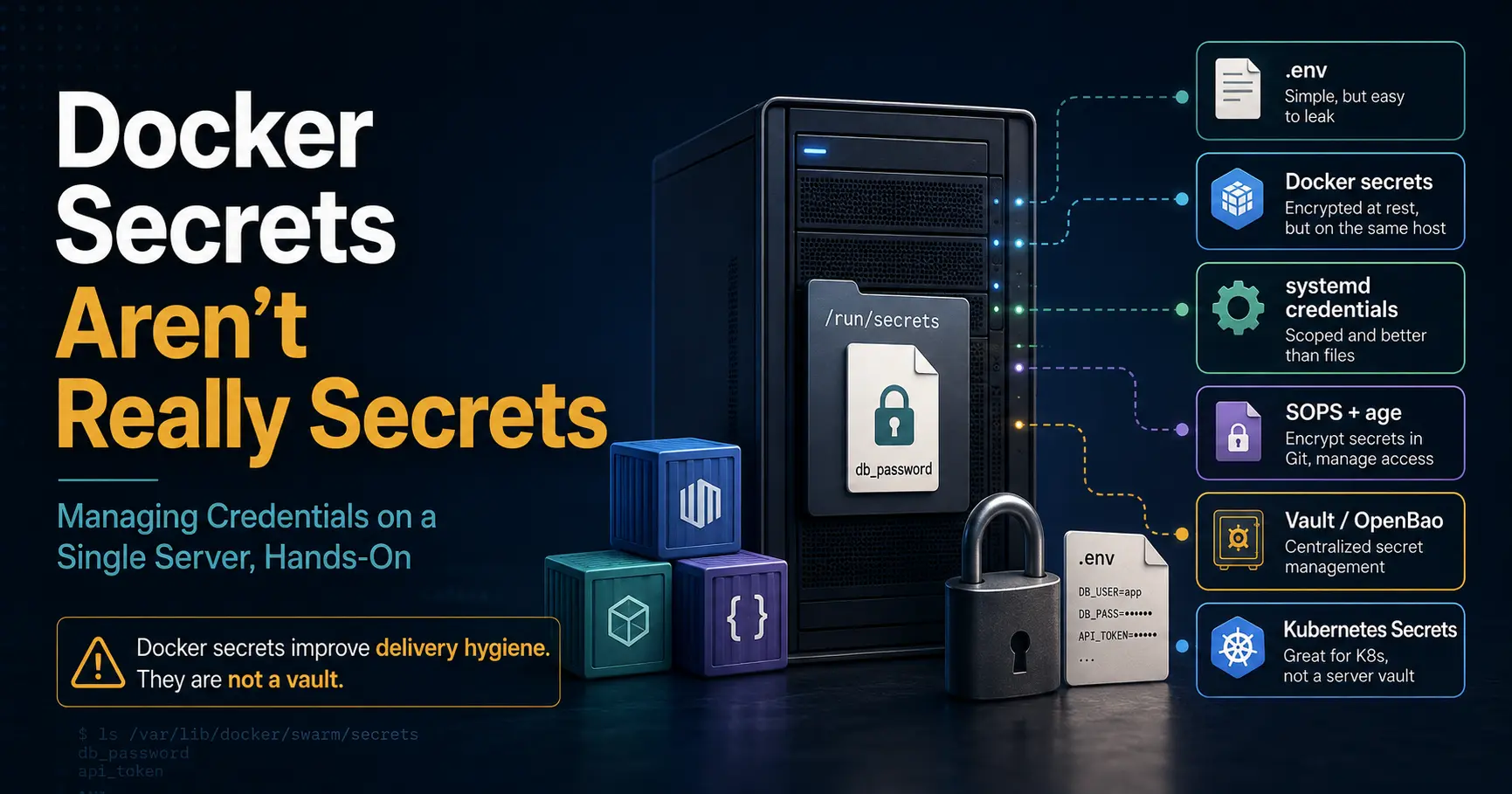
If you have been following the container conversation on this blog, you know the pattern: every new tool claims to fix the last one, and the truth is usually smaller and more boring. Docker secrets are the perfect example. The name promises a vault. The reality on a single server is a file copy with extra ceremony, and pretending otherwise is how secrets end up in git, in image layers, and in docker inspect output.
This post is the sysadmin version of that reality check. I compare the six ways people actually handle credentials on one box: .env files, Docker secrets, systemd credentials, SOPS + age, HashiCorp Vault (and OpenBao), and Kubernetes Secrets.
Each one gets the honest question answered: where does the secret live at rest, who can read it, what breaks when you lose it, and is it worth running on a single server at all.
The short answer, previewed so you can leave now if you only need one sentence: on one host, the job is not encryption, it is keeping secrets out of git, out of image layers, and out of shell history.
The runtime decision underneath all of this is covered in the Docker vs Podman post, and the question of whether the single box should become a cluster at all is the Compose vs Kubernetes post. This one is about the credentials themselves.
The short version
- Docker secrets are a delivery mechanism, not a vault. In a plain
docker compose upon one host, a Compose secret is a bind-mounted file with no encryption at rest. Even in Swarm mode, where secrets are encrypted in the Raft log, the protection is about transport and cluster storage, not about protecting you from root on your own box. - The real threat model on one server is small and specific. You are not defending against a nation-state. You are defending against: a
git pushof a.envfile, a secret baked into an image withENV, a secret left in shell history, and anyone with root or the docker group reading everything. Everything below is ranked against that list. - systemd credentials are the cleanest option for a single systemd-managed service. No daemon, no cluster, no new file format.
LoadCredentialplussystemd-creds encryptgives you encrypted-at-rest credentials that only the unit can read. - SOPS + age is the best git-native option. Encrypted files live in the repo, plaintext never does, and you decrypt at deploy time. This is the pattern that scales from one box to a homelab fleet without adding a server.
- Vault is a platform, not a tool. It earns its keep when you need dynamic secrets, leases, and audit trails. On one server, it is usually more moving parts than the problem it solves, and OpenBao is the open fork if you ever do need it.
- Kubernetes Secrets are base64, not encryption. The Kubernetes post in this blog has the full context, but the one-liner for this article: treat K8s Secrets as delivery with explicit encryption-at-rest on top, never as a vault by themselves.
- Docker Engine / Compose
29.x / v5.4.0 (compose spec secrets) - systemd
256 on Debian 13; encrypted credentials need 250+ - SOPS (getsops)
3.9.x - age
1.2.x - HashiCorp Vault / OpenBao
Vault current stable (BSL 1.1 since Aug 2023); OpenBao MPL 2.0 - Kubernetes / k3s
1.36.x / v1.36 line
Checked 2026-08-27 against docs.docker.com (Swarm secrets, Compose secrets spec), systemd.io CREDENTIALS and systemd-creds(1), getsops/sops releases, age-encryption.org, vaultproject.io and openbao.org, and the Kubernetes secrets and encryption-at-rest docs. Versions move fast; re-check before you rely on them.
What Docker secrets actually are
The phrase "Docker secret" describes two different things, and the confusion between them is where most of the bad advice comes from.
Swarm secrets. This is the original feature, added in Docker 1.13. In a Swarm cluster, docker secret create stores the value in the Swarm Raft log, encrypted at rest, and a service that declares the secret gets it mounted at /run/secrets/<name> inside the container. That is a real design: the secret never travels in an image layer, and only containers that ask for it receive it. The catch is it only works in Swarm mode, and Swarm is a scheduling mode most single-server users abandoned years ago.
Compose secrets. The Compose spec adopted the same secrets: syntax for plain docker compose without Swarm. And this is the part the tutorials skip: in that mode, a secret is just a bind mount. You point it at a local file, and Compose mounts that file into the container. There is no Raft log, no encryption, no difference from a volume except the path and the permissions. Here is the honest example:
# compose.yaml
services:
  app:
    image: myapp:latest
    secrets:
      - db_password

secrets:
  db_password:
    file: ./secrets/db_password
$ docker compose up -d
# the "secret" is now a bind-mounted file from ./secrets/db_password
$ docker exec app cat /run/secrets/db_passwordThat is the entire feature on a single host. It is a file, mounted where the app expects it. It does not encrypt the file on disk, it does not protect the file from root, and it does not stop the file from being committed to git by accident. What it does do, and this is genuinely useful, is keep the value out of docker inspect environment output and out of docker compose config for services that do not declare it. That is delivery hygiene, not security.
The security model on one server
Before comparing tools, get the threat model right, because it decides everything. On a single Linux server you control:
- Anyone with root can read everything. Every secret below, in every format, is readable by root on the host.
systemd-credsbinds credentials to the machine key, but root can still extract that key. SOPS files are unreadable without the age key, but the age key itself lives on the box or in your hands, and root can read whatever you store there. Encryption at rest protects the secret from a stolen disk or a lost laptop, not from root on the live host. - The docker group is root. The Docker vs Podman post hammers this, and it applies to secrets directly: any user in the docker group can run a container that mounts
/and reads everything. If you are going to worry about one thing, worry about group membership, not about which secret format you chose. - Git is the real leak. The single most common secret exfiltration on a homelab is a committed
.env. Every other design decision in this article is secondary to keeping plaintext out of the repository. - Image layers are permanent. An
ENV DB_PASSWORD=...baked at build time is in the image history forever, and anyone who can pull the image can read it withdocker history. This is why runtime injection, not build-time baking, is the baseline rule.
So the ranking that matters is: keep secrets out of git, keep them out of images, keep them out of shell history, and then, only then, worry about encryption at rest. Every tool below is graded against that order.
.env and environment variables: the baseline everyone starts with
# .env, the universal starting point
DB_PASSWORD=correct-horse-battery-staple
API_KEY=sk-...
services:
app:
image: myapp:latest
env_file: .envThe .env file is not wrong, it is incomplete. It is the fastest, most readable, most debuggable way to pass config, and for a single self-hosted service it is genuinely fine as long as three rules hold:
- It is never committed. Add
.envto.gitignorebefore you create the file, not after. The order matters, because the second commit is the one that leaks. - It is never baked into an image. Use
env_fileat runtime or pass values atdocker run, neverENVin the Dockerfile for anything secret. - The file is mode 0600 and owned by the right user. Root can still read it, but you close the "other users on the box" window.
The honest limits: environment variables are visible in docker inspect, in docker compose config, and in /proc/<pid>/environ of the running process, and they leak into crash dumps and error reports. None of that matters against the real threats above. What does matter is that env vars have no rotation story, no audit, and no encryption, and once the value is in the environment, any process in the same namespace can read it.
That is the baseline. Now the upgrades, in increasing order of ceremony.
systemd credentials: the single-service answer
If the service is managed by systemd, which is most of what runs on a single Linux box, systemd credentials are the cleanest upgrade you can make. Since systemd 247 you can pass credentials into a unit with LoadCredential=, SetCredential=, or ImportCredential=, and the service reads them from $CREDENTIALS_DIRECTORY. Since systemd 250 you can encrypt them at rest with systemd-creds encrypt, bound to the machine's TPM or host key. Debian 13 ships systemd 257, so the full feature set is available on current stable.
# encrypt a credential bound to this machine's host key
$ sudo systemd-creds encrypt --with-key=host db_password.txt /etc/credstore.encrypted/db.password
# /etc/systemd/system/myapp.service
[Service]
ExecStart=/usr/local/bin/myapp
LoadCredentialEncrypted=db.password:/etc/credstore.encrypted/db.password$ sudo systemctl daemon-reload
$ sudo systemctl start myapp
# the app reads the value from $CREDENTIALS_DIRECTORY/db.passwordThe properties that make this the right default for a single service:
- No new daemon. Credentials ride the unit that already runs the service.
- Encrypted at rest by default when you use
systemd-creds encryptwith--with-key=host. The ciphertext is useless on a stolen disk. - Scoped visibility. The credential is only handed to that one unit. Other services, and other users, do not see it in the environment.
- No shell history exposure. You encrypt from a file or stdin, you never type the value on a command line.
The cost: the encrypted file is tied to the machine (or the TPM slot), so you cannot move it to another host without re-encrypting, and the TPM-backed variant means a bare-metal move or a TPM replacement requires a re-encrypt. For one service on one box, that is a feature, not a bug. For a fleet, it is exactly why you keep reading.
If you run the service as a container under Podman with Quadlet, the same credentials work through LoadCredential=, which is the intersection this blog keeps coming back to: the runtime is the boring part, the credentials are the careful part.
SOPS + age: the git-native answer
When the secret needs to live in a repository, and for most homelab and small-team setups it should, the pattern is SOPS plus age. SOPS (Secrets OPerationS, now maintained as getsops under the CNCF) encrypts the values inside a file while leaving the structure readable. age is the modern encryption tool it pairs with by default. The result: you commit an encrypted .env.sops, and the plaintext never touches git.
# one-time setup: generate an age key pair on your admin machine
$ age-keygen -o ~/.config/sops/age/keys.txt
# Public key: age1abc123def...

$ chmod 600 ~/.config/sops/age/keys.txt
$ export SOPS_AGE_KEY_FILE="$HOME/.config/sops/age/keys.txt"
# .sops.yaml, the routing rules in the repo
creation_rules:
- path_regex: \.env\.sops$
age: age1abc123def...# encrypt the working .env into the committed artifact
$ sops --encrypt .env > .env.sops
$ rm .env && git add .env.sops && git commit -m "encrypt env for deploy"
# at deploy time on the server
$ sops --decrypt .env.sops > .env
$ docker compose up -d
$ rm .env # plaintext lives only for the deploy windowWhat SOPS gives you that the previous options do not:
- Git reviewability. The encrypted file is a diffable artifact. You can see that a value changed without seeing the value.
- Multi-recipient support. Encrypt once for several age keys (or PGP, or KMS), so a team can decrypt without sharing one key.
- Format awareness. It encrypts the values inside dotenv, YAML, JSON, and INI files, leaving keys and structure intact. That is what makes
.env.sopssuch a natural fit for Compose. - No server, no daemon. Decryption is a CLI step at deploy time.
The deploy-time decryption is the honest rough edge. You are back to a plaintext .env on the box during the deploy window, so the file hygiene rules from the first section still apply: rm it after compose starts, and never commit it. For a single box that window is acceptable. For a fleet, you graduate to Vault or to an external-secrets pattern, and the OpenTofu + Argo CD post shows how SOPS slots into a GitOps pipeline the same way.
Vault (and OpenBao): the platform for when the box becomes a fleet
HashiCorp Vault is the heavyweight in this list, and it deserves the weight. It is a centralized secrets engine with leases, dynamic secrets, encryption-as-a-service (transit), audit logging, and fine-grained policies. It is also a second system you now operate: a server to patch, a storage backend (file, Raft, or a database) to back up, an unseal story, TLS to configure, and a way for your services to authenticate. Since August 2023 Vault ships under the Business Source License, and the open fork, OpenBao, continues under MPL-2.0 with the same API.
When does Vault earn its keep on infrastructure you control? When you have more than one service that needs credentials, when you want dynamic database passwords that expire, when you need an audit trail of who read what, or when you are already running a cluster and the Compose vs Kubernetes argument has already been settled in favor of the cluster. On one server running two containers, the honest answer is that it is usually more machinery than the secrets, and the Vault server itself becomes the highest-value target in your homelab. The fail-closed posture is real: a sealed Vault is a box that refuses to serve anything until you unseal it.
If you do run it, the shape is familiar if you have read the OpenTofu + Argo CD post: a server, a policy, a role for each workload, and short-lived tokens fetched at startup. The key insight is that Vault changes the game from static secrets to dynamic ones. Static secrets (a password you rotate by hand) are what every other tool in this article manages. Dynamic secrets (a database credential with a lease that Vault revokes) are the thing only a platform can do.
Kubernetes Secrets: base64 is not encryption
Kubernetes Secrets are the most misunderstood item on this list, and the Compose vs Kubernetes post already called it out in its comparison table. A Secret object in Kubernetes is, by default, a base64-encoded value in etcd. Base64 is not encryption; it is a transport encoding. Anyone with read access to etcd, or with RBAC permission to read Secrets, gets the plaintext by decoding it.
apiVersion: v1
kind: Secret
metadata:
  name: db-password
stringData:
  password: correct-horse-battery-staple
What fixes it is explicit: enable encryption at rest in the API server with an EncryptionConfiguration, scope Secret reads with RBAC, and stop putting Secrets in git. The patterns that do the git part are the same SOPS story from above, plus tools like Sealed Secrets and the External Secrets Operator that sync from a real store. The OpenTofu + Argo CD post covers the Argo CD side of that pipeline. The one-liner to remember: Kubernetes Secrets are a delivery mechanism with access control bolted on, and the encryption is a config you have to turn on.
On a single k3s node, the calculus from earlier still applies: the cluster earns its keep when a second host exists, and so does the secrets platform around it. Run SOPS against the repo before you run a cluster, and only graduate to an operator when the cluster is real.
Approach | Where the secret lives at rest | Encrypted at rest | Server/daemon to run | Single-server verdict |
|---|---|---|---|---|
.env / env_file | Plaintext file on disk | No | No | Baseline; fine if never committed and never baked |
Compose secrets | Plaintext bind-mounted file | No | No | Delivery hygiene only, not security |
Swarm secrets | Raft log | Yes | Swarm mode | Real design, but Swarm is legacy for most |
systemd credentials | Encrypted credential store | Yes (with systemd-creds) | No | Best default for one systemd service |
SOPS + age | Encrypted file in git | Yes (values) | No | Best git-native option, scales to a fleet |
Vault / OpenBao | Centralized store | Yes | Yes, plus unseal + backup | Overkill for one box, right for a fleet |
Kubernetes Secrets | etcd (base64) | No by default | Yes (cluster) | Delivery + access control; turn on encryption |
| Feature | systemd credentials | SOPS + age |
|---|---|---|
| Secret lives in | Encrypted credential store on the host | Encrypted file committed to git |
| Encryption key | Machine host key or TPM | Your age private key |
| Server needed | None, rides systemd | None, CLI at deploy time |
| Best for | One systemd-managed service | A compose stack, a fleet, or anything in git |
| Move to another host | Re-encrypt for the new machine | Decrypt with the same key anywhere |
Secret lives in
- systemd credentials
- Encrypted credential store on the host
- SOPS + age
- Encrypted file committed to git
Encryption key
- systemd credentials
- Machine host key or TPM
- SOPS + age
- Your age private key
Server needed
- systemd credentials
- None, rides systemd
- SOPS + age
- None, CLI at deploy time
Best for
- systemd credentials
- One systemd-managed service
- SOPS + age
- A compose stack, a fleet, or anything in git
Move to another host
- systemd credentials
- Re-encrypt for the new machine
- SOPS + age
- Decrypt with the same key anywhere
Which should you pick?
- One service, managed by systemd: systemd credentials.
systemd-creds encryptplusLoadCredentialEncryptedis the least machinery that gives you encryption at rest, scoped delivery, and no new daemon. - A Compose stack on one box: SOPS + age, decrypting to
.envat deploy time. It keeps git clean, which is the highest-value property on a single server, and it costs you one CLI step. - A Swarm fleet: real Swarm secrets. This is the one place the name matches the behavior, because the Raft log encrypts at rest.
- A real Kubernetes cluster: Kubernetes Secrets with encryption at rest enabled, secrets out of git via SOPS or a sync operator, and RBAC scoped per namespace. The OpenTofu + Argo CD post shows the pipeline half.
- Dynamic credentials, leases, or audit trails: Vault, or OpenBao if you want the open fork. Accept that you are now running a platform.
And the honest bottom line for a single server, which is where this blog lives: the tool matters less than the hygiene. A committed .env beats any vault in the leak department, and an image with ENV DB_PASSWORD=... beats any of them at rest. systemd credentials for the one service, SOPS for the repo, and the Docker vs Podman and Compose vs Kubernetes decisions from the earlier posts for the surrounding stack. Pin the versions of whatever you choose, and keep them on the release-tracking workflow like everything else you run.
Official sources
- Docker secrets (Swarm): https://docs.docker.com/engine/swarm/secrets/
- Compose spec secrets: https://docs.docker.com/compose/how-tos/use-secrets/
- systemd credentials: https://systemd.io/CREDENTIALS/
- systemd-creds(1): https://www.freedesktop.org/software/systemd/man/latest/systemd-creds.html
- getsops/sops: https://github.com/getsops/sops
- age: https://age-encryption.org/
- HashiCorp Vault: https://www.vaultproject.io/
- OpenBao: https://openbao.org/
- Kubernetes Secrets: https://kubernetes.io/docs/concepts/configuration/secret/
- Kubernetes encryption at rest: https://kubernetes.io/docs/tasks/administer-cluster/encrypt-data/
- Our Docker vs Podman comparison: https://systhoughts.com/posts/docker-vs-podman-self-hosted-apps
- Our Compose vs Kubernetes comparison: https://systhoughts.com/posts/docker-compose-vs-kubernetes-self-hosted-apps
- Our OpenTofu + Argo CD GitOps post: https://systhoughts.com/posts/opentofu-bootstrap-kubernetes-with-argocd
- Our release-tracking workflow: https://systhoughts.com/posts/tracking-software-releases-across-forges
Are you running Docker secrets on a single host and thinking they are encrypted, or did you land on SOPS or systemd credentials after the same realization? What leaked, and how did you catch it? Drop it in the comments.
Until next time, keep your systems thoughtful.
No comments yet