Every sysadmin has one scar from a backup that existed and a restore that did not. It is the oldest lesson in the trade, and this site's 3-2-1-1-0 argument already says it plainly: zero untested restores. What is new in 2026 is how many production databases now live inside someone else's dashboard, green checkmark included.
Supabase is the biggest example. A whole generation of small products runs its production Postgres there, opens the dashboard, sees the Backups section, and relaxes. The check does what green checks do: it ends the conversation. This post is about reopening it, and about BackupDrill, a service whose entire pitch is the part everyone skips: scheduled Supabase backups into your own bucket, plus automated restore drills that prove the copies actually come back.
Short verdict before the detail: the architecture is the one this blog keeps preaching (your storage, standard formats, tested restores), the drill is the product, and the caveats that matter are about scope and vendor youth, not about the drill itself: the dump reaches your schemas, but not Supabase's platform-managed ones, with Auth the one that hurts. I have not run a drill myself; what follows is built from BackupDrill's site and CLI repo plus Supabase's own docs, with the seams labeled.
The short version
- A backup you have never restored is a hope, not a backup. Supabase's built-in backups are never restore-tested for you, on any plan.
- BackupDrill runs the drill for you, weekly on paid plans. Free gets one drill on its first backup, then backs up without scheduled drills. A drill restores your latest snapshot into a throwaway Postgres, checks table counts, populated tables, and checksums, and emails you the report.
- The copies are standard pg_dump files in storage you own: Amazon S3, Cloudflare R2, Backblaze B2, Wasabi, or Google Drive. The vendor keeps no copy, and canceling leaves your backups untouched.
- Storage files join the snapshot once you add the project's Storage S3 keys. Supabase's own backups never cover Storage, only database metadata that points at files.
- Auth data is not in the backup. Hosted projects back up the public schema only:
auth.users, identities, sessions, Edge Functions source, and platform config are all left out. Supabase's own backups and PITR do cover Auth, so keep them running alongside; the vendor's coverage page says the same. - Pricing undercuts PITR until you count egress. Paid plans from $19/month (first month $1) against PITR at $100/month plus a mandatory Small compute add-on, but every backup pulls data out of Supabase, which is egress on your Supabase bill (their own estimate: about $112/month for daily backups of 50 GB on Pro). Usable Free tier for one project up to 1 GB, weekly.
- The engine is MIT-licensed and runnable yourself (
npx backupdrill backup, thennpx backupdrill drill; the drill needs Docker and a matchingpg_restore), so the hosted service is a convenience layer, not a lock-in. - It is not a PITR replacement. Daily snapshots cap your recovery point at 24 hours; PITR buys point-in-time recovery inside Supabase and switches the daily backups off. Different problems, different bills.
- Vendor risk is real: a young company, a small open-source footprint, and marketing numbers I cannot independently verify. Treat it as a belt, not a whole wardrobe.
What Supabase's built-in backups actually buy you
On the Pro plan ($25/month), Supabase takes a daily backup of your database and keeps it for 7 days; 14 on Team, up to 30 on Enterprise. That is a reasonable default, and I am not going to pretend otherwise. But read the fine print the way a sysadmin reads fine print:
- The copies live inside the project. If the project is deleted, the backups go with it. There is no external copy you control.
- Retention is fixed by plan. Seven days on Pro is the whole window; you cannot buy more of the daily snapshots, only PITR.
- Storage files are never included. Supabase's backups, daily and PITR alike, cover the database only. The database stores just the metadata for your Storage objects, so a restore brings back pointers to files that may no longer exist.
- Auth data is included. Users, identities, and sessions live in the platform-managed
authschema, and both daily backups and PITR cover it. File that away, because it is the one layer the third-party tool below cannot reach. - Downloads are limited. On projects using the newer physical backup process, you cannot download the backups from the dashboard; the older logical-backup projects still can.
- PITR is a paid add-on: $100/month per project per 7-day retention window, it requires at least the Small compute add-on, and it still does not cover Storage files.
- Nothing is ever restore-tested. No plan, at any price, runs a drill for you.
What a restore drill actually checks
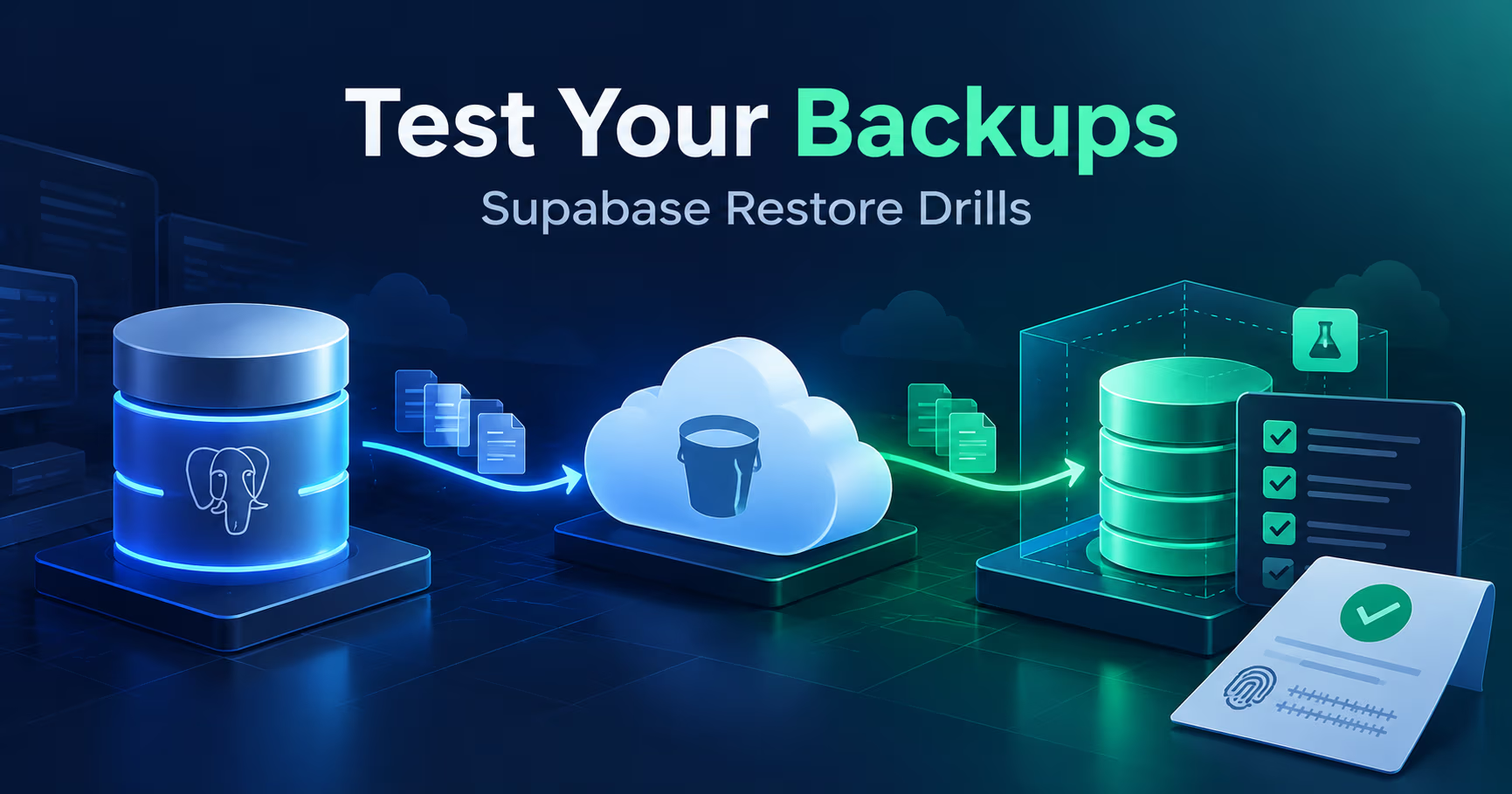
This is the part worth reading slowly, because it is the product. Per BackupDrill's documentation, a drill takes your latest snapshot and, in an isolated temporary sandbox:
- Downloads the snapshot and verifies the archive sha256 against the manifest.
- Provisions a temporary Postgres and runs pg_restore to completion.
- Checks the table count matches with no missing tables.
- Confirms populated tables restored non-empty, not just structurally present.
- When Storage files are in the snapshot, runs sampled sha256 checks on them (exhaustive in the CLI with
--verify-all-files). - Measures the wall-clock restore time, then destroys the sandbox and emails the report.
That last line is the one I want on my side in an incident: knowing how long a restore takes, measured, not guessed. If you have read this site's post on why the classic 3-2-1 backup rule is not enough for self-hosted infrastructure, you will recognize the move: the drill is the difference between a backup stack and a recovery story, and it is the one habit that always gets skipped when it depends on a human remembering. BackupDrill's contribution is mostly that it makes the drill depend on a schedule instead.
Two boundaries from the CLI's own documentation belong here. The drill sandbox deliberately does not create Supabase-managed tables such as auth.users; it stubs just enough of the runtime (an auth schema whose uid() and friends return null, plus the anon/authenticated/service_role roles) so your policies, defaults, and triggers restore instead of being skipped. And anything that hard-depends on a managed table, a view over auth.users for instance, fails the drill rather than passing silently. That is the public-schema scope showing its edge honestly instead of hiding it.
You do not have to take the hosted path to get the engine, which is the second thing I like here:
$ # no install needed (Node 20+ on your machine or in CI)
$ # project the egress cost on your Supabase bill first:
$ npx backupdrill estimate --plan pro

$ npx backupdrill backup

$ # the step nobody schedules, automated here.
$ # the drill needs Docker (throwaway Postgres) + a matching pg_restore:
$ npx backupdrill drill --verify-all-files

$ # or install it properly
$ npm install -g backupdrill
Where the backups live (and what access they ask for)
The storage model is the one I want from any backup product: your bucket, their schedule. Backups stream straight into Google Drive or a bucket you own on S3, R2, B2, or Wasabi; BackupDrill keeps no copy and holds only an encrypted key to your storage. If you cancel, every backup stays yours, which is how this should work everywhere.
The access model is more careful than most BaaS integrations I have read:
- Connect Supabase uses OAuth to create a read-only backup role inside your project, carrying
BYPASSRLSso the dump can read RLS-protected tables in your schemas. One honesty note the vendor spells out: the OAuth consent screen itself asks for broader scopes, *Database (read and write)* and *Projects (read)*, because creating the role needs the write. The token lives only in a short-lived browser cookie, is deleted once the connection is set up, and is never persisted on their servers; only that role's connection string is kept, sealed-box encrypted. No database password, no service_role key. If you would rather not authorize anything, there is a three-line SQL snippet or a paste-your-connection-string path instead. - Connect requires Postgres 16 or newer. Older projects paste a connection string instead. Supabase currently runs Postgres 15 through 17, so this catches some legacy projects.
- Storage files join the snapshot once you add the project's Storage S3 keys. The one service-role exception is restoring Storage files into a brand new project: that key is entered at restore time and never stored.
- Drills run in a temporary sandbox that is deleted when the check finishes, so the verification copy does not linger anywhere.
What is not in the backup
This is the omission that matters most, and BackupDrill's own coverage page states it plainly: hosted projects back up the public schema, and that is all today. Platform-managed schemas are restricted for non-superusers, so the dump cannot reach them.
- Supabase Auth is out.
auth.users, identities, sessions (your user accounts) are neither backed up nor drilled. Supabase's own daily backups and PITR do include them. - Edge Functions source, Auth and PostgREST config, and secrets are out too. The vendor's advice is to keep functions in git; their coverage page points at SimpleBackups for a managed option covering more of that config layer.
- The recovery math changes accordingly. A BackupDrill-only restore brings back your app tables without the accounts they belong to. You would restore into a project whose Auth you rebuild (or re-invite users), or recover Auth from Supabase's own backups.
The CLI can dump additional schemas you own through its schemas setting, but auth stays out either way: it is not yours to dump. That is why the vendor's guidance, echoed here, is to keep Supabase's built-in backups or PITR running alongside: they cover the platform schemas BackupDrill cannot reach, while BackupDrill gives you portable, drilled copies of the schemas and files Supabase keeps locked inside the project.
What it costs next to the alternatives
| Item | Monthly | Annual | Note |
|---|---|---|---|
| Free: 1 project, weekly, up to 1 GB | $0 | $0 | One restore drill on your first backup; no credit card |
| Solo: 5 projects, daily, up to 10 GB | $19 | $228 | First month $1, then $19/month; drill reports by email |
| Team: 20 projects, daily, up to 25 GB | $49 | $588 | First month $1, then $49/month |
| Agency: 100 projects, daily, up to 100 GB | $99 | $1,188 | First month $1; PDF client reports, priority support |
| Total | $167 | $2,004 |
Against Supabase PITR at $100/month per project, the price case looks like it writes itself. Two line items complicate it. First, PITR's sticker price is not its floor: Supabase requires at least the Small compute add-on for PITR (Small is $15/month; Pro's included compute credit covers only Micro), and enabling PITR switches the daily backups off rather than stacking on top of them. Second, and this is the bigger one for anything but a small project, every backup pulls your data out of Supabase, which counts as egress on your Supabase bill: $0.09/GB beyond the 250 GB Pro includes each month. BackupDrill's own README puts daily backups of a 50 GB project at roughly $112/month in egress, at which point the fifth-of-PITR math stops holding. Weekly instead of daily cuts that by about seven, and backupdrill estimate projects the real number for your project before you schedule anything.
Be honest about what each one buys, and the run-both advice survives the corrections: PITR gives you sub-24h recovery points and Auth coverage inside Supabase; BackupDrill gives you portable, downloadable snapshots of your schemas and Storage files in storage you control, and once PITR is on, it is the only downloadable copy you have left. If losing an hour of writes genuinely hurts your product, run both. They solve different problems.
One operational trap deserves its own paragraph: Spend Cap is on by default on Pro, and if a backup pushes the project past its egress quota, Supabase throttles the whole project's egress for the rest of the month, production traffic included, and the backup fails. Turn Spend Cap off to be billed the overage instead, or keep the backup cadence and scope inside the quota.
The other alternative is the one most sysadmins are already itching to name: cron. The MIT CLI makes that a legitimate path, not a compromise: schedule npx backupdrill backup on a cron or a GitHub Action, point it at your bucket, and it even supports a Healthchecks.io ping URL so a silently dead backup job pages you instead of failing quietly. Two constraints for the DIY route: the drill needs Docker for its throwaway Postgres plus a matching pg_restore, and the CLI writes only to S3-compatible buckets (S3, R2, B2, Wasabi) while Google Drive remains a hosted-service destination. What the hosted service adds is the schedule, the weekly drill cadence on paid plans, the emailed reports, and the console history. That is a convenience bill, and at $19/month for five projects it is a fair one.
The open-source engine underneath
The CLI is MIT-licensed, installable with npm install -g backupdrill, and reads like a tool written by someone who has been paged for backups before:
- A checksummed manifest.json ships with every snapshot, so you can prove what was captured without trusting anyone's dashboard.
- It refuses to run with a mismatched pg_dump. The CLI checks that your pg_dump major version is at least your Supabase Postgres version (Supabase runs 15 through 17) and stops rather than producing a dump it cannot vouch for. That check has saved more than one career.
- The drill is explicit about its infrastructure. Docker supplies the throwaway Postgres, the restore runs up to four parallel pg_restore jobs sized from the machine's CPUs, and extensions recorded in the manifest, pgvector included, are pre-installed in the sandbox so the restore is faithful.
- CI-native. Env vars, a config file, or flags; examples for GitHub Actions scheduling; nothing in the data path touches their servers, because on the CLI path there are no servers.
At check time the repo was young: 136 commits, 9 stars, one open issue. Small is not a disqualifier for an MIT tool you can read, but it is a fact worth knowing before you build a recovery plan on it.
| Feature | Supabase on its own | With BackupDrill |
|---|---|---|
| Free-plan backups | None you can restore or download | One project, weekly, into your own storage |
| Where copies live | Inside the project, deleted with it | Your S3, R2, B2, or Wasabi bucket, or Google Drive |
| Standard downloads | Not on projects using the physical backup process | Standard pg_dump files, restorable anywhere with pg_restore |
| Storage files | Never included, with or without PITR | In the same snapshot once you add Storage S3 keys |
| Auth data (auth.users, identities, sessions)1 | Included in daily backups and PITR | Not in the dump; not drilled |
| Restore testing | Not tested for you | Weekly drills on paid plans, one drill on Free |
| Price anchor2 | PITR: $100/month + at least Small compute | From $19/month, Free tier included |
| Backup egress3 | No backup pulling data out of the project | Every backup is egress on your Supabase bill |
Free-plan backups
- Supabase on its own
- None you can restore or download
- With BackupDrill
- One project, weekly, into your own storage
Where copies live
- Supabase on its own
- Inside the project, deleted with it
- With BackupDrill
- Your S3, R2, B2, or Wasabi bucket, or Google Drive
Standard downloads
- Supabase on its own
- Not on projects using the physical backup process
- With BackupDrill
- Standard pg_dump files, restorable anywhere with pg_restore
Storage files
- Supabase on its own
- Never included, with or without PITR
- With BackupDrill
- In the same snapshot once you add Storage S3 keys
Auth data (auth.users, identities, sessions)1
- Supabase on its own
- Included in daily backups and PITR
- With BackupDrill
- Not in the dump; not drilled
Restore testing
- Supabase on its own
- Not tested for you
- With BackupDrill
- Weekly drills on paid plans, one drill on Free
Price anchor2
- Supabase on its own
- PITR: $100/month + at least Small compute
- With BackupDrill
- From $19/month, Free tier included
Backup egress3
- Supabase on its own
- No backup pulling data out of the project
- With BackupDrill
- Every backup is egress on your Supabase bill
- Keep Supabase's built-in backups or PITR alongside
- Enabling PITR stops Supabase's daily backups
- $0.09/GB beyond Pro's 250 GB; their estimate: ~$112/month for daily 50 GB backups
The honest limits
- I have not run a drill for this review. Everything about drill behavior comes from BackupDrill's own documentation and site. Their homepage claims over 1,100 restore drills passed as of October 2026; that is a marketing counter, not evidence, and the evidence that would convince me is the weekly report landing in your own inbox.
- Platform data is out of scope. The public schema (plus the Storage files you configure) is the whole backup: no Auth users, identities, or sessions, no Edge Functions source, no Auth or PostgREST config, no secrets. Supabase's own backups cover Auth, so keep them or PITR alongside; the vendor's coverage page says exactly this.
- Young vendor, single product. A tiny open-source footprint and a company whose whole business is one workflow. Fine for a second layer; do not make it the only copy of anything. An independent dump job you own is cheap insurance against the vendor itself.
- Not a PITR replacement. Daily backups mean a 24-hour worst-case recovery point, and PITR covers the Auth schema this cannot. If that number matters to your product, PITR or a higher backup frequency is the answer, not this.
- Sampled checks by default, not exhaustive ones. Hosted drills run sampled sha256 verification on Storage files; the CLI's
drill --verify-all-fileschecksums every file when you want the exhaustive version. - Plan ceilings are real. The Free tier caps at 1 GB per project and one drill on your first backup; the Google Drive path takes the database alone, up to 10 GB per backup. The console's snapshot history counts console records, not your bucket objects, where a lifecycle rule of your own decides retention.
FAQ
Does Supabase back up my database automatically?
On Pro and above, yes: one backup a day, kept 7 days on Pro, 14 on Team, up to 30 on Enterprise, stored inside the project and deleted with it. On the Free plan there are no scheduled backups you can restore or download, only the snapshot taken when an idle project pauses. Nothing at any tier is restore-tested for you, and Storage files are never included. Auth data, on the other hand, is included at every paid tier: the one layer a third-party dump cannot reach.
Is BackupDrill a replacement for Supabase PITR?
No, and the trade runs both ways. PITR gives point-in-time recovery inside Supabase at $100/month per project per 7-day window, but it requires at least the Small compute add-on, and enabling it switches Supabase's daily backups off rather than adding to them. PITR covers the Auth schema yet still never covers Storage files. BackupDrill sells verified daily snapshots of your schemas plus Storage files in your own bucket from $19/month, but it cannot touch Auth. If you need sub-24h recovery points, run both: PITR for the platform side, BackupDrill for portable copies and the drill.
Can I just cron pg_dump and skip the service?
Yes, and the MIT CLI exists for exactly that: npx backupdrill backup on a cron or GitHub Action, with a checksummed manifest, a Healthchecks.io ping so a dead job pages you, and npx backupdrill drill to prove the latest snapshot restores. Know the constraints before committing: the drill needs Docker for its throwaway Postgres, the CLI writes only to S3-compatible buckets (Google Drive is hosted-only), and daily runs are egress on your Supabase bill; npx backupdrill estimate projects that before you schedule. The DIY path is legitimate; it just runs on your discipline instead of their calendar.
What happens to my backups if I cancel?
They stay yours, because they were always in your storage. BackupDrill keeps no copy; snapshots stream straight to your bucket or Drive without touching their disks. Add a lifecycle rule to expire old objects, and note that on Google Drive older backups move to Drive's trash. The console's snapshot history is a console record, not your data.
Does it cover Supabase Storage files?
Yes, once you add the project's Storage S3 keys, Storage files join the same snapshot as the database, with sampled checksum checks during drills. This is the gap Supabase's own backups never close: a built-in restore brings back database metadata pointing at files that may no longer exist. Restoring Storage into a brand new project needs that project's service-role key at restore time.
Does it back up Supabase Auth data (my users)?
No. Auth lives in the platform-managed auth schema, which the dump cannot reach: auth.users, identities, and sessions are neither backed up nor drilled. Supabase's own daily backups and PITR do include them, which is why BackupDrill's coverage page tells you to keep one of those running alongside. Restoring from BackupDrill alone brings back your app tables without the accounts they belong to.
Further reading
- Supabase database backups documentation: https://supabase.com/docs/guides/platform/backups
- Supabase egress pricing and Spend Cap behavior: https://supabase.com/docs/guides/platform/manage-your-usage/egress
- BackupDrill's coverage page, what is and is not protected: https://backupdrill.com/docs/coverage
- Supabase pricing, plans and the PITR add-on: https://supabase.com/pricing
- BackupDrill: https://backupdrill.com
- The open-source CLI (MIT): https://github.com/backupdrill/cli
- Our post on why the 3-2-1 backup rule is not enough for self-hosted infrastructure: https://systhoughts.com/posts/3-2-1-backup-rule-not-enough-self-hosted-infrastructure
- Our BaaS vs FaaS comparison of Supabase and AppWrite: https://systhoughts.com/posts/baas-vs-faas-light-self-hosting-supabase-appwrite-alternatives
How do you prove your Supabase (or Postgres) backups restore, and has a drill ever failed on you at the worst time? If you run the DIY cron path, what watches the watcher? Drop it in the comments.
Until next time, keep your systems thoughtful.
No comments yet