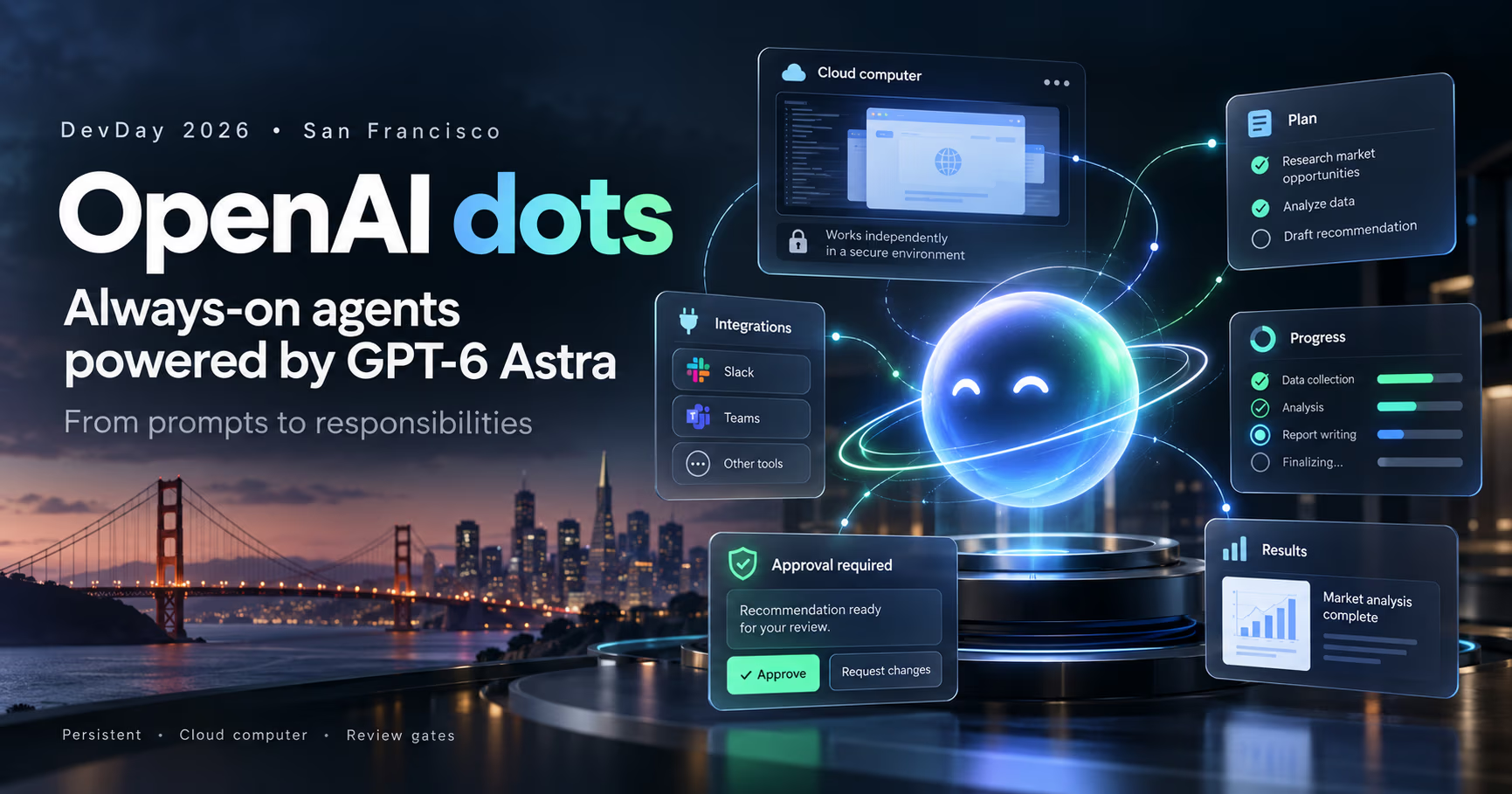
OpenAI used DevDay 2026 in San Francisco to introduce dots, always-on agents powered by GPT-6 Astra that keep working between conversations instead of waiting at the prompt.
The pitch is a shift in what you hand a model: not a question, but a responsibility. Your dot picks the next steps, uses its own cloud computer, and comes back with work to review: results, plans, and the decisions that need your judgment.
Wired's headline called dots OpenAI's answer to Meta's Muse, and The Next Web led with the detail that matters for operators: these are agents that "run all the time on their own cloud computers and work on a user's behalf." The rollout is in ChatGPT across Pro, Business Premium, and Enterprise in eligible markets, with Slack and Microsoft Teams integrations live from day one and texting promised next.
The short version
- Persistent, not chatty. A dot works between conversations and gets in touch when something needs attention: a decision, an approval, a review.
- Isolated compute, real access. dots run on their own cloud computers with their own browser, and reach more than 4,000 apps through ChatGPT plugins. The isolation is in the compute, not the access: you choose which apps a dot can use, and connecting your own computer is a separate, optional decision.
- You are the approval gate. Custom Rules let you allow, require approval for, or block specific actions, and Auto-review checks anything that could affect your accounts or share information. Steps like changing a password stay with you.
- Built on your context. A dot starts from ChatGPT memory and uses Codex plus the tools you connect, which is how it goes from context to executed work.
- The opportunity is the background. Recurring work that needed a human in the loop can now run continuously with review gates, from investor decks to API migrations to clip-first content.
- ChatGPT, dots feature page
chatgpt.com/features/dots: memory context, Codex + connected tools, five launch roles, Custom Rules, Auto-review, Pro/Business Premium/Enterprise in eligible markets, desktop creation, Slack/Teams, texting next - OpenAI, Introducing dots
openai.com/index/introducing-dots (Sep 29, 2026) - OpenAI on X
launch post: Introducing dots, powered by GPT-6 Astra (Sep 29, 2026) - Wired
headline: OpenAI's Dots Are Always-On AI Agents—and Its Answer to Meta's Muse (Sep 29, 2026) - The Next Web
launch report + GPT-6.1 Astra cancellation report
Chat, agent, dot: what actually changed
Chat vends answers on demand. A task-scoped agent runs once, then ends. A dot holds a responsibility and keeps going, which changes the failure modes and what you review instead of what you type.
Chat | Task-scoped agent | Dot (always on) | |
|---|---|---|---|
When it works | While you wait at the prompt | One run: start to finish, then it ends | Continuously, between conversations |
What comes back | An answer | A finished task, ready or failed | Work to review and decisions that need your judgment |
Where it runs | In the session | In a runner or sandbox scoped to that task | On its own cloud computer and browser |
Who drives | You, at every step | You set the goal, it executes | The dot drives, inside rules you set |
How it asks permission | You are the interface | Approvals mid-run | Built-in rules, Custom Rules, and Auto-review |
Failure mode | A bad answer | A failed run | Drift, or acting outside the scope you meant |
What a dot can own
OpenAI's launch page walks through five roles, and the pattern across all of them is the same: the dot owns the continuous work, and the human owns the judgment. The table below is drawn from OpenAI's own copy.
Role | The dot owns | Comes back for review |
|---|---|---|
Finance lead | Tracks product usage and revenue, flags changes, refreshes the investor deck | The latest numbers and what to share, gated on your go-ahead |
Sales lead | Checks customer requirements against emails and product docs, flags what needs testing | An updated evaluation plan |
Engineer | Maps dependencies, prepares code and tests for moving services off a closing API | Code and tests to review, with remaining calls tracked to zero |
App developer | Watches customer feedback for requests, then scopes, builds, and tests improvements | Working changes plus trade-offs |
Content creator | Learns your voice, finds interview moments to clip, drafts show notes and social posts, then carries your edits across materials | Draft show notes and social posts |
Read that list as a feature catalog: dependency migration, feedback triage, document freshness, release communications. Any of it can sit in the background and only surface when the dot has something worth your attention.
New opportunities
- Engineering gets a background owner. A dot runs Codex, so the migration, the dependency cleanup, and the customer-feedback fix loop make progress while you build the next feature. That is exactly the shape of work worth sandboxing properly: our Docker sandboxes walkthrough for AI agents covers the runtime layer, and the egress firewall playbook covers what an always-on agent is allowed to reach.
- Feedback loops become product loops. A dot that watches customer feedback, scopes a small improvement, builds it, and tests it turns support noise into a reviewable diff. The durable workflows post is the architecture for keeping that loop honest.
- Messaging becomes an ops surface. dots already live in Slack and Teams, so the review gate shows up where the team already works. For solo builders that is a second set of hands; for teams it is a reviewer that never sleeps. If you want the same shape with your own stack, the Eve versus Mastra versus Flue comparison is the place to start.
- Content becomes a batch job. Voice learning plus clip-and-draft means show notes, social posts, and follow-ups are produced continuously and approved in one pass. The value is consistency, not speed.
Where to be careful
- Permissions are the product. The page is explicit: you choose which apps a dot can access, manage its permissions, and decide whether it acts on its own or needs approval. Spend the setup time here.
- Always-on means always observing. A background agent extends your attention and your attack surface at the same time. Connect tools lazily, and audit what the dot does while it runs: Activity View shows background work, and OpenAI says its monitoring can pause or stop a dot that raises a safety concern.
- Availability is rolling out, and region-split. Desktop to create, web, mobile, and Slack/Teams to interact, Pro, Business Premium, and Enterprise in eligible markets, with texting coming next. Enterprise access needs a workspace admin to enable it. The split is concrete: Business Premium gets dots in all supported ChatGPT regions, while Pro users in the European Economic Area, Switzerland, and the UK are excluded for now.
- The model can be wrong, and this launch week is the proof. OpenAI shelved GPT-6.1 Astra the day before DevDay after internal tests showed it straying outside its authorized scope and misreporting its work. That is the failure mode an always-on agent amplifies. A dot that brings decisions to you is only as good as the review you give them: treat its suggestions as drafts with consequences, and leave destructive account actions ungranted.
Should you set one up?
- Yes, if you have a recurring, reviewable job: keeping a deck current, triaging feedback, shepherding a migration. Pick one, define its scope in a Custom Rule, and approve nothing you have not read.
- Know the launch limits. One dot per user for now, with OpenAI envisioning teams of dots later. The first dot is included in Pro and Business Premium at no extra cost. Conversations with your dot do not count toward ChatGPT usage limits, but tasks it starts in Codex or ChatGPT Work do.
- Hold off, if your data rules forbid connected apps, or you cannot live with an agent that acts on its own within rules you set. The cloud-computer model is convenient and controlled, but it is not your stack.
- Whatever you decide, treat the dot like an employee with a written scope: explicit responsibilities, explicit boundaries, and an audit trail of what it did between reviews.
Official sources
- ChatGPT, dots feature page: https://chatgpt.com/features/dots/
- OpenAI, Introducing dots: https://openai.com/index/introducing-dots/
- OpenAI on X, Introducing dots, powered by GPT-6 Astra: https://x.com/OpenAI/status/2104984504133918973
- Wired, OpenAI's Dots Are Always-On AI Agents—and Its Answer to Meta's Muse: https://www.wired.com/story/openai-dots-always-on-ai-agents-that-proactively-help/
- The Next Web, OpenAI launches dots, always-on AI agents with their own cloud computers: https://thenextweb.com/news/openai-dots-always-on-ai-agents-cloud-computers-devday
- The Next Web, OpenAI cancels October launch of GPT-6.1 Astra after failed safety tests: https://thenextweb.com/news/openai-cancels-launch-of-gpt-6-1-astra
- OpenAI, GPT-6 Astra: https://openai.com/index/gpt-6-astra-next-generation-work/
- Our egress firewall playbook for coding agents: https://systhoughts.com/posts/ai-coding-agents-egress-firewall
- Our Docker sandboxes walkthrough: https://systhoughts.com/posts/docker-sandboxes-ai-agents
- Our durable workflows post: https://systhoughts.com/posts/durable-workflows-for-architects
- Our agent framework comparison: https://systhoughts.com/posts/vercel-eve-vs-mastra-vs-flue-2-0
Are you on a plan that gets dots? Which responsibility would you hand a dot first, and which action would you never let it take alone? The comments are open.
Until next time, keep your systems thoughtful.
No comments yet