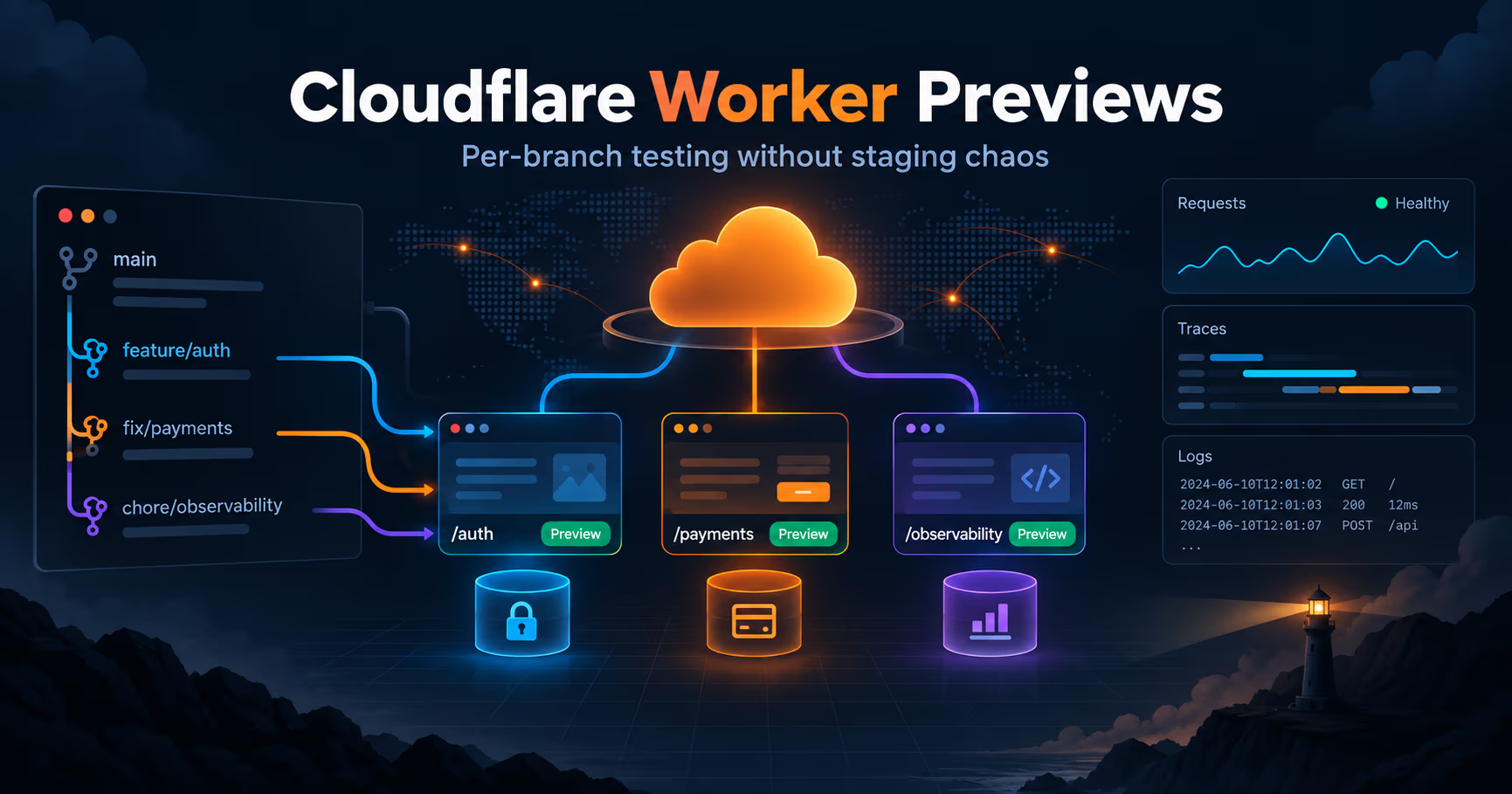
Every ops team has a war story about a change that passed staging and then behaved differently in production. The closer your test environment sits to production, the smaller that gap gets, and the fewer surprises a merge to main produces. That gap is what Cloudflare set out to close with Worker Previews, launched in September 2026: each Git branch gets a production-like place to run, with its own code, configuration, URL, observability, and state.
This post is the sysadmin read on the announcement. What problem Worker Previews actually solve, how the isolation works under the hood, including Durable Objects and Containers, the use cases that make sense, who the feature is for, and where the honest gaps still are.
The short version
- Every Git branch gets its own environment. Running
npx wrangler previewfrom a branch creates an isolated Preview with its own variables, secrets, bindings, URL, and state, separate from production configuration and traffic. - A stable URL per branch. Every push updates the same running Preview, so a reviewer, human or agent, always tests the latest change at one address.
- State is isolated too. Each Preview gets a new Durable Object namespace and Container application, so a failed migration or a bad schema change stays contained to that branch.
- Base configuration once, overrides per Preview. You define a
previewsblock in your Wrangler configuration; each Preview starts from a copy and can point at its own database or test API key. - Observability is scoped to each Preview. Logs, errors, metrics, and traces are per-Preview, which is what makes the test, observe, fix, redeploy loop practical for humans and agents.
- It is a Workers platform feature. If your world is nginx and docker-compose and nothing ever touches Workers, the tool itself will not help you, but the pattern behind it is worth stealing.
- Cloudflare announcement
Worker Previews, September 2026 - Workers docs
previews pages, current at announcement - Wrangler CLI
preview subcommand (npx wrangler preview)
Checked 2026-09-22 against blog.cloudflare.com/worker-previews and the Worker Previews documentation it links. Details such as base configuration, per-Preview overrides, per-Preview Durable Object and Container namespaces, and custom domains are as documented at launch; expect them to move as Cloudflare ships the roadmap items listed in this post.
What problem do Worker Previews solve?
The staging gap
Some problems only show themselves when the change is actually running. That is Cloudflare's line about why its customers reach for Previews, and it is the whole thesis of the feature. An API endpoint has to handle a real request and return the right response. A UI change, a new onboarding step, or a different error state has to be experienced in context. Our broader claim, not Cloudflare's, is that the bugs that survive staging tend to need production-like configuration, data, and surrounding services before they surface, and the older model, one shared staging environment for every contributor, is exactly where that gap hides.
The shared staging fight
One staging environment for many contributors means the environments fight each other. Someone else's deploy is mid-flight, sessions and state get stepped on, and the change you are testing is half yours and half whatever merged last night. Cloudflare previously had two partial escape routes. Wrangler environments require deploying and managing a separate Worker per environment. The old preview URLs, now called Version URLs, point at specific uploaded Worker versions and could only point at production resources; they never created an isolated environment per branch.
Worker Previews complements both with something closer to how Git already works: branch off main, get your own copy of everything. Each Preview runs as a real version of your Worker, in one dashboard view, with production sitting alongside as many Previews as you need. Cloudflare says you can run hundreds of Previews at the same time, each operating independently without affecting other Previews or production. If you saw the old preview URLs and bounced, the side-by-side below is the difference that matters:
| Feature | Version URLs (the old preview URLs) | Worker Previews |
|---|---|---|
| Unit of isolation | One uploaded Worker version | A Git branch's full environment |
| Per-branch environment | Not isolated; could only point at production resources | Own code, configuration, URL, observability, and state |
| Stateful resources | Shared with production | New Durable Object namespace and Container app per Preview |
| URL | Points to a specific uploaded version | Stable per branch; every push updates it |
| Best for | Pointing at one released version | Pre-production testing of every change |
Unit of isolation
- Version URLs (the old preview URLs)
- One uploaded Worker version
- Worker Previews
- A Git branch's full environment
Per-branch environment
- Version URLs (the old preview URLs)
- Not isolated; could only point at production resources
- Worker Previews
- Own code, configuration, URL, observability, and state
Stateful resources
- Version URLs (the old preview URLs)
- Shared with production
- Worker Previews
- New Durable Object namespace and Container app per Preview
URL
- Version URLs (the old preview URLs)
- Points to a specific uploaded version
- Worker Previews
- Stable per branch; every push updates it
Best for
- Version URLs (the old preview URLs)
- Pointing at one released version
- Worker Previews
- Pre-production testing of every change
The agent angle
Agents are pushing more lines of code than ever, and larger changes mean more ground to test before release. Cloudflare frames this as an Agent Development Lifecycle (ADLC): each change should be atomic, independently deployable, observable, and revisable. Worker Previews give agents the evidence they need to self-improve: deploy to the branch's Preview, click through with a headless browser, read the per-Preview traces, push a fix, and verify the next deployment before it hits production.
How a Preview works
From any branch, running npx wrangler preview creates or updates that branch's Preview. If your Worker is Git-connected through Workers Builds, the Preview build happens automatically on push. In the dashboard you switch environments from the breadcrumb next to the Worker's name, where Production is the default:
# from any branch: create (or update) that branch's Preview
$ npx wrangler preview

# the branch keeps a stable URL; every push updates it
$ curl -s https://feature-login.previews.example.com/health

# per-Preview traffic, errors and traces live in the dashboard
# (breadcrumb next to the Worker name; Production is the default)
Once traffic flows to the Preview URL, you can probe it from your terminal, from CI, from an agent, or by clicking through it yourself. Every request is a real request against a real Worker version, which is the whole point: some changes can only be validated at runtime.
Base configuration and per-Preview overrides
Just like a code branch starts from main, a Preview starts from a copy of the configuration you define. You set a base configuration once, in a previews block in your Wrangler configuration file, while production settings stay in the top level of the same file:
{
  "vars": {
    "ENVIRONMENT": "production"
  },
  "r2_buckets": [
    {
      "binding": "UPLOADS",
      "bucket_name": "prod-uploads"
    }
  ],
  "previews": {
    "vars": {
      "ENVIRONMENT": "preview"
    },
    "r2_buckets": [
      {
        "binding": "UPLOADS",
        "bucket_name": "r2-staging"
      }
    ]
  }
}
Then you can override any setting for one Preview only, without affecting production, the base, or other Previews. That is the knob for pointing a Preview at its own test database or a test API key while you run migrations, a pattern the announcement calls out explicitly.
URLs that behave like production
Preview URLs can be served from your own custom domain. If your app runs on example.com, a Preview for a login branch could run at feature-login.previews.example.com. That matters more than it sounds: auth providers, cookies, CORS, and OAuth redirects behave the way they will in production, and you can keep the URLs private with Cloudflare Access.
Isolated state: Durable Objects and Containers
State isolation is the part that is easy to get wrong, which is why Cloudflare gave it special treatment. Durable Objects run on a singleton model: one instance is responsible for a given object ID, and that instance owns its storage. If a Preview shared the same Durable Object namespace as production, you would not just be reading stale data, you could be modifying the same instance that serves live traffic. The announcement does not mince words about that one: scary.
So every time you run npx wrangler preview, Cloudflare creates a new Durable Object namespace and a new Container application for that Preview. On the code side, all you need to do is export the class, add its migration, and access it through ctx.exports; the runtime resolves the right namespace for the environment from there. A codebase that reaches Durable Objects some other way would need to adopt that access pattern first:
export class Counter extends DurableObject {}

export default {
  async fetch(request, env, ctx) {
    const id = ctx.exports.Counter.idFromName("demo");
    const counter = ctx.exports.Counter.get(id);
    return counter.fetch(request);
  },
};
In production, ctx.exports.Counter resolves to the production namespace; in a Preview, it resolves to that Preview's namespace. A failed migration or a bad schema change therefore stays contained to the branch that introduced it.
Observability and the agent feedback loop
With each branch running at its own URL with its own state, the feedback loop opens. Every Workers Observability tool you already use is available, scoped to each Preview. As a request hits the Preview, Observability traces its full lifecycle in a waterfall: fetch calls, binding operations, and handler invocations. When something fails, you can follow exactly what happened without sorting through production traffic or other changes' signals.
For agents, the loop extends further. An agent can open the Preview URL in a headless browser, click through a login flow step by step, capture a screenshot, or record the whole session as replayable DOM events with Browser Run. A reviewer can watch the session in real time with Live View, or step in with Human in the Loop when automation needs judgment. Combined with Playwright MCP for browser control and the Workers Observability MCP server for querying traces, one iteration is: deploy, click through, query traces, patch, redeploy, verify. Every iteration stays scoped to the branch.
Use cases that actually make sense
- PR review without staging politics. Every contributor branch gets its own environment; nobody fights over a shared staging box, and reviewers always see the latest push.
- Auth, cookie, and CORS flows. IKEA's team cites custom domain support as the way they avoid Content Security Policy and cookie issues, and they are waiting on Service Bindings support to enable end-to-end testing across their Worker chain.
- Schema and migration testing. For HTTP flows, Supermemory previews Worker changes before they reach production, including routes backed by Durable Objects, and catches issues earlier without slowing down shipping.
- Cold start and performance experiments. Cloudflare points at Sandboxes, where milliseconds of improvement to startup time can make or break the experience: run different configurations across branches at the same time, compare their cold and warm performance side by side, and find the best setup faster.
- Agent-driven review. A Ramp engineer used Previews to review and test, from a phone, a PR that makes their Inspect coding agent work better on mobile: the PR itself makes reviewing and testing PRs with Inspect on phones responsive.
- Security-sensitive agent plumbing. Cloudflare dogfoods Previews to build and test CloudflareOS, its open-source platform for safely connecting agents to company systems. Changes to its Gatekeepers, the layer that controls what agents can access and change, are the sensitive kind: a bug could expose data or permit an action that should never have been allowed, and some of those bugs only appear when OAuth callbacks, permissions, approval flows, and application state run together. Every change under review gets an isolated Preview of CloudflareOS and its Gatekeepers, and the team runs the full workflow, fixes what fails, and tests again before merging.
- External or mobile reviewers. Share the stable Preview URL, behind Access when it should stay private, instead of pulling someone into your internal tooling.
Who is this for?
- Platform engineers and SREs who own CI, staging, and deploys for serverless code. Previews replace a chunk of the custom staging plumbing you were probably about to build: ephemeral per-branch environments are created for you, with state and observability included.
- Teams where coding agents now produce a large share of PRs. The per-branch test, observe, fix, redeploy loop is built for machine-driven verification, and that is where it saves the most human time.
- Self-hosters who already run Workers, or want serverless pieces in their stack. If you went down the BaaS/FaaS comparison we wrote recently and picked Workers for part of your stack, Previews close the gap between local testing and production without standing up a staging server. For the wider homelab crowd (nginx, Proxmox, docker-compose), the feature itself will not touch your infrastructure, but the idea is a good argument for ephemeral per-PR environments in whatever you do run.
- Small teams with no staging server at all. A production-like environment that appears on push and lives in one dashboard is cheaper than building staging infrastructure by hand.
The honest gaps
- Service Bindings still reach production code. A Service Binding from a Preview calls the bound Worker's production deployment today; keeping the entire request path inside matching Previews is on the roadmap.
- Asynchronous flows are half in. Previews can send messages to Queues but cannot consume them, and isolating Workflow executions still requires separate configuration.
- No long-lived Previews yet. Some teams in the private beta maintain staging, QA, or per-developer environments that persist across sprints; that is not supported today, though Cloudflare says it is next and is asking for feedback.
Official sources
- Cloudflare announcement: https://blog.cloudflare.com/worker-previews/
- Worker Previews documentation: https://developers.cloudflare.com/workers/previews
- Get started and configuration: https://developers.cloudflare.com/workers/previews/get-started and https://developers.cloudflare.com/workers/previews/configuration
- Custom domains for Previews: https://developers.cloudflare.com/workers/previews/custom-domains
- Comparing Preview workflows: https://developers.cloudflare.com/workers/previews/compare-workflows
- Browser Run session recording and Live View: https://developers.cloudflare.com/browser-run/features/session-recording/
- Workers Observability MCP server: https://developers.cloudflare.com/workers/observability/mcp-server/
- Playwright MCP: https://developers.cloudflare.com/browser-run/playwright/playwright-mcp/
- Agent Development Lifecycle: https://blog.cloudflare.com/agent-development-lifecycle/
- Our BaaS vs FaaS post: https://systhoughts.com/posts/baas-vs-faas-light-self-hosting-supabase-appwrite-alternatives
- Our Docker sandboxes for AI agents post: https://systhoughts.com/posts/docker-sandboxes-ai-agents
- Our OpenTelemetry for a small stack post: https://systhoughts.com/posts/opentelemetry-for-a-small-stack-traces-without-an-observability-department
Have you tried Worker Previews yet, or are you still running one shared staging environment for everything? And if you are off Workers entirely, how do you give each PR its own environment today? Drop it in the comments.
Until next time, keep your systems thoughtful.
No comments yet