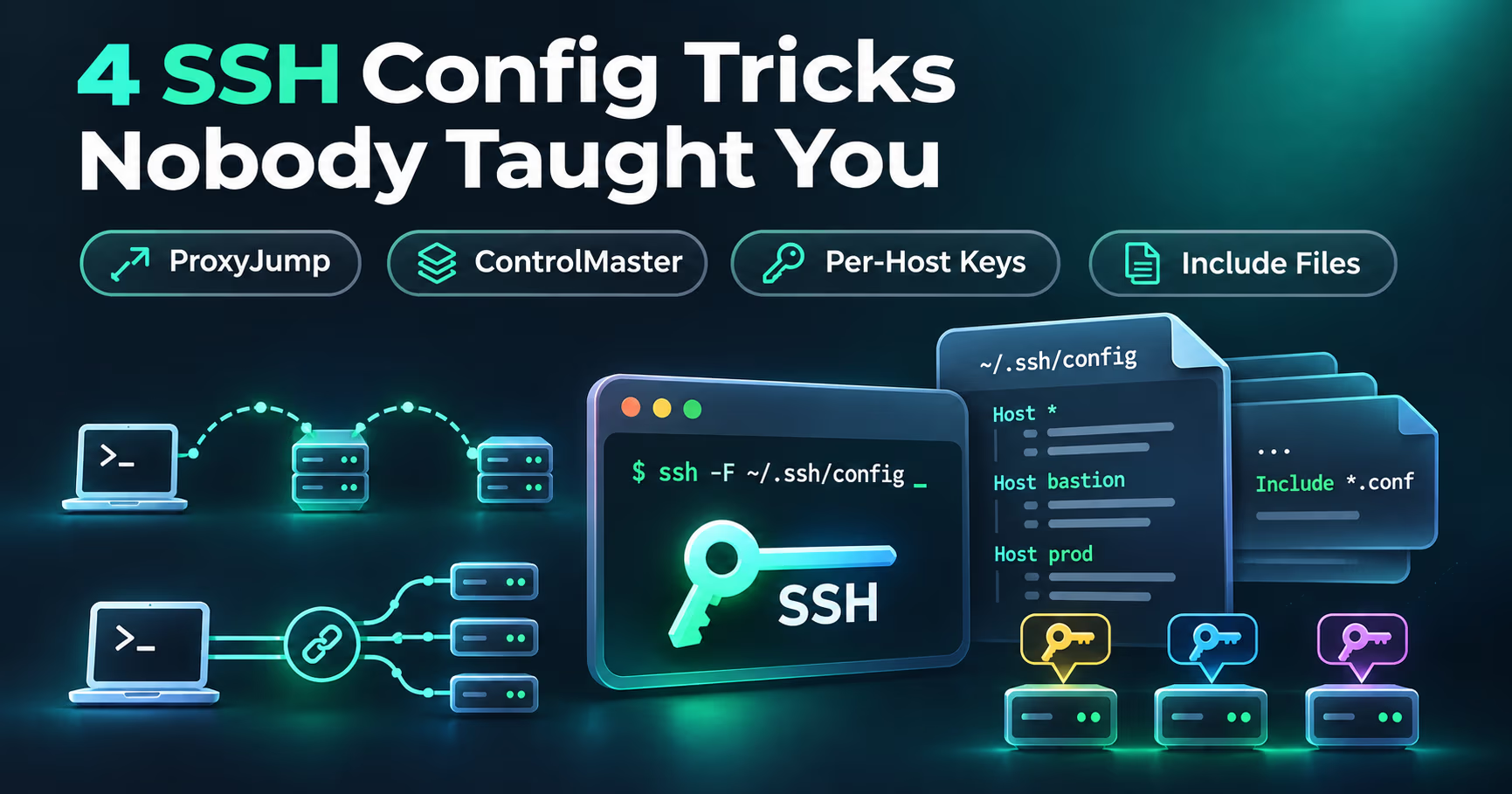
If you still type ssh -i ~/.ssh/work_ed25519 -p 2222 admin@web1.example.com, then hop onto a bastion by hand to reach the box behind it, you are doing four jobs that your ~/.ssh/config has been able to do for nearly a decade.
ProxyJump, ControlMaster, per-host Host blocks, and Include files are built into every OpenSSH client anything has shipped in the last ten years. They take maybe thirty lines to set up, and they quietly fix multi-hop connections, re-typed keys and ports, repeated auth prompts, and configs that break the moment you switch between work and homelab. Our developer workstation hardening guide covers locking the box down; this one is about making the everyday SSH connection faster and less fragile.
Two version notes up front, both from the OpenSSH release notes: ProxyJump was added in OpenSSH 7.3 (2016), and the client-side `Include` directive landed in the same release. Everything below works with the stock client on Linux and macOS. On Windows, where OpenSSH has shipped inside Windows 10 since 2018, all of these directives parse, but one of them does not actually work: the Win32 port does not implement ControlMaster multiplexing, and setting it globally can break every connection instead of merely skipping the speedup. The multiplexing section below carries the details and the workaround.
ProxyJump: the bastion hop, built into one alias
The old way to reach a machine behind a bastion is to SSH into the bastion first, then SSH onward from there. That means two interactive sessions, your private keys and passwords sitting on the jump host to make the second leg work, and one more hop per layer of network hardening. The pre-7.3 workaround, ProxyCommand, works: the old form piped through nc, and since OpenSSH 5.4 (2010) you could write ProxyCommand ssh bastion -W %h:%p, which is the same plumbing ProxyJump automates. Both turn into line noise the moment you chain three hosts.
SSH config solved this with one keyword. Instead of connecting to the target and somehow getting there, you tell the client which host to tunnel its TCP through:
# The jump host
Host bastion
    HostName bastion.example.com
    User admin

# The box behind it
Host web1
    HostName 10.0.20.14
    User admin
    ProxyJump bastion
Now ssh web1 opens a single TCP channel to bastion and negotiates your session to web1 over it. Two properties matter more than the syntax:
- Your keys never touch the bastion. Both legs authenticate with credentials from your local config. The jump host ferries encrypted bytes; it never decrypts your session and it does not need your web1 key. That is exactly the property you want from an infrastructure tier you do not fully control.
- The chain stays readable. For two jumps,
ProxyJump bastion2wherebastion2itself declaresProxyJump bastion1is the clean form; for quick one-offs there is alsossh -J admin@j1,admin@j2 target, which walks the comma-separated list in order.
One deployment requirement: the sshd on the jump host must allow TCP forwarding, which means AllowTcpForwarding yes there, the stock sshd default. Forwarding can also be shut off by DisableForwarding yes or by a PermitOpen allowlist that does not cover your target, both hardening choices. When forwarding is denied, ProxyJump does not fail silently: the client prints a channel ...: open failed: administratively prohibited message, because the jump host refused to open the forwarded channel. That message is the first thing to look for on a broken hop.
For a one-off connection without touching any config file, the command-line form is ssh -J admin@bastion admin@10.0.20.14. The directive is also valid inside Match blocks, so you can apply it conditionally rather than per host.
| Feature | ProxyCommand | ProxyJump |
|---|---|---|
| Where the forwarding lives1 | An external helper command you supply, usually nc or a script | Inside the ssh client itself |
| Config lines for one hop | A shebang-worthy helper line per host | One word: ProxyJump bastion |
| Chaining jumps | Nested helper lines get unreadable fast | ProxyJump j1,j2,j3 walks the list in order |
| Older clients2 | Works on ancient OpenSSH releases | Needs OpenSSH 7.3+ |
Where the forwarding lives1
- ProxyCommand
- An external helper command you supply, usually nc or a script
- ProxyJump
- Inside the ssh client itself
Config lines for one hop
- ProxyCommand
- A shebang-worthy helper line per host
- ProxyJump
- One word: ProxyJump bastion
Chaining jumps
- ProxyCommand
- Nested helper lines get unreadable fast
- ProxyJump
- ProxyJump j1,j2,j3 walks the list in order
Older clients2
- ProxyCommand
- Works on ancient OpenSSH releases
- ProxyJump
- Needs OpenSSH 7.3+
- ProxyJump was added in OpenSSH 7.3 (2016) on top of the same plumbing
- The ssh -W form of ProxyCommand, added in 5.4 (2010), is the modern pre-7.3 fallback
ControlMaster: connect once, share the connection with everybody
The default SSH experience is that every ssh, scp, rsync, and SSH-backed git to the same host repeats the whole ritual: TCP connect, key exchange, host key check, agent or 2FA prompt. On a slow link or a host with 2FA menus, that ritual is per command. ControlMaster (connection multiplexing) collapses it. The first connection becomes a master, subsequent connections to the same host ride it over a Unix socket, and their setup is effectively instant: no new handshake, no repeated 2FA prompt.
Host web1
    HostName web1.example.com
    User deploy
    ControlMaster auto
    ControlPath ~/.ssh/cm-%r@%h:%p
    ControlPersist 10m
Read the three Control* lines as a set. auto means "become a master when none exists, use one when it does." ControlPath names the socket; %r, %h, and %p separate sockets per user, host, and port so different targets do not collide. The man page's tighter alternative is the %C token, a short hash of %l, %h, %p, %r, and (since OpenSSH 9.6, December 2023) the ProxyJump setting, so on current clients the same server reached directly and via a bastion gets separate sockets. %C also avoids the two problems %r@%h:%p has: long paths can exceed the kernel's Unix socket path limit (about 104 bytes on macOS, 108 on Linux), and two aliases that resolve to the same IP can collide on one socket. ControlPersist 10m keeps the master running in the background for ten minutes after the last session ends, so a completed one-off scp does not tear down a connection you were about to reuse. yes (no time limit) keeps it alive indefinitely.
Treat the control socket as what it is: an authenticated session. Anyone who can reach it, including root on your machine or any process running as your user, can open channels over that connection without authenticating again. That is the concrete reason to think twice about long ControlPersist values on shared machines, and to keep the socket in a directory not writable by others, as the man page advises.
The speedup compounds on loops and scripts, where an rsync-over-ssh cron job or a deploy script that runs ssh per step stops paying the handshake cost per step. One tool needs none of this help: Ansible already launches ssh with -o ControlMaster=auto -o ControlPersist=60s by default, so for Ansible the win is tuning that sixty seconds, not discovering multiplexing. And for a host that prompts for a one-time code, sharing turns a prompt per command into a prompt per master: with ControlPersist 10m above, one prompt when the master starts, and at most one more per ten idle minutes.
Manage the socket with the -O control mode: ssh -O check web1 confirms the shared connection is alive, and ssh -O exit web1 closes it cleanly. The cheat sheet near the end of this piece collects the commands in run order.
Per-host Host blocks: keys, users, and ports stop being arguments
The workhorse trick is hiding in plain sight: an alias that expands to everything a connection needs.
Host web1
    HostName web1.example.com
    User deploy
    Port 2022
    IdentityFile ~/.ssh/id_ed25519_web1
    IdentitiesOnly yes
    ServerAliveInterval 120
    ServerAliveCountMax 3
Two of these lines carry most of the security value:
- `IdentityFile` per host gives every machine its own key. One leaked key now has a blast radius of one host instead of every host your one key opens, which is also how you make CI credentials cheap to rotate (the SSH deploy pipeline we set up with Woodpecker CI only had to learn one key for one machine). This is the property a password manager gives your credentials and that one shared id_ed25519 does not, which is what our workstation hardening guide means by isolation between roles. One wrinkle to know:
IdentityFileaccumulates across matching blocks rather than being overridden (more in the Include rules below), so a default key inHost *adds to this key instead of replacing it. - `IdentitiesOnly yes` is the line worth adding today. Without it, ssh offers every key loaded in your agent, trying each until something works. Public keys are not secrets, but hosts log failed authentications, and every key you offer that the server rejects is one attempt closer to
MaxAuthTries. The usual first symptom is the server disconnecting you withToo many authentication failures; afail2banor CrowdSec ban of your own IP is the slower, second-order consequence. WithIdentitiesOnly yes, only the configured key is offered.
HostName and Port matter for a different reason: they turn web1 into a stable identifier that works for your fingers, your shell aliases, scp web1:file ., and any tool that shells out to ssh. Because every such tool reads the same config on the same machine, fixing the connection once in ~/.ssh/config fixes it everywhere you type. Two limits on "everywhere": a hosted CI runner is its own machine with its own minimal config, so the relevant Host block has to be added there too (our Woodpecker CI deploy learns its host and key the same way), and library-based clients such as Paramiko, JSch, or go-git read OpenSSH config partially or not at all.
The keepalive lines exist because long-idle SSH connections through NAT and stateful firewalls die silently. ServerAliveInterval 120 sends a keepalive request through the encrypted channel every 120 seconds, and ServerAliveCountMax 3 makes the client hang up after three consecutive requests go unanswered, so a dead peer is detected after about six minutes instead of on your next keystroke. That combination fixes dropped-tty sessions on cellular and NATed links.
Include files: split the config before it becomes a diary
At some point ~/.ssh/config grows host entries for work, for the homelab, for consulting clients, and a dotfiles repo that quietly carries all three to every new machine. The Include directive (OpenSSH 7.3+, same release as ProxyJump) makes splitting that file mechanical:
# ~/.ssh/config
Include ~/.ssh/conf.d/work/*.conf
Include ~/.ssh/conf.d/lab/*.conf

# Shared defaults; note multiplexing here is Unix-only (see the caveat above)
Host *
    ControlMaster auto
    ControlPath ~/.ssh/cm-%C
    ControlPersist 10m
Three rules about placement from the man page, and they matter:
- Earlier values win, with exceptions. When two Host blocks match, whichever sets a value first keeps it. That is opposite to "the second line overrides" habits from shell profiles, and the common failure is a catch-all
Host *block that appears above a specific override (so per-hostControlPersistandProxyJumpget stuck at whatever the catch-all set). Put the includes at the top, so included per-host entries beat later catch-alls, or move catch-alls to the bottom on purpose. The exceptions are the list-style directives:IdentityFile,LocalForward,RemoteForward, and friends accumulate across every matching block instead of obeying first-wins, which is exactly why the per-host key advice above leans onIdentitiesOnly. - `Include` can appear inside a `Host` or `Match` block, so you can load a project's whole family of hosts only when the match says you mean them. The same rule creates a classic scoping accident: an
Includeline placed after aHostline belongs to that Host block, because everything after aHostline does. A file of global defaults pasted mid-config silently applies to exactly one host. Keep Include lines at the very top, or inside a block you scoped deliberately. - Tilde paths follow the user; bare relative paths follow `~/.ssh`. A path starting with
~expands against the home directory of the user running ssh, which is exactly what makes a per-user config portable across machines with different usernames and home layouts. An absolute path is the brittle choice: a hard-coded/home/alice/...works for one account on one machine. A plain relative path with no tilde is resolved against~/.ssh, soInclude conf.d/work/*.confis the tidiest form of all.
Keep each context's file small and boring: its aliases keep their HostName, User, Port, IdentityFile, IdentitiesOnly, and (when relevant) ProxyJump, and the shared catch-all policy lives in the root config. Dotfiles repos can then carry keys outside the repo and per-task config inside it.
$ # What the client actually resolves for an alias (host, port, user, key, jump)
$ ssh -G web1
$ # Which control sockets exist and how old they are
$ ls -l ~/.ssh/cm-*
$ # Confirm the shared connection is alive (0 if it is)
$ ssh -O check web1
$ # Close a shared connection cleanly (or, first, when sessions hang)
$ ssh -O exit web1
$ # Bypass the control socket for a one-off command
$ ssh -S none web1 'uptime'
When something misbehaves, ssh -G web1 is the fastest diagnostic in SSH config because it dumps the effective configuration for the alias after every include, match block, and wildcard merged together, so the question stops being "which line won?" and becomes a single grep.
- OpenSSH
ssh(1) and ssh_config(5) manuals (OpenBSD current) re-checked 2026-10-31, plus OpenSSH release notes: ProxyJump and the client-side Include directive were added in 7.3 (2016); ssh -W netcat mode, the basis of the modern ProxyCommand fallback, was added in 5.4 (2010); the %C ControlPath token is documented as a hash of %l%h%p%r%j, with %j (the ProxyJump setting) added upstream 2023-10-12 and first shipped in 9.6 (December 2023); ssh_config(5) recommends ControlPath include %h, %p, and %r or alternatively %C, in a directory not writable by others; first-obtained-value-wins governs directives except list-style ones such as IdentityFile, LocalForward, and RemoteForward, which accumulate; Include resolves relative paths against ~/.ssh in user configs, supports ~ per user home, and may appear inside Host or Match blocks; IdentitiesOnly restricts offered identities to the configured files; ServerAliveInterval 120 with ServerAliveCountMax 3 detects a dead peer after about six minutes; ForwardAgent exposes the agent socket to the remote host where anyone able to bypass its file permissions can use it - Win32-OpenSSH
Project wiki (Project Scope) lists client ControlMaster as out of scope for the Windows port; PowerShell/Win32-OpenSSH issues #405 and #1328 open as of 2026-10-31; user reports show forced multiplexing options failing with getsockname failed: Not a socket and muxclient socket() errors - sshd
TCP forwarding through a jump host requires forwarding permitted there: AllowTcpForwarding (stock default yes), DisableForwarding, or a PermitOpen allowlist; a refused forwarded channel surfaces client-side as administratively prohibited - Ansible
ansible.builtin.ssh connection plugin documentation lists the default ssh_args as -C -o ControlMaster=auto -o ControlPersist=60s, so Ansible multiplexes by default
FAQ
Does ProxyJump expose my private keys or host keys to the bastion?
No. Both authentication hops use credentials from your local configuration, and the bastion only relays the encrypted channel. Host key verification for the target host also happens on your machine, against your local trusted hosts list, which means a hostile jump host cannot quietly hand you a different machine's key than the one you trust. Two qualifiers on that trust. First, it only holds once the target's key is in your known_hosts: on a first-ever connection (trust on first use) you have nothing to compare against, and a hostile bastion could terminate the channel itself and present a fake host key for the target, so verify first-connection fingerprints out of band when the bastion is not fully yours. Second, do not confuse ProxyJump with ForwardAgent yes: agent forwarding deliberately exposes your agent socket to the remote host, where anyone who can bypass its file permissions, root included, can authenticate as you through the agent.
Does ControlMaster survive a reboot, and whose process is holding the socket?
No, it does not survive. The master is an ordinary background ssh process owned by your user, so a reboot (or a logout that kills it, or a suspended laptop) ends it and can leave a stale socket file behind. If the next connection complains about the control socket, ask it: ssh -O check web1 reports whether a master is actually alive, ssh -O exit web1 shuts a live one down cleanly, and if no master exists but the file lingers, delete the stale socket under your ControlPath and reconnect.
Do ProxyJump and ControlMaster work for rsync, scp, git, and CI from the same config?
For the tools, yes: everything that shells out to the ssh binary, including scp, rsync over ssh, git over SSH, and Ansible, reads the same ~/.ssh/config on the machine where it runs, so an alias with ProxyJump, per-host keys, or connection sharing applies to all of them. The limits: a CI runner is its own machine with its own minimal config, so the relevant Host block (or at least the host and key) has to be put there too, the way our Woodpecker CI deploy does. And clients that use an SSH library instead of the binary, such as Paramiko, JSch, or go-git, honor this file partially or not at all. ssh -J, likewise, works for one-offs through the same machinery.
Why did my previously working alias stop working after I added a catch-all Host * block?
Most likely a placement rule: first values win in this config format, so a Host * block earlier in the file (or above an included entry) won the arguments for ControlPersist, ProxyJump, IdentitiesOnly, and friends. List-style directives such as IdentityFile and LocalForward are the exception; they accumulate. Move the catch-all block below the specific entries (or below the Include lines) and re-check with ssh -G.
I added IdentitiesOnly and now every connection works, but why did I need it?
Because going without it means ssh iterates your whole agent inventory against every host that does not prefer your first key. Consequence one is slow auth. Consequence two is that the server counts each rejected key toward MaxAuthTries and eventually disconnects you with Too many authentication failures; only after that do log-based tools like fail2ban or CrowdSec get the chance to ban your IP, over keys you were never going to match.
Further reading
- sshconfig(5): https://man.openbsd.org/sshconfig
- ssh(1), including -J, -G, -O, -S: https://man.openbsd.org/ssh
- OpenSSH release notes (version history for ProxyJump and Include in 7.3, and for -W in 5.4): https://www.openssh.com/releasenotes.html
- Win32-OpenSSH multiplexing backlog, the reason for the Windows caveat: https://github.com/PowerShell/Win32-OpenSSH/issues/1328
- Our developer workstation hardening guide: https://systhoughts.com/posts/securing-developer-workstation-isolation-hardening-limits-linux-security
- Port forwarding options compared (Cloudflare Tunnel, Tailscale Funnel, classic proxy and reverse tunnels): https://systhoughts.com/posts/cloudflare-tunnel-vs-tailscale-funnel-vs-reverse-proxy-port-forwarding
- Our CI SSH deploy setup with Woodpecker: https://systhoughts.com/posts/automating-astro-website-deployment-with-ci-woodpecker-and-ssh
Four tricks, one file. Which of these did you already know, and which one are you adding tonight? Tell us in the comments, we read them all.
Until next time, keep your systems thoughtful.
No comments yet