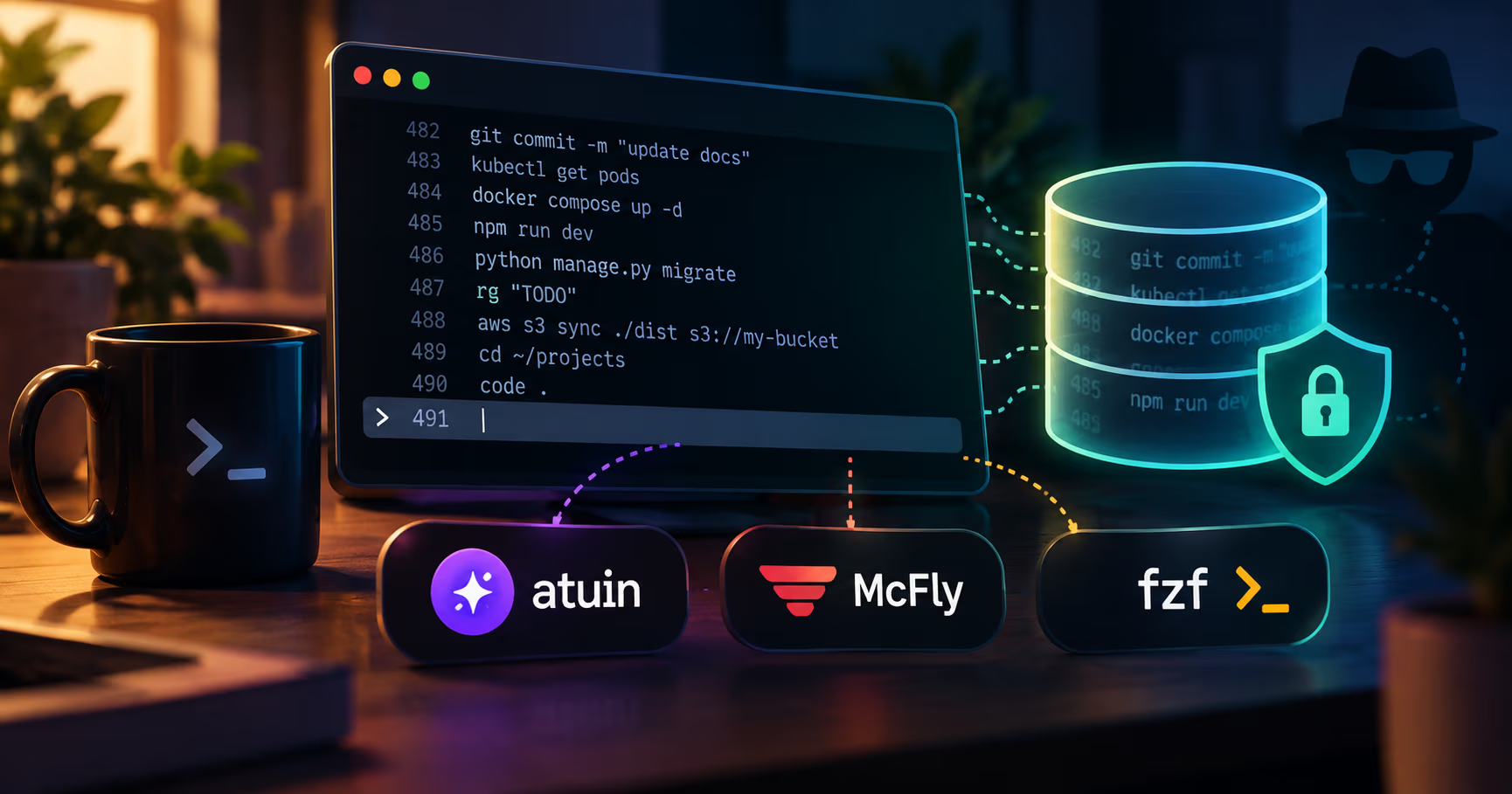
Ctrl-R used to be a grep over a text file. Your shell kept ~/.bash_history (or ~/.zsh_history), and pressing Ctrl-R walked backwards through it with a dumb substring match. That era is quietly over: a generation of tools has promoted shell history into a real database, indexed, ranked, context-aware, and in one case synchronized between all of your machines. Atuin, McFly, and fzf each improve a different part of that experience, and their privacy stories differ far more than their feature stories do.
This matters because shell history is one of the slowest-leaking stores on a workstation. Type one export AWS_SECRET=... while debugging, and that string outlives the terminal, the project, and often the machine itself. Every tool in this piece makes history more complete, and more complete is exactly what secrets want.
This is a companion to our developer workstation hardening guide and the privacy versus anonymity piece, which both ask who gets to read your local state. This one asks who gets to read your command history, and what the tools promising to improve it do to the answer.
What a plain HISTFILE really is
A bare shell history behaves like one text file the shell rewrites on the way out: bash flushes its buffer to ~/.bash_history when the shell exits, zsh can write after every command with INC_APPEND_HISTORY or SHARE_HISTORY, and either way the file is plaintext at rest with no native concept of a secret.
Its record is also lossier than people assume. HISTSIZE and HISTFILESIZE trim it, HISTCONTROL=ignoredups skips a duplicate only when it directly follows the same command, erasedups goes further and removes earlier matching entries before the line is saved, concurrent shells can overwrite each other's history on exit, and a crashed or killed terminal loses everything still sitting in memory. If any tool in this piece had to advertise a recording policy, plain HISTFILE is quietly the opposite: your shell agrees to drop whole classes of commands, mostly to avoid duplication.
For secrets, though, the plain file has one honest advantage worth naming: it is minimal. No metadata, no daemon, no index, no cloud copy. Its leaks are the classic behavioral ones: a token pasted into an export line, a database password inlined into a connection string, a curl with an Authorization: header. From there the secret rides backups, synced dotfiles, and whatever next process or person gets read access to your home directory. The defense is a habit, not an architecture: HISTCONTROL=ignoreboth:erasedups in bash, setopt hist_ignore_space in zsh, and the discipline of leading anything secret with a space so the shell never writes it down.
Atuin: full-fidelity history, encrypted before it travels
Atuin (atuin.sh) replaces the recording layer outright. Its shell hook captures commands together with the metadata HISTFILE discards: working directory, exit code, duration, hostname, session, timestamps. All of it lands in a local SQLite database, and search becomes a rich, filterable interface instead of a reverse walk. This is the purest version of "shell history is a database now", and it is the only one of the three that refuses some input before it is ever stored: commands matching its built-in credential patterns are never recorded, a default covered in detail below.
The sync is what makes Atuin distinctive, and it is where the privacy engineering lives. Records are encrypted on your machine before upload; the sync key is generated on your own device and, per Atuin's own materials, never leaves your devices; and the server, the hosted Atuin Hub or a copy you run yourself, only ever stores ciphertext. Self-hosting is a supported, documented path: the server ships as a separate atuin-server binary or container, backs onto PostgreSQL, MySQL, or SQLite (MySQL is a tier-two backend there: supported, but issues are deprioritized in favor of PostgreSQL and SQLite), and the docs actively recommend putting TLS in front of it (without TLS, login passwords travel in the clear). Sync is also opt-in: you can disable Atuin's network features, in which case you effectively have a local-only database like the other tools in this piece, with one footnote. The update_check setting defaults to on, so Atuin still asks api.atuin.sh for the latest release version at most once per hour; no history or personal data is involved, and setting update_check = false turns even that off, at which point an install with no sync configured makes no network requests of its own.
Two limits worth internalizing:
- End-to-end encryption protects the network leg, not your disk. The moment a record syncs down to a machine, it is plaintext inside Atuin's local SQLite store, readable by anything running as your user, exactly like McFly's database.
- The key is a credential with a hard edge. Because there is no server-side copy of the encryption key, a lost sync key means your synced history cannot be recovered. Atuin additionally documents a delete mode,
atuin search --deletewith a query, so a scrubbed entry can be removed from the record that lives across all of your machines rather than from just one file, and deletions propagate to your other machines when sync is on. Preview the query without--deletefirst: it removes everything it matches.
McFly: an offline database with a forget button
McFly's pitch is a smarter Ctrl-R with no service at all. It also records richer history than the shell: exit status, timestamp, and execution directory, in a local SQLite database placed in the OS-standard location, and it ranks suggestions with a small neural network that weighs your current working directory and recent command context, so the suggestions reflect what you are doing right now rather than a global popularity contest.
Two design choices matter for this piece. First, McFly maintains your normal shell history file alongside its database, so you are never locked in and can walk away cleanly. Second, it has an explicit scrub action that removes a single history item from both the McFly database and your shell history files, plus a documented ignore filter: MCFLY_IGNORE_PATTERN takes a regex, and commands matching it are never recorded into the database. McFly also skips some input on its own: its README says it already ignores noisy commands like ls, cd, and pwd, as well as anything you run with a leading space. A pattern like password|token|secret gives you genuine capture-time filtering without any infrastructure.
No sync means no cross-machine history, and therefore no cloud privacy questions at all. The honest assessment is that your exposure is entirely local: one plaintext SQLite file (plus the plaintext HISTFILE McFly deliberately keeps), readable by whatever reads your home directory. One sustainability note: the project README currently states that McFly is seeking co-maintainers, which is a fair thing to weigh before betting years of history on it.
fzf: the best search over the file you already have
The third option changes nothing about recording. fzf binds Ctrl-R to a widget that operates on the history your shell already holds in memory, which itself flows from the same ~/.bash_history or ~/.zsh_history file as before. There is no extra file, no daemon, no metadata, no network. What fzf adds is pure interface: fuzzy matching, live filtering, a preview of the full command, and a toggle between relevance and chronological ordering.
From a privacy point of view, fzf is the null hypothesis: it inherits every weakness of the HISTFILE, including every secret that ever reached it, and adds none, because it stores nothing new. Its influence on your secrets is still real but subtler. A history search good enough to actually use makes it more likely you will keep a large, permanent history instead of limping along at HISTSIZE=500. The better the search UX gets, across all three tools, the more complete your recorded past becomes, and completeness is the actual point of contention in this whole piece.
Local-only versus synced, as two threat models
Put McFly (or Atuin offline) against Atuin-with-sync and the differences collapse into one clean pair of threat models:
| Feature | Local-only (McFly, or Atuin offline) | Synced (Atuin) |
|---|---|---|
| Who reads a compromised sync server | No server exists | Ciphertext only; the sync key never leaves your devices |
| Who reads a compromised disk | Plaintext SQLite plus the shell history file, same as always | The same plaintext locally, plus the sync key that unlocks every other machine |
| Scrubbing a secret across machines | Local edit only; each machine keeps its own copies | One deletion removes it from the encrypted record everywhere it synced |
| Cost of losing the credential | None; there is nothing to reset | A lost sync key means lost synced history |
Who reads a compromised sync server
- Local-only (McFly, or Atuin offline)
- No server exists
- Synced (Atuin)
- Ciphertext only; the sync key never leaves your devices
Who reads a compromised disk
- Local-only (McFly, or Atuin offline)
- Plaintext SQLite plus the shell history file, same as always
- Synced (Atuin)
- The same plaintext locally, plus the sync key that unlocks every other machine
Scrubbing a secret across machines
- Local-only (McFly, or Atuin offline)
- Local edit only; each machine keeps its own copies
- Synced (Atuin)
- One deletion removes it from the encrypted record everywhere it synced
Cost of losing the credential
- Local-only (McFly, or Atuin offline)
- None; there is nothing to reset
- Synced (Atuin)
- A lost sync key means lost synced history
The at-rest story is identical: both keep plaintext SQLite locally, and both live under the same rule as your HISTFILE, that anything running as your user can read them. The differences are one layer up. A server compromise in Atuin's sync exposes nothing but ciphertext, because the key lives with your devices; a local compromise exposes the same plaintext to both options, with Atuin's twist that the same key then unlocks every synced machine's history from that one device. For most single-machine users, sync is upside with a credential to manage; for multi-machine users, it is the difference between history you can actually use and history you keep re-typing into whatever shell you are in.
The secrets problem no tool solves for you
The uncomfortable summary: no tool in this piece can recognize a secret that has no recognizable shape, and their default scrubbing now differs meaningfully. Atuin is the standout: since version 17.0 it has refused to record commands that look like they contain credentials. The secrets_filter setting defaults to true and matches every command against a built-in pattern set covering AWS keys, GitHub and npm tokens, Slack webhooks, Stripe keys, and a long list of other services, independently of anything you configure. The docs are blunt about the limit: it is a safety net, not a guarantee, and it only catches credentials in recognized formats. A plain password inline in a connection string, or an internal token in a format nobody has written a pattern for, still gets recorded. That is the gap the rest of Atuin's documented filters fill: a regex history_filter for anything else you want kept out, a cwd_filter for whole directories, and atuin history prune for entries that were recorded before a filter existed. McFly has no credential detection: it records everything that does not match your MCFLY_IGNORE_PATTERN (plus its built-in noisy-command and leading-space skips). fzf sees exactly what HISTFILE saw.
The leading-space convention is documented behavior for both databases now, not a habit you hope survives. Atuin's docs state that it honors ignorespace, with one caveat: under bash with bash-preexec (not ble.sh), ignorespace is not fully honored, so the command will not appear in Atuin but may still appear in your bash history. McFly's README says the leading space is skipped, on top of noisy commands like ls and cd that it ignores by default. What the shell honors (HISTCONTROL, hist_ignore_space) and what each tool's capture path honors remain different code paths, so test with a fake secret before trusting any of them. And note the trap at the start: an import such as atuin import auto will pull historical secrets out of your existing file and into the new, richer, longer-lived database whenever they do not match a filter, so clean the source first.
The practical hygiene list, in order:
- Clean the source before importing. Audit the old file for tokens and passwords (
grep -iEover the usual keywords), delete what you find, and rotate anything that leaked, then import. - Set shell-side filters first.
HISTCONTROL=ignoreboth:erasedupsin bash,setopt hist_ignore_spacein zsh, and the leading-space habit for anything sensitive you must run. - Set tool-side filters second. Atuin layers three: the default
secrets_filterthat refuses recognized credentials, a regexhistory_filterfor patterns of your own, andcwd_filterfor directories, withatuin history prunesweeping out entries recorded before the filter existed. McFly'sMCFLY_IGNORE_PATTERNcovers its database; fzf has no filter because it has no store. - Get secrets out of argv entirely. Env files,
pass,sops, or a provider's credential helper mean the secret never appears in a story; our sops and age write-up shows a workable pattern. - Scrub on both layers when you slip. McFly's scrub action clears the database and the shell history files; with Atuin,
atuin search --delete(or the delete shortcut inside the search UI) removes matching entries from the synced record, andatuin history prunecleans up after a newly added filter; remember any pre-sync HISTFILE copies still exist. - Treat the Atuin sync key as the master credential it is. Keep it backed up in a place matching your actual threat model, or accept that losing it means starting history over.
$ # bash: skip duplicates, and honor a leading space
$ export HISTCONTROL=ignoreboth:erasedups
$ # zsh: same idea, different spelling
$ setopt hist_ignore_space
$ # McFly: never record matching commands into its database
$ export MCFLY_IGNORE_PATTERN='password|token|secret|api[_-]?key'
$ # Atuin: credential-shaped commands are already refused by default
$ # add your own regexes in ~/.atuin/config.toml:
$ #   history_filter = ["--password", "api[_-]?key="]
$ #   cwd_filter = ["^/tmp"]
$ # then remove entries recorded before the filter existed
$ atuin history prune --dry-run
$ # audit what is already sitting in the old file
$ grep -iEc 'token|secret|password|api[_-]?key|authorization: ' ~/.bash_history ~/.zsh_history- Atuin
18.x docs checked 2026-10-29: client-side encryption before upload; sync key generated on-device and not recoverable from the server; hosted Atuin Hub or self-hosted atuin-server stores ciphertext only; self-hosting supports PostgreSQL, MySQL (tier-two), or SQLite backends with TLS recommended; sync is opt-in, update_check defaults to on (a version poll of api.atuin.sh at most hourly) and with it off and no sync configured Atuin makes no network requests of its own; secrets_filter has defaulted to true since v17.0.0 and refuses recognized credential formats only; history_filter and cwd_filter regex exclusion with atuin history prune for pre-filter entries; atuin search --delete is documented and propagates deletions over sync; Ctrl-R and the up arrow are bound by default and --disable-up-arrow opts out - McFly
SQLite database tracking exit status, timestamp, and execution directory while also maintaining the normal shell history file; scrub action removes items from the database and history files; skips noisy commands (ls, cd, pwd) and leading-space commands by default; MCFLY_IGNORE_PATTERN regex filter (renamed from MCFLY_HISTORY_IGNORE in September 2026); README notes the project is seeking co-maintainers - fzf
Ctrl-R shell widget operating on the history the shell already holds in memory; no extra file, database, daemon, or sync; fuzzy matching with a toggle between relevance and chronological ordering
FAQ
Does the Atuin server see my commands?
No. Records are encrypted on your machine before they are uploaded, the encryption key is generated and stored on your devices, and the server only stores ciphertext. Since the server is open source, you can also self-host it with a PostgreSQL, MySQL, or SQLite backend, or skip the network entirely, in which case Atuin behaves as a local-only database with only the default hourly version check left as a call, and update_check = false removes that too. E2EE covers the network leg, not the plaintext on each of your machines.
Is McFly more private because it has no sync?
Only on the network dimension. Locally, Atuin's offline store and McFly's database are in the same position: plaintext SQLite readable by anything running as your user. The real difference is what a compromise of each layer reaches. If your threat model is entirely local (a shared machine without full disk encryption, for example), local-only tools remove the weakest link, which is credential management, by not having one.
Does the leading-space trick still work with these tools?
Both tools document it, so the trick is verified rather than assumed. McFly's README says it already skips noisy commands like ls, cd, and pwd plus anything run with a leading space. Atuin's docs say it honors the convention, with one sharp edge: under bash using bash-preexec (not ble.sh), ignorespace is not fully honored, so the command will not appear in Atuin but may still appear in your bash history. The shell honoring a leading space (HISTCONTROL=ignorespace, setopt hist_ignore_space) and the tool honoring it are still different code paths, so test with a fake secret before trusting any combination.
I already have secrets in my history database. Now what?
Treat it like any leaked credential: delete the entries on every layer that holds them (the shell file, the tool's database, and the synced record where applicable; with Atuin, atuin history prune once a filter matches them, or atuin search --delete for entries that do not), then rotate the tokens, because an attacker with yesterday's copy of your home directory got the secret and no history rewrite undoes that.
Which one should I pick?
Pick by what problem you actually have. Minimal change, best fuzzy search, zero new stores: fzf's Ctrl-R. Local, richest context-aware search with a forget button: McFly. History that follows you across machines, encrypted end-to-end and self-hostable if you want: Atuin with sync. Nothing here is mutually exclusive, but Atuin and McFly both rebind Ctrl-R, and Atuin also binds the up arrow by default (its init accepts --disable-up-arrow if you want the plain arrow back), so they compete for those bindings rather than compose.
Further reading
- Atuin, sync and search with end-to-end encryption: https://atuin.sh/
- Atuin self-hosting, server setup: https://docs.atuin.sh/latest/self-hosting/server-setup/
- Atuin, keeping secrets out of history: https://docs.atuin.sh/latest/guide/excluding-commands/
- Atuin, deleting history: https://docs.atuin.sh/latest/guide/delete-history/
- Atuin source: https://github.com/atuinsh/atuin
- McFly source: https://github.com/cantino/mcfly
- fzf wiki, configuring shell key bindings: https://github.com/junegunn/fzf/wiki/Configuring-shell-key-bindings
- Akamai's guide to McFly for bash and zsh: https://www.akamai.com/docs/guides/using-mcfly-to-search-bash-or-zsh-history/
- Our developer workstation hardening guide: https://systhoughts.com/posts/securing-developer-workstation-isolation-hardening-limits-linux-security
- Our privacy versus anonymity piece: https://systhoughts.com/posts/privacy-vs-anonymity-anonymity-distro-tails-whonix-qubes
- Our sops and age secrets guide: https://systhoughts.com/posts/sops-age-secrets-in-git-without-pretending-git-is-a-vault
How many plaintext secrets are sitting in your shell history databases right now? If this piece made you go and check before syncing anything, tell us what you found (and what you rotated) in the comments.
Until next time, keep your systems thoughtful.
No comments yet