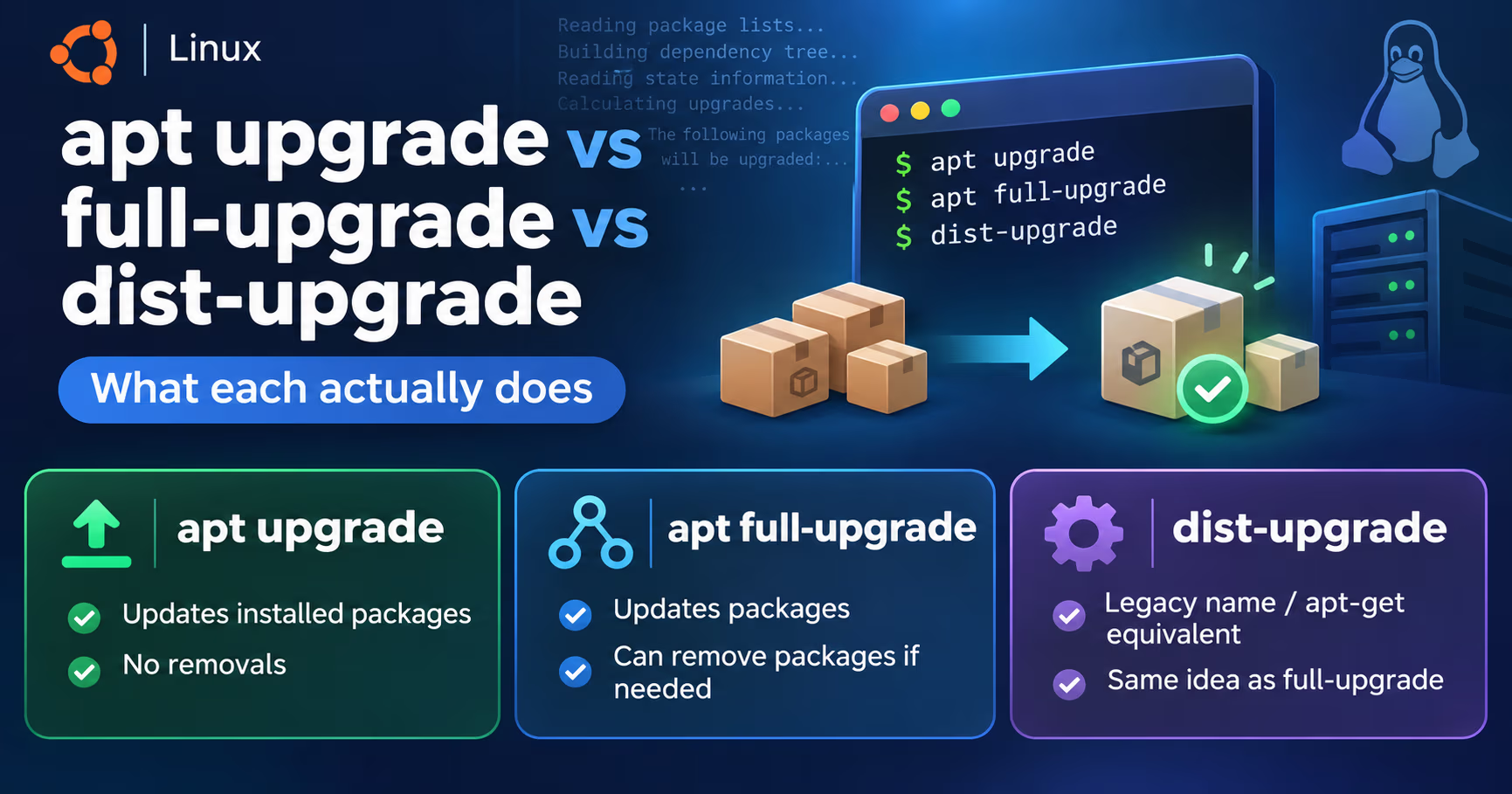
If you administer a Debian or Ubuntu box, apt hands you three upgrade commands in four spellings: apt upgrade, apt-get upgrade, apt full-upgrade, and the older apt dist-upgrade. Most tutorials treat them as interchangeable, and then someone runs a routine upgrade that wants to delete half their desktop, or watches a package sit unupgraded for weeks with no explanation in sight. Nothing here is mysterious: the man pages draw one clean line between these commands, and dist-upgrade's name lies about what it does.
Two notes before diving in, both from primary sources. First, every quoted rule below comes from the apt(8) and apt-get(8) man pages as shipped in Debian bookworm (apt 2.6.1) and from Debian's release notes; the same code underlies Ubuntu with one wrinkle of its own, phased updates, which gets a callout below. Second, apt update is always step zero, because every upgrade command answers from the index data that update downloads. Our bare Debian server setup guide covers bringing a box to this point; this one is about which upgrade word to run once it exists.
One sentence per command
- `apt update`: refetch package indexes from configured sources. It changes no packages; it only refreshes what apt knows.
- `apt upgrade`: upgrade packages in place. New packages may be installed if a dependency change requires them, but existing packages are never removed. An upgrade that would need a removal is simply not performed.
- `apt-get upgrade`: the stricter spelling. Under no circumstances are installed packages removed, or packages not already installed retrieved. Anything that needs either is left at its current version.
- `apt full-upgrade` (and
apt dist-upgrade, the same operation under its historical name): perform upgrade, then keep going, installing and removing packages as needed to upgrade the system as a whole.
If you only keep that block, you already know more than most search results on this topic. The rest of this piece is about where each edge lives: held-back packages, phasing, release upgrades, and the exact two-step order Debian's release notes prescribe.
Rule zero: apt update decides what the other words mean
The apt-get man page is blunt: "An update must be performed first so that apt-get knows that new versions of packages are available." apt(8) says the same in the other direction: the other commands operate on the data update downloads.
In practice this matters more than it looks. Running apt upgrade on stale indexes quietly does nothing new after the first pass, and all four summary numbers (upgraded, newly installed, to remove, not upgraded) go stale. On a stock Debian or Ubuntu install, apt-daily.timer refreshes the indexes on its own twice a day at randomized times, so the risk is not a machine that never refreshes its view; it is running an upgrade from whatever index happens to be current instead of one you just refreshed. It also explains why pasting an old upgrade instruction from a forum can surprise you: your fresh indexes describe whatever your sources currently serve, and if those point at a moving suite name like stable instead of a pinned codename, they can describe a newer release than the one you typed. Debian's release notes prefer codenames (bookworm, trixie) over stable in sources.list for exactly that reason.
apt upgrade: the no-removal rule (and the apt-get twist)
apt(8) on upgrade: "New packages will be installed if required to satisfy dependencies, but existing packages will never be removed. If an upgrade for a package requires the removal of an installed package the upgrade for this package isn't performed."
apt-get(8) is stricter: "under no circumstances are currently installed packages removed, or packages not already installed retrieved and installed."
Read those two side by side, because half the confusion around this topic is people quoting one while thinking of the other. In Debian bookworm's packaging, the newer apt tool may install new packages during upgrade when dependency changes demand them (a renamed dependency, a library split), while apt-get upgrade gates on both counts: no new installs, no removals, anything blocked by either stays at its current version. Identical "upgrade" instructions therefore produce different summaries depending on which binary you typed, and neither one ever removes something you installed.
A practical consequence follows: apt upgrade is a superset of apt-get upgrade, and the gap between them is exactly the behavior class some admins want to see before joining. If you are the one who preferred apt-get upgrade precisely because it changed nothing else, apt-get keeps a switch that preserves that restraint while unblocking new dependencies: apt-get upgrade --with-new-pkgs, which the man page describes as upgrading the held-back package and installing its new dependencies, while still "never" removing anything. It unblocks new dependencies, not renames in general: a renamed package whose replacement conflicts with the old name still needs a removal, and that stays out of bounds until full-upgrade.
| Feature | apt upgrade | apt full-upgrade |
|---|---|---|
| Packages removed1 | Never; an upgrade needing a removal is left undone | Removed when needed to upgrade the system as a whole |
| New packages installed2 | Only when a dependency change requires them (apt(8)); apt-get upgrade installs nothing new | Freely added, including renamed packages and new library stacks |
| When a package stays withheld3 | When its resolution would remove something else | Conflict-driven withholding does not persist; mixed dependencies get untangled |
| Documented spellings4 | apt upgrade, apt-get upgrade | apt full-upgrade, apt dist-upgrade, apt-get dist-upgrade |
| Role in Debian release notes5 | Minimal upgrade stage: apt upgrade --without-new-pkgs | Main upgrade stage, run after the minimal pass |
Packages removed1
- apt upgrade
- Never; an upgrade needing a removal is left undone
- apt full-upgrade
- Removed when needed to upgrade the system as a whole
New packages installed2
- apt upgrade
- Only when a dependency change requires them (apt(8)); apt-get upgrade installs nothing new
- apt full-upgrade
- Freely added, including renamed packages and new library stacks
When a package stays withheld3
- apt upgrade
- When its resolution would remove something else
- apt full-upgrade
- Conflict-driven withholding does not persist; mixed dependencies get untangled
Documented spellings4
- apt upgrade
- apt upgrade, apt-get upgrade
- apt full-upgrade
- apt full-upgrade, apt dist-upgrade, apt-get dist-upgrade
Role in Debian release notes5
- apt upgrade
- Minimal upgrade stage: apt upgrade --without-new-pkgs
- apt full-upgrade
- Main upgrade stage, run after the minimal pass
- The line that separates the two commands
- --with-new-pkgs gives apt-get upgrade the add-only half of this
- Holds, preference pins, and Ubuntu phasing can still defer both
- full-upgrade and dist-upgrade are the same operation under two names
- Chapter 4 of the bookworm release notes
Full-upgrade and dist-upgrade: one command, two names
apt(8) on full-upgrade: "performs the function of upgrade but will remove currently installed packages if this is needed to upgrade the system as a whole." apt-get(8) documents the same operation under its historical name, dist-upgrade, and says the quiet part about how: "apt-get has a 'smart' conflict resolution system, and it will attempt to upgrade the most important packages at the expense of less important ones if necessary."
Despite the name, dist-upgrade is not "upgrade the distribution." It is the same dependency-untangling upgrade as full-upgrade under an older spelling, and modern apt accepts both words, so old instructions that say sudo apt dist-upgrade do exactly what full-upgrade does. The removals are the feature, not a bug: renamed packages, superseded library versions, and obsoleted packages all clear out. Debian's release notes describe the full upgrade stage as one that "will install some new packages (usually new library versions, or renamed packages), and remove any conflicting obsoleted packages."
Held back, deferred, phased: what your not-upgraded count is telling you
When a summary ends with "and N not upgraded", four different causes hide inside that number:
- A real conflict. The upgrade resolves only if a package is removed (or, for apt-get upgrade, also if a brand new package must be installed), so the package is withheld. Classic after dependency reshuffles in a new release.
- A hold.
apt-mark hold packagepins a package against upgrades and both upgrade and full-upgrade respect it. The Debian release notes add a sharper warning: "If any package that is essential for the upgrade is on hold, the upgrade will fail." Check withapt-mark showholdbefore major work and unhold what you must. - A pin. An entry in apt's preferences (apt_preferences(5)) can keep the candidate version older than what your sources serve, and the package then sits unupgraded with no conflict and no hold involved. The release notes tell pinning users to revisit their configuration before a release upgrade for exactly this reason. Check with
apt-cache policy package. - Phasing, Ubuntu only. Ubuntu rolls updates out to a small percentage of machines first and widens it gradually, so on a young rollout your apt summary says "The following upgrades have been deferred due to phasing". Debian has no phasing, so its held-back packages are conflicts, holds, or pins.
Phased updates announce themselves clearly in Ubuntu 24.04's apt output, and they defer full-upgrade and dist-upgrade just as they defer upgrade. If you want them immediately, the option is apt -o APT::Get::Always-Include-Phased-Updates=true upgrade. Most of the time waiting is the better call: phasing windows run days, not weeks, and rollouts pause when problems are found.
Before deciding anything, ask apt instead of guessing. apt list --upgradable lists the candidates, and the simulation flags turn every command in this article into a read-only preview.
$ # What can move, at version level
$ apt list --upgradable
$ # Simulate a plain upgrade: what installs, what stays put
$ apt-get -s upgrade
$ # Simulate full-upgrade and see every proposed removal
$ apt-get -s full-upgrade
$ # Disk-space estimate the Debian release notes use before big upgrades
$ apt -o APT::Get::Trivial-Only=true full-upgrade
Release upgrades: the two-step order Debian prescribes
This is where the vocabulary pays off. A point-release upgrade inside one stable release (bookworm 12.1 to 12.2) is ordinary apt update && apt upgrade territory. A cross-release upgrade (bookworm to trixie) is not, and this is the one situation where people confidently run apt full-upgrade and still get burned, because the order matters.
Debian's release notes prescribe this sequence for bookworm, and it generalizes:
- Point sources at the new codename, run
apt update, then check holds withapt-mark showholdand unhold anything essential to the upgrade. - Run the minimal upgrade:
apt upgrade --without-new-pkgs, which upgrades "those packages which can be upgraded without requiring any other packages to be removed or installed". This gets every conflict-free upgrade out of the way first, so the full pass starts from a much smaller pile of decisions and is less likely to open by proposing mass removals. - Run
apt full-upgrade, read the removal list it proposes, confirm, and reboot once a new kernel has arrived.
Their supporting advice deserves to be stolen wholesale. Estimate the space first with apt -o APT::Get::Trivial-Only=true full-upgrade; record the session with script; run remote upgrades inside screen or tmux so a dropped SSH connection cannot kill an upgrade halfway through; and back up before you start, which is the one step the release notes put before everything else (our 3-2-1 backup walkthrough covers doing it for self-hosted infrastructure). If full-upgrade fails after downloading with "Could not perform immediate configuration on 'package'", the release notes' workaround is apt full-upgrade -o APT::Immediate-Configure=0.
On Ubuntu, do not hand-run this sequence for release upgrades: do-release-upgrade owns source rewriting, staging, and prompts for you.
Which one, and when
Interactive, routine maintenance: apt update && apt upgrade. It is finite, it never strays beyond what your installed set needs, and it can never delete anything. Reach for apt full-upgrade when the withheld pile grows and you actually want it untangled, review whatever it proposes to remove, then take stock with apt autoremove and purge any package left in a removed-but-with-config state.
Scripts, cron, automation: apt-get, per the Debian release notes: "apt is meant for interactive use, and should not be used in scripts. In scripts one should use apt-get, which has a stable output better suitable for parsing." apt(8) agrees from its own side, calling its commandline one "designed as an end-user tool" that "may change behavior between versions", and the binary itself warns "apt does not have a stable CLI interface. Use with caution in scripts." Two switches earn their place in any unattended upgrade: -s in a dry-run stage, and --no-remove, which aborts immediately if the operation would remove anything. Remember that -y answers yes to the whole computed plan, ordinary removals included, which is why the simulation comes before the unattended run. The brakes that survive -y are only the extreme cases apt-get(8) lists: a plan that changes a held package, installs an unauthenticated package, or removes an essential package still aborts, because each of those needs its own explicit --allow-* flag.
Release maintenance windows: the two-step order, minimal upgrade first, full-upgrade second.
$ # What is waiting, at which versions
$ apt list --upgradable
$ # Which packages have a hold set
$ apt-mark showhold
$ # Un-hold a package you deliberately pinned
$ apt-mark unhold linux-image-amd64
$ # Untangle one specific withheld package by naming it
$ apt install linux-image-amd64
$ # Undo the manual marking that apt install just applied
$ apt-mark auto linux-image-amd64
$ # Ubuntu only: take phased updates now instead of waiting
$ apt -o APT::Get::Always-Include-Phased-Updates=true upgrade
$ # After a full upgrade: review leftovers, then clean
$ apt autoremove --purge
FAQ
Do full-upgrade and dist-upgrade ever behave differently?
No. They are the same operation under two spellings: apt(8) documents the newer name, apt-get(8) keeps the historical one, and both frontends accept both words. Old articles recommending dist-upgrade are not wrong, just dated. The name misleads people into thinking it means release upgrades; release upgrades are a procedure, laid out in the release notes, whose second step happens to be full-upgrade.
Why does apt-get upgrade hold back packages that apt upgrade handles?
Because resolving those upgrades requires something apt-get upgrade is forbidden to do: retrieve a package that is not already installed, or remove an existing one. The man page says such packages are left at their current version. apt upgrade clears the first block, since it may install packages that dependency changes require, but it remains bound by the no-removal rule. Only full-upgrade clears both.
Is apt full-upgrade -y safe to run on a server?
Only after a simulation. -y answers yes to every prompt, the removal list included, so the preview stage is where you earn your safety: run apt-get -s full-upgrade, read the removal lines, and only then let it run for real. For unattended jobs, add --no-remove so any proposed removal aborts immediately instead of executing. The only plans -y still refuses on its own are the extremes apt-get(8) spells out: changing a held package, installing an unauthenticated package, or removing an essential package.
What is the quickest fix for one specific withheld package?
Name it: apt install package. The Debian release notes recommend exactly this for packages left held back after a full upgrade, "by trying apt install package". Naming it lets the resolver compute a targeted solution for that package, pulling in any new dependencies it now needs, without re-running the whole upgrade decision against every package on the system. One side effect to know: naming a package at install marks it as manually installed, per apt-mark(8), so if it had landed on your system automatically as a dependency, autoremove stops considering it. Undo that with apt-mark auto package, or avoid it upfront with apt-get install --only-upgrade package, which upgrades an installed package and leaves the auto flag alone.
Do phased updates also slow down full-upgrade?
Yes. Phasing is property of the Ubuntu archive, not of one command, and the deferred-due-to-phasing message appears during full-upgrade and dist-upgrade just as during upgrade. The same bypass applies for both: apt -o APT::Get::Always-Include-Phased-Updates=true full-upgrade. Debian has no equivalent, because Debian ships no phased rollout mechanism.
Further reading
- apt(8), the upgrade and full-upgrade definitions: https://manpages.debian.org/bookworm/apt/apt.8.en.html
- apt-get(8), the stricter upgrade and the historical dist-upgrade: https://manpages.debian.org/bookworm/apt/apt-get.8.en.html
- apt-mark(8), the auto and manual install flags: https://manpages.debian.org/bookworm/apt/apt-mark.8.en.html
- aptpreferences(5), pinning and the candidate selection it controls: https://manpages.debian.org/bookworm/apt/aptpreferences.5.en.html
- Debian bookworm release notes, Chapter 4, the two-step upgrade order: https://www.debian.org/releases/bookworm/amd64/release-notes/ch-upgrading.en.html
- Ubuntu Discourse on the phased-updates message: https://discourse.ubuntu.com/t/upgrade-deferred-due-to-phasing/61973
- Ask Ubuntu on phasing and what it means: https://askubuntu.com/questions/1431940/what-are-phased-updates-and-why-does-ubuntu-use-them
- Setting up the bare Debian server these commands live on: https://systhoughts.com/posts/setting-up-bare-debian-server-with-ansible
- Our SSH config guide for resilient connections to the boxes being upgraded: https://systhoughts.com/posts/ssh-config-tricks-nobody-taught-you
Four words, three commands, one line drawn by the man pages: upgrade never removes, full-upgrade removes when it must, and dist-upgrade is just the old spelling. Which of the three do you run by default, and has one of them ever eaten a package you wanted? Tell us in the comments, we read them all.
Until next time, keep your systems thoughtful.
No comments yet